
CapCut AI Avatar Hacks to Boost Your Social Media Reach
Boost your content with smart CapCut AI Avatar hacks. Learn easy to enhance creativity, increase engagement, and grow your social media reach.
Mike | 05 Dec 2025
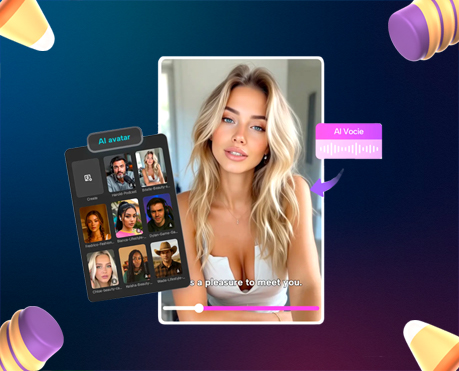
Standing out on social media gets harder every single day. With countless creators posting around the clock, your content needs more than just good visuals—it needs personality, uniqueness, and unforgettable style. CapCut AI Avatar powerful feature lets you create animated characters, add AI-powered voices, and turn simple ideas into scroll-stopping videos—all without filming yourself.
Whether you’re shy on camera, short on time, or simply want something fresh for your feed, AI avatars can take your content to the next level. With the right techniques, they’re not just fun to use—they can become your secret weapon for boosting reach, engagement, and online growth. Below, you’ll discover the best AI Avatar hacks to maximize visibility on platforms like TikTok, Instagram, and YouTube. You’ll also learn a simple steps to help you create your first avatar using CapCut. Let’s dive in.
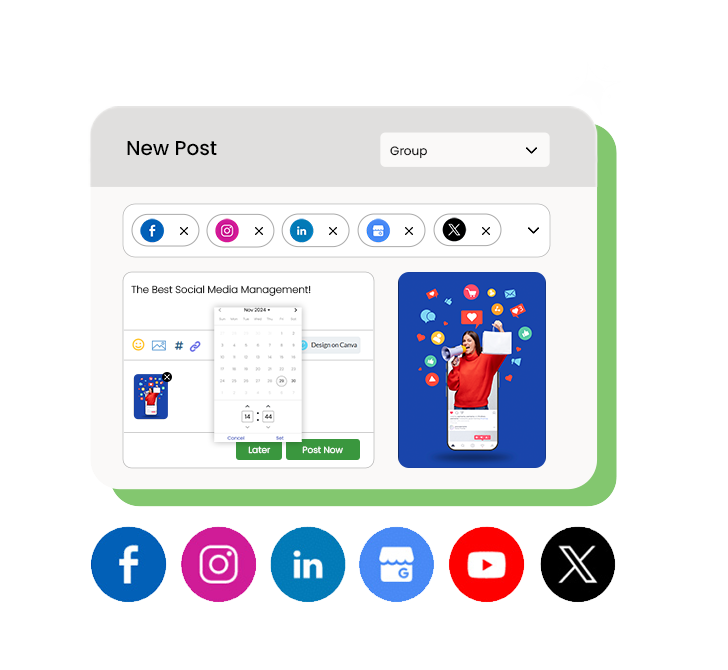
Why AI Avatars Help You Grow Faster
CapCut’s AI Avatar feature doesn’t just generate characters—it gives you an entire toolkit to make content smarter, faster, and more creative. Here’s why it boosts reach:
It keeps your audience watching longer
Animated characters feel fresh and visually appealing. They instantly grab attention, especially when scrolling through busy feeds.
It saves massive time
You don’t need to film, act, or re-record takes. Just script, generate, and post.
It works for any niche
Whether you’re into fitness, comedy, education, skincare, gaming, or lifestyle, AI avatars fit perfectly.
It makes your brand recognizable
A unique, custom avatar becomes your signature look, helping people spot your videos instantly.
Top CapCut AI Avatar Hacks for More Social Media Reach
Here are the most effective tricks creators use to turn AI avatar videos into viral moments:
1. Use Trending Audio with Your Avatar
Pair your AI avatar with viral TikTok or Instagram audio. Even if your avatar delivers your message via AI speech, trending audio in the background improves discoverability and pushes your video into more “For You” feeds.
2. Create Multiple Avatar Versions of Yourself
Don’t stick to just one character. Try:
- A cute cartoon version
- A professional avatar
- A futuristic sci-fi character
- A funny exaggerated animated persona
These variations help you reach different audiences without showing your face.
3. Turn Scripts into Fast Educational Videos
Educational content performs extremely well. Use your avatar to explain:
- quick tips
- how-to guides
- fun facts
- mini-stories
- motivational quotes
These formats build watch time and engagement.
4. Add Auto-Captions to Increase Retention
Many viewers watch videos on mute. CapCut’s Auto Captions ensure your message is still delivered clearly. This boosts watch time, accessibility, and viewer engagement—especially on TikTok, Reels, and YouTube Shorts.
5. Create a Series Featuring Your Avatar
A series keeps people returning to your page. Try:
- “Motivation of the Day from My AI Avatar”
- “Avatar explains marketing tips”
- “My AI Avatar reacts to trending memes”
Consistency + a familiar character = more followers.
6. Use Strong Hooks in the First 3 Seconds
Your avatar should start with attention-grabbers like:
- “Wait! You need to hear this.”
- “Here’s something you didn’t know…”
- “Stop scrolling!”
CapCut’s voice options make hooks more compelling.
7. Post Daily Without Recording Yourself
AI avatars let you batch-create 5–10 videos in one sitting. More content = higher reach on every platform.
How to Make a CapCut AI Avatar to Boost Your Social Media Reach
Step 1: Access the AI Avatar
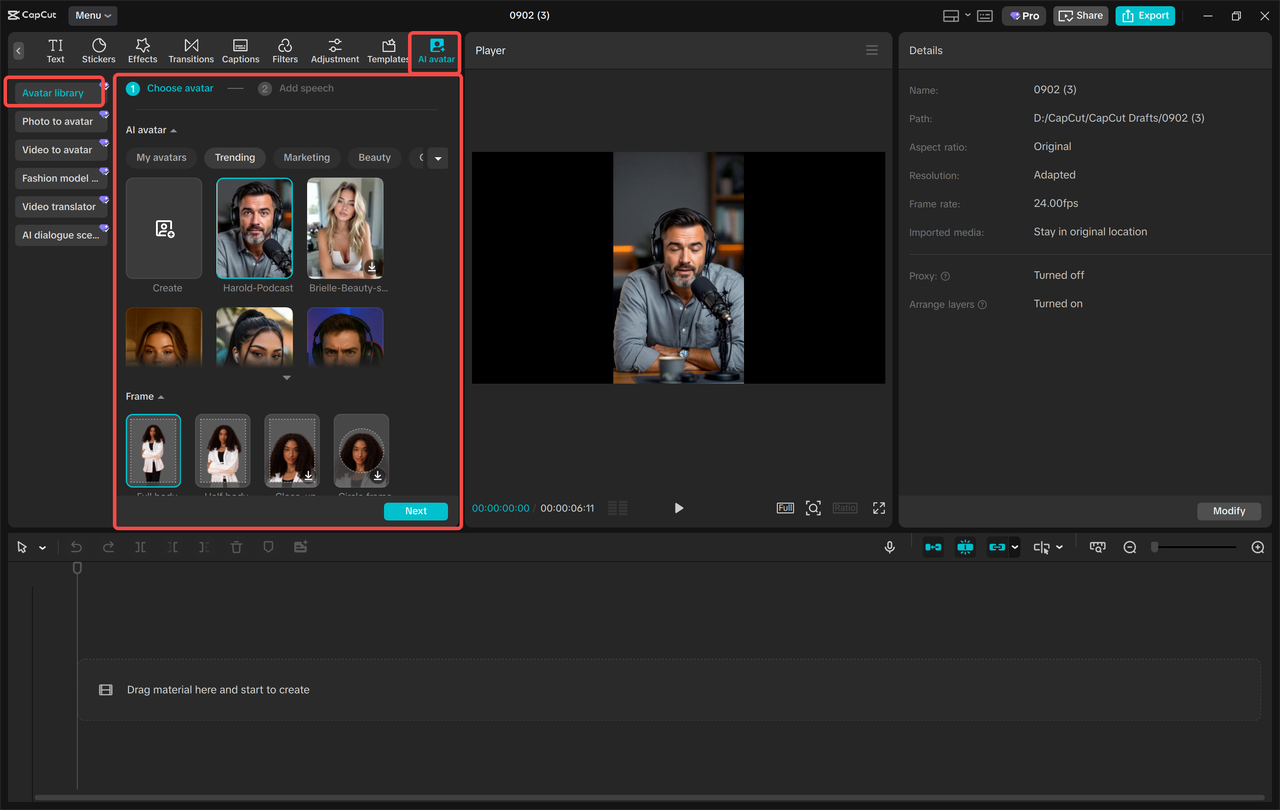
Open CapCut, then navigate to “AI Avatar” > “Avatar Library”. Browse through over 1,000 characters and select your favorite to use in your project. Then, click “Add Speech” to select from 150+ AI voices and make your character talk. Finally, click “Generate” to bring it to life. This step transforms your ideas into a living, moving avatar with voice, expressions, and personality. Pick a style that matches your niche—cute, realistic, futuristic, professional, or cartoonish.
Step 2: Edit Your Avatar Video
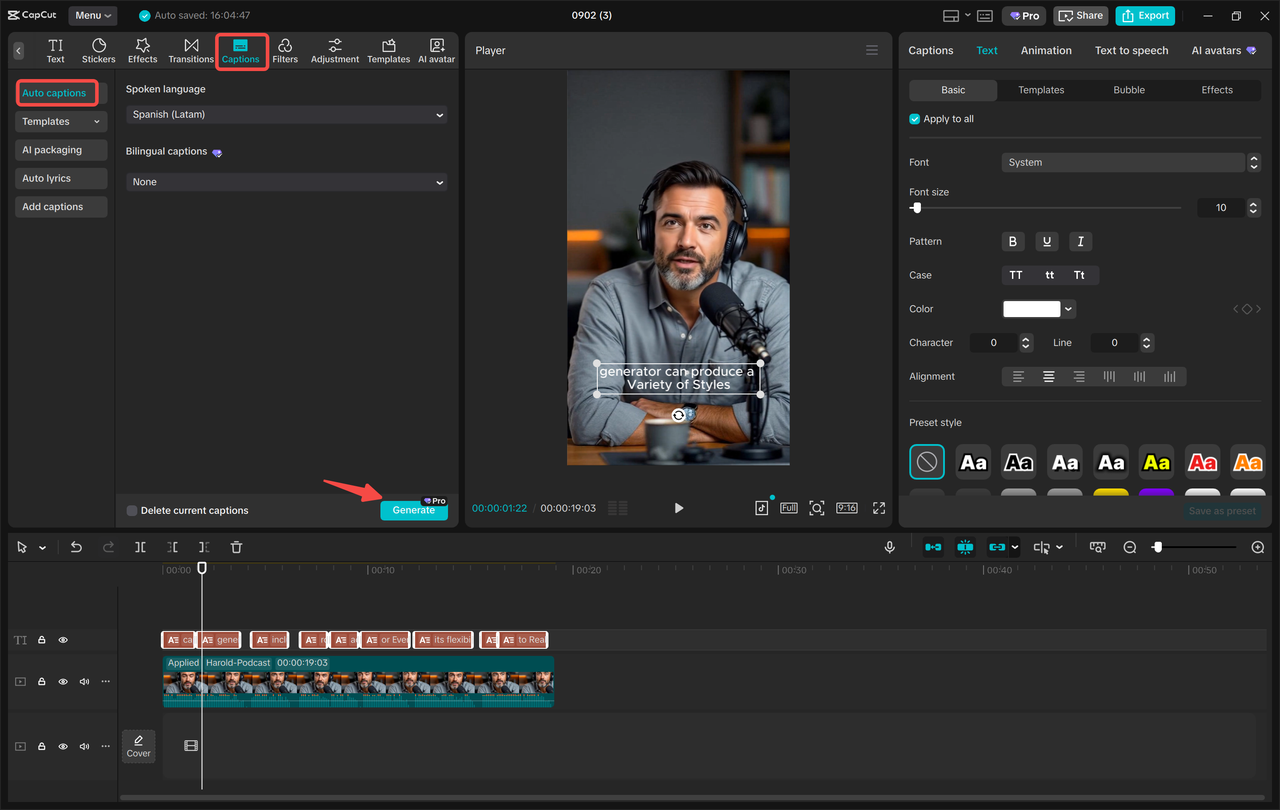
Polish your avatar using “Filters” to enhance the look and vibe of your video. You can also change the background to any setting—cityscape, pastel room, digital studio, cosmic scene, and more. This helps your content look polished and unique from the start. Next, click “Captions” > “Auto captions” to generate subtitles automatically. Adding captions increases retention time and improves your video’s performance across all social platforms. Try CapCut AI tools such as Text to Speech AI, AI Video Maker, and Nano Banana Pro to polish your content.
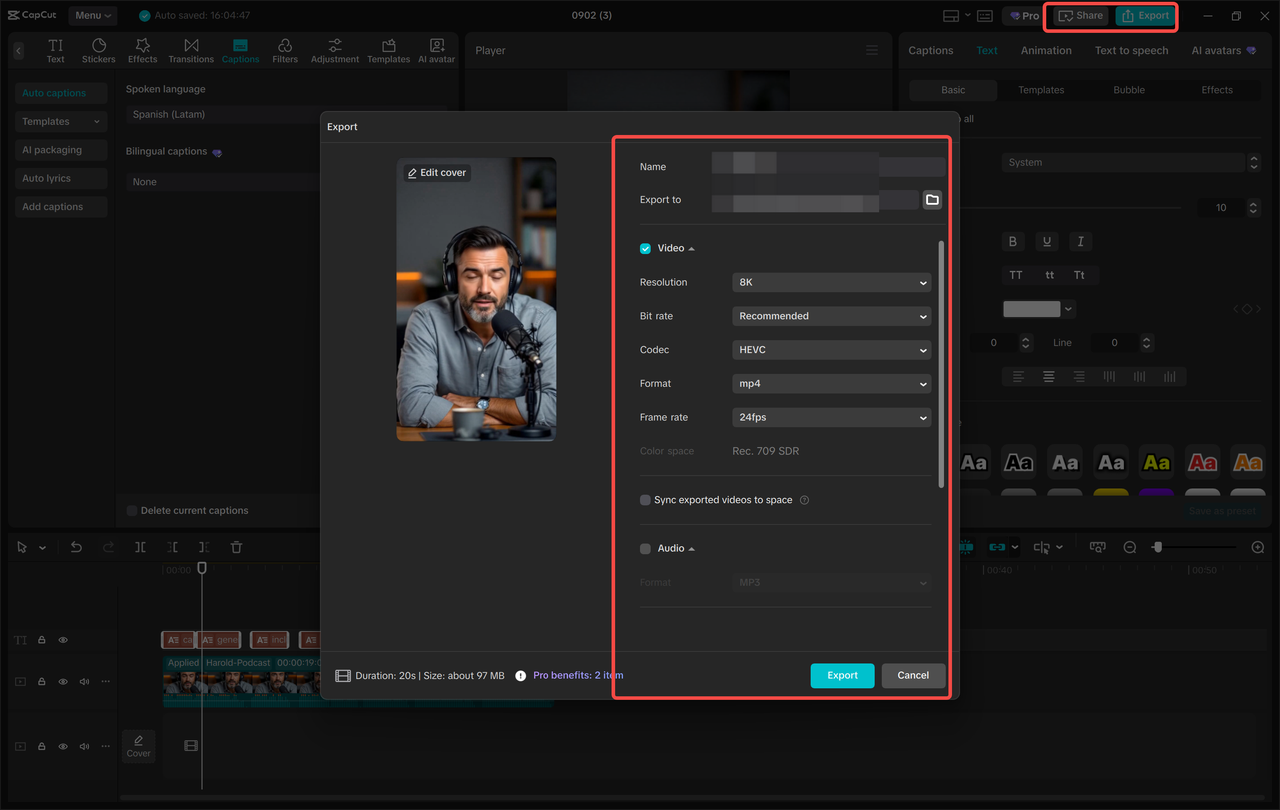
Step 3: Export Your Avatar
Export your finished character to your device or share it directly to YouTube or TikTok with one click.
Let your creation shine online and impress your followers, friends, and new audiences. With consistent posting, your AI avatar becomes your personal digital spokesperson—helping you grow your brand even when you’re offline.
Conclusion
CapCut AI Avatar is more than a fun tool—it’s a growth engine for creators who want to boost their reach, save time, and stay consistent on social media. By leveraging trending audio, auto captions, multiple avatar styles, and smart storytelling, your content becomes more engaging and more shareable.



Leave A Comment