
How Google Review Boost Local SEO & Grow Your Small Business
Boost local SEO with Google Reviews. Increase visibility, trust, and customer growth for your small business fast.
Mike | 04 Nov 2025
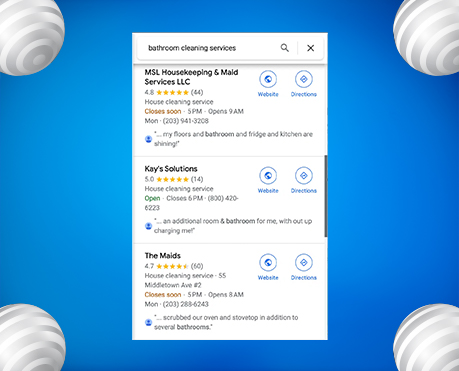
In today’s digital world, your online reputation starts with Google Reviews. Whether you run a café, local service, or online store, people often check your ratings before visiting your website.
These reviews do more than share feedback — they build trust, boost SEO rankings, and influence buying decisions. When someone searches for “best restaurant near me” or “top-rated plumber in [city],” businesses with strong, positive reviews show up first.
A smart Google Review strategy helps you earn more 5-star ratings, increase local visibility, and build lasting customer trust. This guide reveals simple, effective tactics top brands are using in 2025 to grow through authentic reviews.
What Are Google Reviews?
Google Reviews are customer ratings and feedback displayed on your Google Business Profile, appearing in Google Search and Google Maps. They show your average star rating, review count, and customer comments, helping people instantly judge your credibility and service quality.
In simple terms, Google Reviews are modern word-of-mouth marketing, they build trust, shape first impressions, and influence buying decisions before customers even visit your website.
What Are Google Reviews and Why Do They Matter?
Google Reviews are customer ratings and feedback on your Google Business Profile, visible on Google Search and Maps. They help potential customers quickly gauge your credibility, service quality, and reputation, often before visiting your website.
These reviews act as modern word-of-mouth marketing, shaping first impressions and buying decisions. In fact, over 93% of consumers read online reviews before making a purchase, and nearly 87% trust Google reviews as much as personal recommendations.
More importantly, Google uses the quantity, quality, and freshness of reviews as key SEO ranking factors, helping top-rated businesses appear higher in local search results and the “Map Pack.”
Here’s why they matter so much:
⭐ Boost Local SEO: Positive, recent reviews help your business rank higher on Google.
🤝 Build Trust: Genuine reviews prove your business delivers real value.
📈 Drive Conversions: High ratings attract more clicks, calls, and customers.
💬 Gain Insights: Reviews show what customers like and what to improve.
🔍 Strengthen Credibility: Reviews boost your brand’s trust and authority in Google’s eyes.
In 2025, Google’s AI algorithms will have become even smarter. They now analyse review sentiment, frequency, and how you respond to feedback. So it’s not just about collecting reviews, it’s about engaging with them consistently to stay ahead of competitors.
Complete Google Review Strategy for SEO and Business Growth
1. The Connection Between Google Reviews and Local SEO
Google’s local search ranking depends on relevance, distance, and prominence, and reviews strongly impact prominence.
Here’s how Google Reviews help your local SEO:
- ⭐ Higher Click-Through Rate: Listings with more stars get more clicks, signaling trust to Google.
- 🗝️ Fresh Content: Every review adds keyword-rich, user-generated content that boosts visibility.
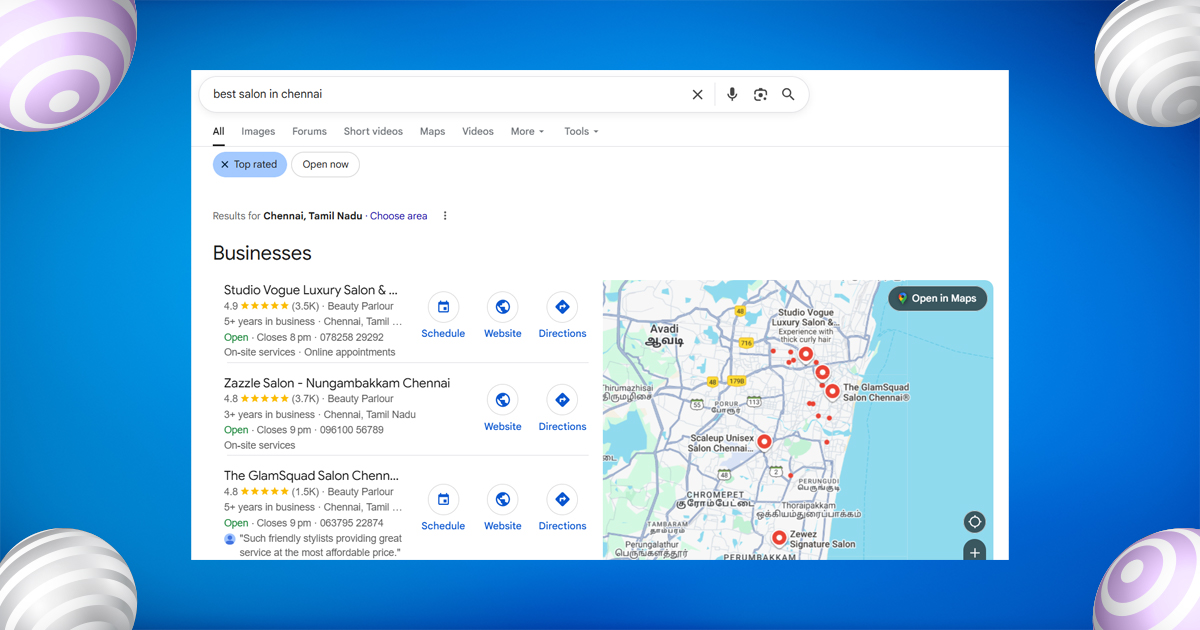
- 📍 Local Signals: Reviews mentioning your city or service (like “best salon in Chennai”) strengthen local relevance.
- 🤝 Trust Boost: Positive reviews reduce bounce rates and show Google that users value your business.
2. How Google Reviews Drive Sales and Conversions
Over 90% of consumers read reviews before buying, and most trust them as much as personal recommendations.
Here’s how reviews turn browsers into buyers:
- 💬 Build Instant Trust: People prefer businesses with higher ratings and positive feedback.
- 💰 Boost Conversions: Strong reviews help convert visitors into paying customers faster.
- 🔁 Encourage Loyalty: Responding to reviews shows care and encourages repeat business.
3. Secrets No One Talks About: Advanced Review Insights
Most brands just want “more reviews,” but the quality and activity matter most.
Here are a few insider tips:
- 🔑 Keyword-Rich Reviews: Reviews that include your service and location improve local SEO.
- ⏰ Consistent Frequency: A steady flow of reviews is better than a one-time spike.
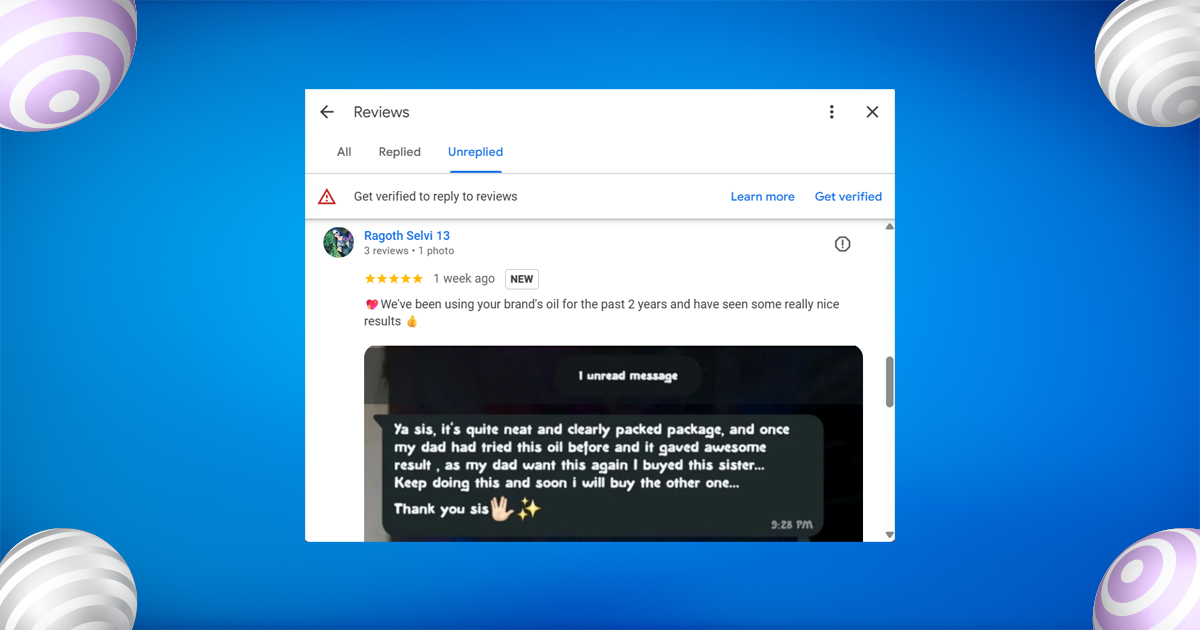
- 📸 Photo Reviews: Images in reviews attract up to 30% more views.
- 🤖 AI Sentiment Matters: Google’s AI now reads tone, positive language helps you rank higher.
- ⚡ Fast Replies: Responding within 24 hours shows activity and boosts local ranking.
4. How to Encourage Customers to Leave Google Reviews
Getting reviews is easier when you make it simple and natural.
Try these quick strategies:
- 🕓 Ask at the Right Time: Request feedback right after a great customer experience.
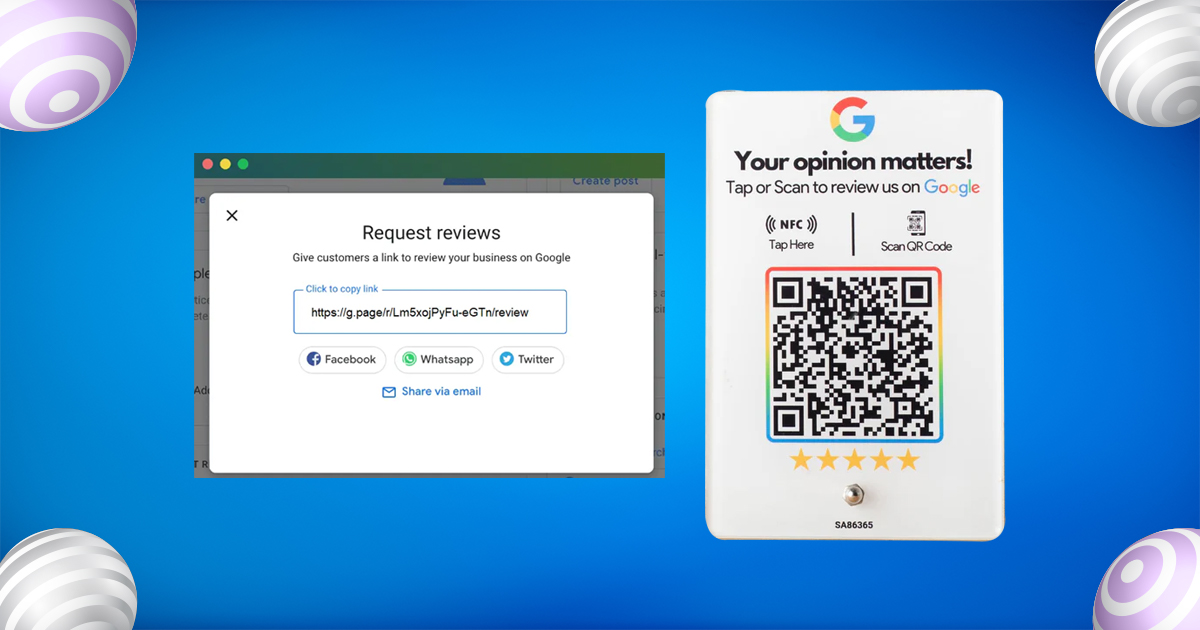
- 🔗 Make It Easy: Share your review link via WhatsApp, email, or SMS.
- 🙌 Show Appreciation: Thank customers publicly, it encourages others to share feedback.
- 📱 Use QR Codes: Add one to receipts, menus, or packaging for instant access.
- 👥 Train Your Team: Personal requests from staff feel more genuine and get better results.
5. The Role of Negative Reviews
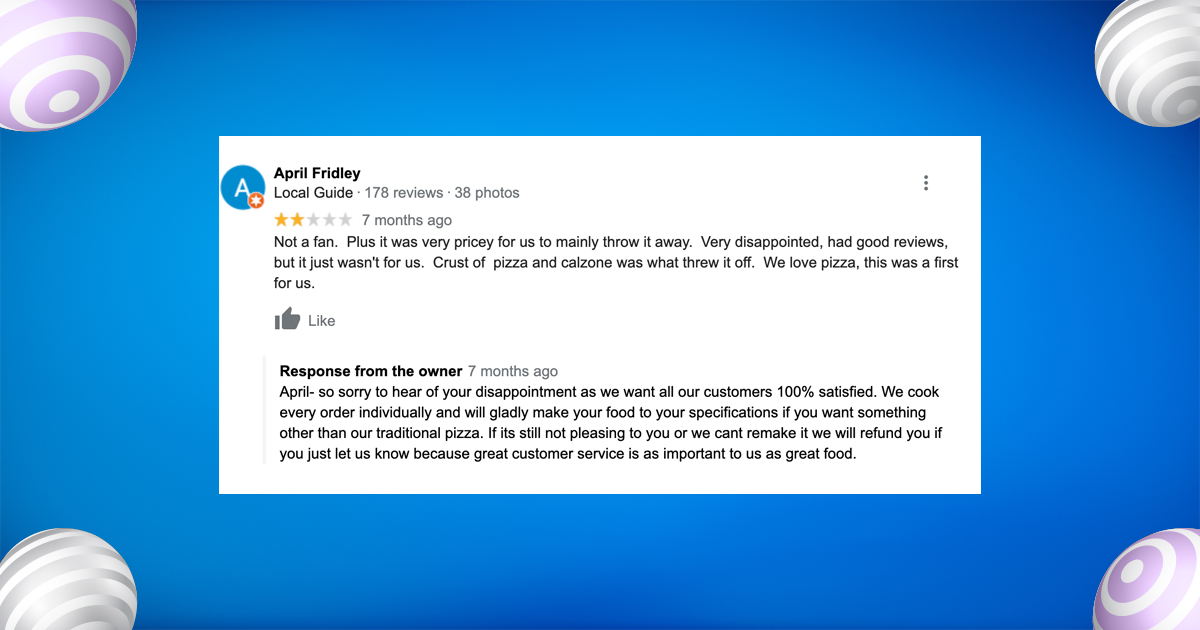
Don’t fear negative reviews, they actually add authenticity. A mix of positive and critical feedback builds trust. When you respond politely and professionally, it shows you care about your customers and are open to improvement.
6. Measuring the Impact of Google Reviews on SEO
Track how reviews affect your performance using these key metrics:
- 📊 Local Ranking: Check if your business appears in Google’s “Local Pack.”
- 🌐 Website Traffic: Monitor visits from Google Maps or local searches.
- ☎️ Conversions: Track calls, direction requests, or inquiries.
- ⭐ Average Rating: Aim for at least a 4.5-star average.
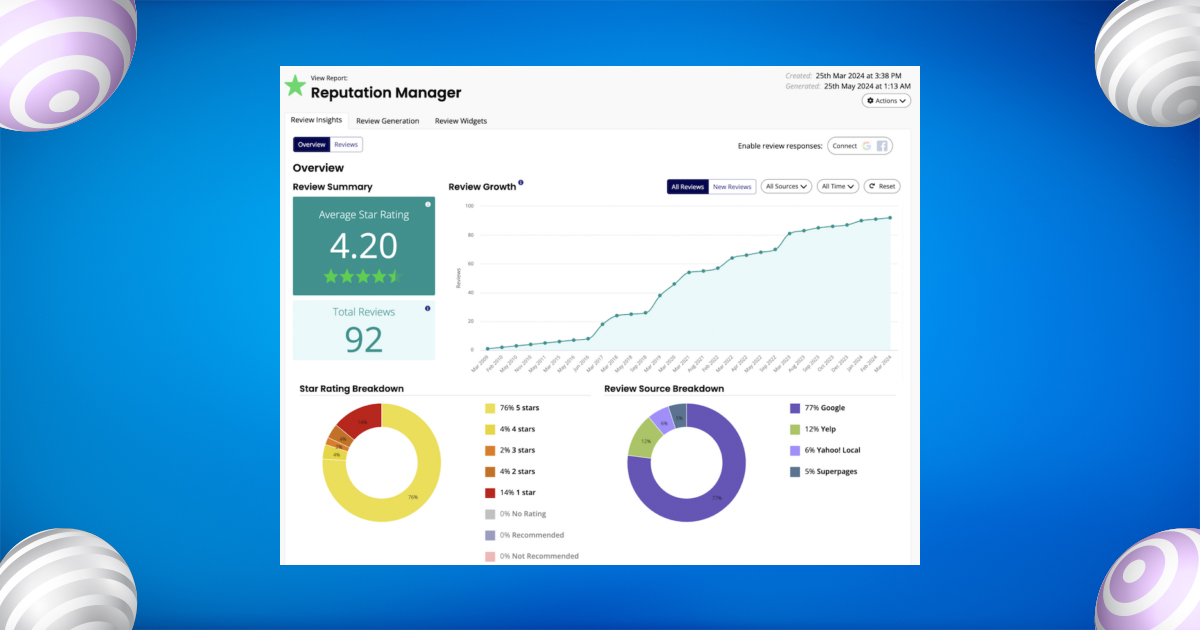
Use tools like Google Business Insights, SEMrush, or BrightLocal to measure review trends and SEO growth.
7. Encourage Reviews Authentically
Never fake reviews, instead, make it easy for happy customers to share real feedback.
Ask for reviews right after a great experience through a quick message or email with your review link. Add QR codes on receipts, cards, or your website, and automate requests through tools like HubSpot or WhatsApp. Train your staff to remind satisfied customers before they leave.
8. Respond to Every Review, Even the Negative Ones
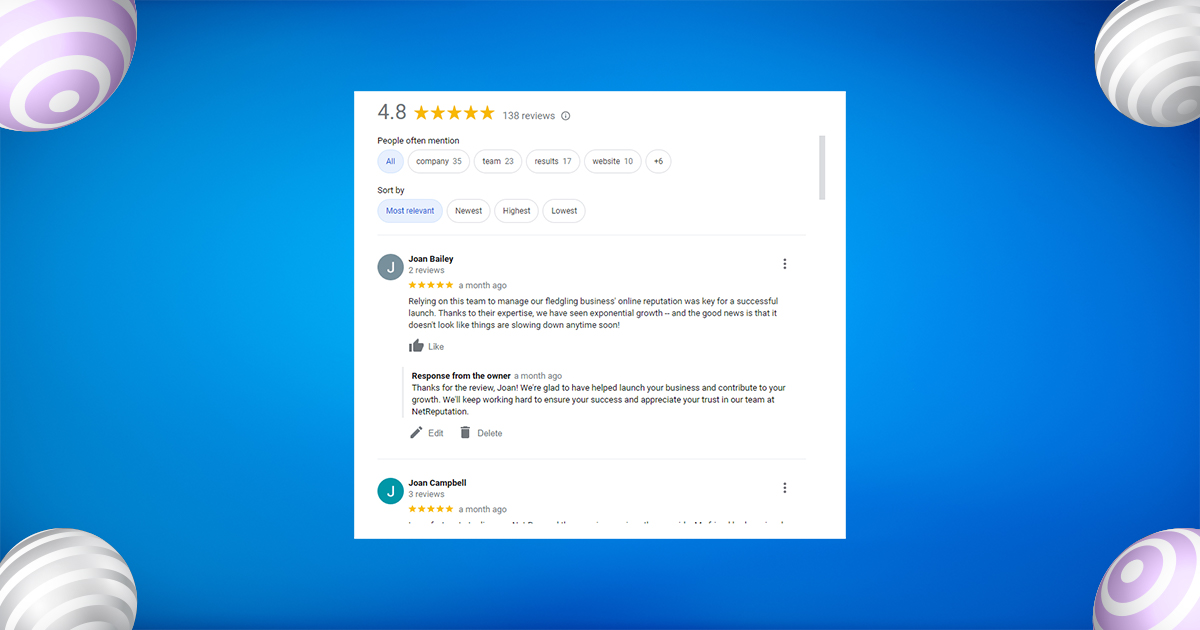
Replying to all reviews shows you care. Thank customers for positive feedback and personalise your response. For negative reviews, stay calm, be polite, and offer to resolve the issue privately. Why it matters: Google counts review responses as engagement, and listings with owner replies see higher conversions.
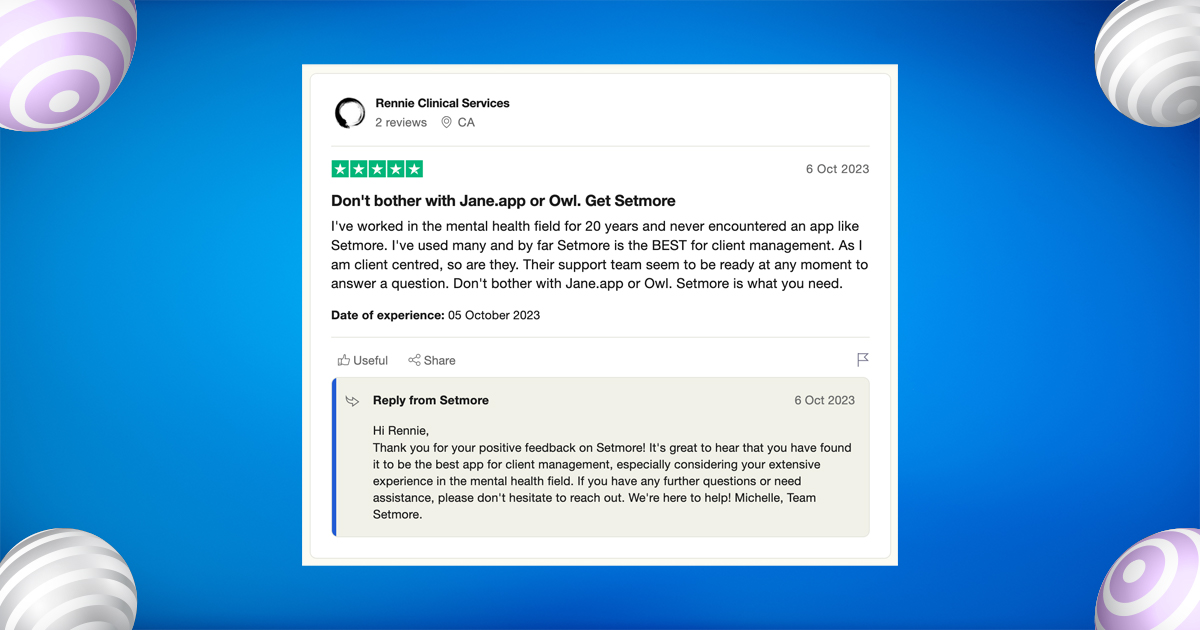
💡 Hidden Insight: Reviews with replies perform about 16% better in driving customer actions.
9. Leverage Keywords in Your Review Strategy
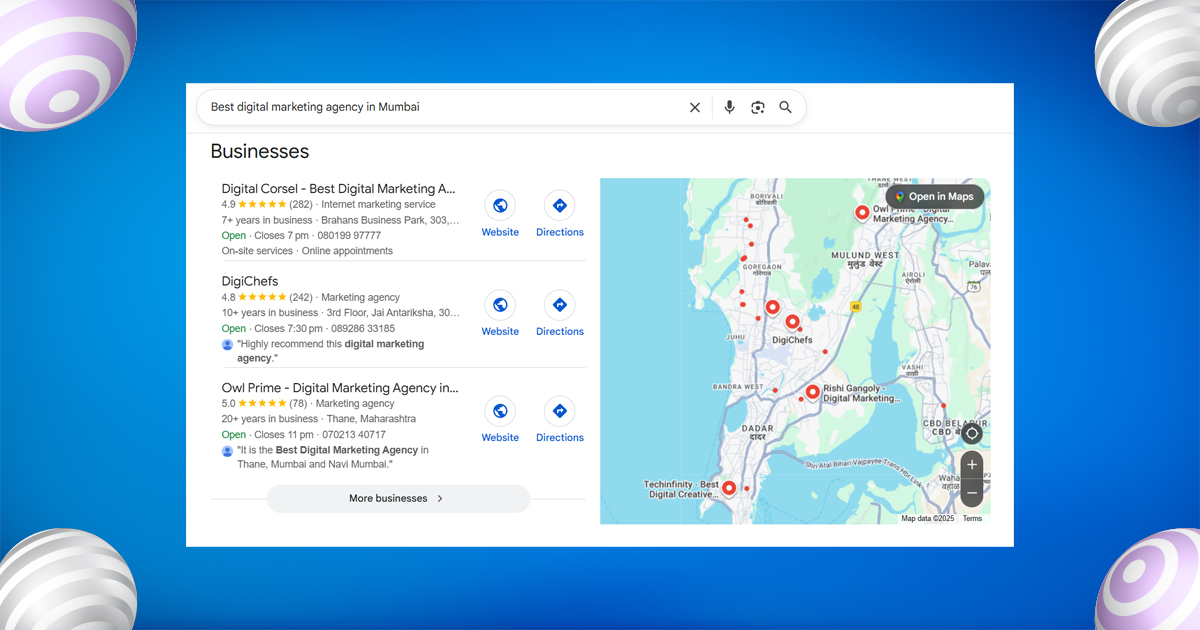
Encourage customers to include natural keywords like your service and location in their reviews.
Example: “Best digital marketing agency in Mumbai.”
This helps Google connect your business with those search terms. You can gently guide reviewers with follow-ups that inspire keyword-rich but natural feedback.
10. Showcase Reviews Across All Platforms
Don’t let great reviews go unseen, display them everywhere. Add them to your website, social media, email newsletters, and landing pages.
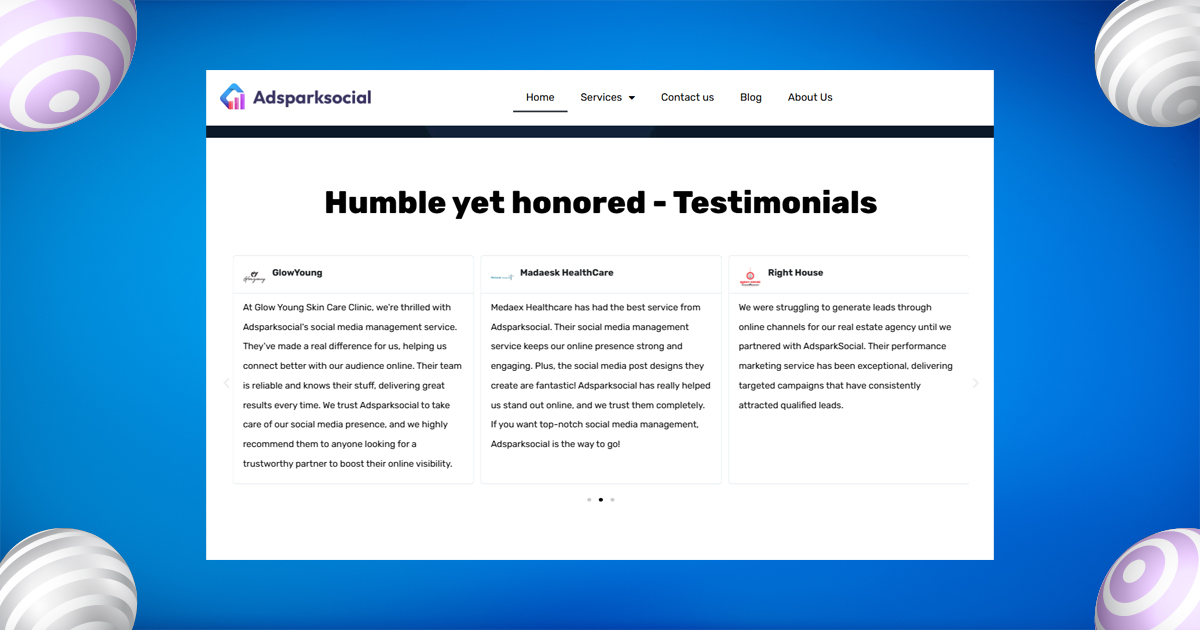
Sharing reviews across platforms strengthens trust and keeps your brand consistent wherever customers find you.
11. Monitor and Analyse Review Trends
Regularly track your reviews to understand customer sentiment and fix issues early.
Use tools like Google Business Dashboard, Trustpilot, or Podium to spot trends.
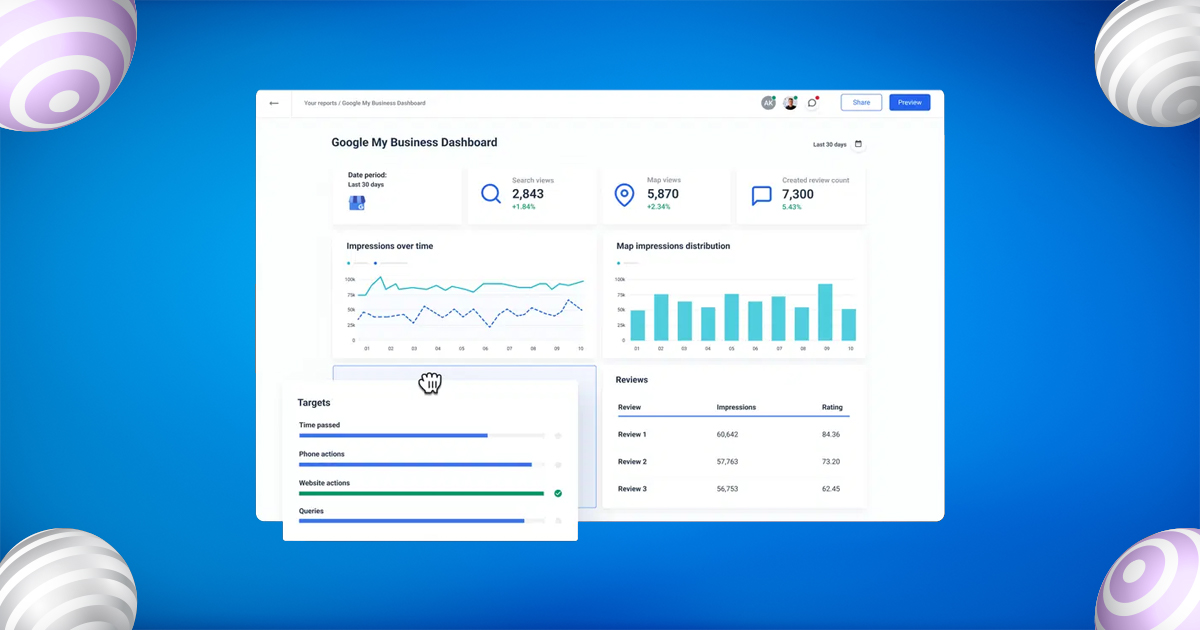
Watch for patterns, repeated mentions like “slow service” or “great support” reveal what needs improvement.
12. Incentivise the Right Way (Without Violating Policies)
Never pay for or reward positive reviews, it breaks Google’s rules.
Instead, reward engagement, not the review itself.
Try:
- Small discounts for completing general surveys.
- “Customer Appreciation” shoutouts on social media.
- Loyalty programs that recognise active customers.

13. Use Google Reviews to Build Brand Stories
Your reviews can become powerful storytelling tools.
Turn your best customer feedback into videos, blog posts, or social media features that highlight real experiences.
Sharing customer stories builds emotional connection and shows authenticity — two key drivers of trust.
14. Keep Your Google Business Profile Updated
A complete, active profile supports your review strategy.
Keep your business info, hours, and photos updated, and regularly post updates or offers. Google rewards active profiles with better visibility and higher trust.
15. Build Long-Term Trust with Transparency
Authenticity beats perfection. A mix of positive and average reviews makes your business look real and reliable.
Don’t chase only 5-stars, focus on consistent service, genuine care, and timely responses. That’s what builds lasting customer trust and a strong online reputation.
Step-by-Step Google Review Strategy to Build Customer Trust
- Optimise Your Google Business Profile
Your Google Business Profile is your digital storefront, make it shine.
✅ Keep contact info, hours, and photos updated.
✅ Add a keyword-rich description like “best local service” or “trusted provider in [city].”
A complete, attractive profile helps you rank higher and earn more reviews. - Ask for Reviews at the Right Time
Ask when customers are happiest, right after a great experience.
A simple message like “We’d love your feedback, it only takes 30 seconds!” can boost responses dramatically.
Automation tools can help send these follow-ups easily. - Make It Super Easy to Leave a Review
Don’t make customers hunt for your review link.
Add it to emails, receipts, or social media.
You can even use a QR code on your packaging or website, convenience drives more reviews. - Respond to Every Review (Even Negative Ones)
Show customers you care by replying to all feedback.
Thank happy customers, and handle criticism politely.
Engaging with reviews builds trust and improves your local SEO. - Showcase Reviews Everywhere
Share your best reviews beyond Google, on your website, social media, and newsletters.
Real customer stories act as social proof and strengthen your brand’s credibility. - Analyse Review Insights Regularly
Use Google My Business insights to see what customers love and where to improve.
Look for common words like “fast service” or “friendly team”, these clues help refine your customer experience. - Focus on Authentic Reviews Only
Never buy or fake reviews, Google can detect them.
Real feedback builds long-term trust and keeps your reputation strong.
Honesty always wins in the eyes of customers and Google.
Top Google Review Tips to Get More 5-Star Ratings Fast
- Ask at the Right Time
Request reviews right after a positive experience — like a successful purchase or resolved issue. Use automated follow-ups or CRMs to send a short “Thank You” message with your Google review link. - Make It Easy to Leave a Review
Share a direct review link (👉 https://g.page/r/YOURBUSINESSNAME/review) through emails, receipts, WhatsApp, or social media bios. The simpler it is, the more reviews you’ll get. - Respond to Every Review
Always reply — even to negative feedback. It shows you value customers and boosts your Google visibility. Respond quickly (within 48 hours) to improve trust and local ranking. - Train Your Team to Ask Naturally
Encourage staff to politely ask satisfied customers for reviews. A simple, genuine request often gets better results than automated messages. - Reward Loyalty, Not Reviews
Never buy reviews. Instead, show appreciation — feature happy customers on social media or thank them through loyalty programs to encourage genuine advocacy. - Showcase Reviews Everywhere
Share your best Google reviews on your website, social media, and email campaigns. It builds trust and reinforces your brand’s credibility. - Monitor Review Trends
Track recurring feedback using tools like Google Business Insights or Birdeye. Identify what customers love or dislike and use AI tools to understand sentiment and improve service.
How to Write a Google Review
If you want to write a Google Review for a business, it’s simple but powerful. Here’s how:
- Sign in to Your Google Account.
You must be logged into your Gmail or Google account to post a review. - Search for the Business on Google.
Type the business name in Google Search or Google Maps. - Click on “Write a Review.”
You’ll find this under the business profile on the right-hand side (desktop) or bottom (mobile). - Choose a Star Rating (1–5).
- 5 stars = Excellent
- 4 stars = Good
- 3 stars = Average
- 2 stars = Poor
- 1 star = Terrible
- Write a Helpful Comment.
Be descriptive — mention what you liked, how the service helped, and any specific staff or features that stood out. - Add Photos (Optional).
Images make your review more authentic and useful to other users. - Submit Your Review.
✅ Pro Tip: Use relevant keywords naturally in your review — for example, “best digital marketing agency in Mumbai” or “affordable plumbing service near me.” This helps Google associate the business with those keywords.
Pro Tips for Advanced Google Review Strategy
AI Sentiment Analysis:
Google now evaluates review tone — more positive sentiment boosts your visibility in “Top Rated” results.
Review Velocity:
Avoid sudden review spikes. Consistent, steady reviews look natural and build long-term trust with Google.
Photo Reviews Boost CTR:
Customer reviews with photos attract more clicks and engagement. Encourage users to share pictures of your product or service.
Geo-Tagged Reviews:
Local reviews from nearby customers carry more SEO weight. Focus your review requests on local audiences.
Google Business + Reviews Combo:
Regularly update your Google Business Profile with posts, offers, and photos alongside fresh reviews to maximise SEO impact.
Use AI Tools for Smarter Review Management
With advancements in AI and automation, you can now monitor and respond to reviews faster than ever. Tools like Google Business Manager, Podium, or Birdeye can:
- Send automated review requests
- Track sentiment trends
- Alert you about negative reviews instantly
This allows you to maintain an active and trustworthy brand image without spending hours every day on manual responses.
SEO Benefit of Getting More Google Reviews
Every review helps strengthen your local SEO in three major ways:
- Increased Visibility: More reviews = more relevance to Google searchers.
- Higher Click-Through Rates: Businesses with 4.8+ stars get 25% more clicks.
- Better Ranking on Maps: Frequent new reviews show Google that your business is active.
When you consistently get 5-star reviews, Google’s algorithm rewards you by ranking your Google Business Profile higher — leading to increased organic traffic, calls, and footfall.
Advanced Tips Most Businesses Don’t Know
- Use QR Codes for Instant Reviews:
Place QR codes at your counter, on receipts, or delivery packages linking directly to your review page. - Leverage Voice Search Optimisation:
More people now ask, “Hey Google, what’s the best [service] near me?” — and review ratings determine those results. - Create Review Campaigns:
Launch monthly review drives where your team focuses on getting authentic feedback — not just ratings, but detailed experiences. - Use AI Tools for Sentiment Monitoring:
Tools like Chatmeter or Reputation.com analyse thousands of reviews to find hidden improvement areas and competitor gaps. - Post Regular Google Updates:
A frequently updated Google Business Profile with posts, photos, and Q&As boosts visibility and encourages more engagement.
How to Handle Negative Reviews
Don’t panic if you get a bad review — it happens to every business. What matters is how you respond.
- Stay calm and polite.
- Acknowledge the issue and offer a solution.
- Take the conversation offline if necessary.
- Thank the reviewer for feedback — it shows maturity and professionalism.
A balanced mix of positive and resolved negative reviews builds more authentic trust than a profile with 100% 5-star ratings.
Final Thoughts:
In 2025, Google Reviews have become more than just star ratings — they’re powerful trust signals that shape your SEO, reputation, and customer loyalty.
A strong, consistent review strategy can:
- Boost your local search ranking
- Drive more traffic and conversions
- Strengthen credibility and long-term brand trust
The key is authenticity and consistency — ask for feedback at the right time, respond to every review, and use insights to improve your business.
Remember, people may forget ads, but they never forget real customer experiences. Start today — every genuine review builds trust, fuels growth, and turns your Google Business Profile into your best marketing tool.
FAQs About Google Reviews
- How do Google Reviews impact SEO rankings?
Google reviews boost your local SEO by signaling trust, relevance, and engagement. Frequent, positive reviews help your business appear higher in local search and Google Maps. - How many reviews do I need to rank higher?
There’s no fixed number, but most top-ranking businesses have 50+ genuine, recent reviews. Consistency and quality matter more than sheer quantity. - Can I delete or report fake reviews?
Yes. You can report fake or spammy reviews through your Google Business Profile. Google will remove them if they violate its policies. - Should I respond to every review?
Absolutely. Replying to both positive and negative reviews shows you value feedback and boosts trust — plus, Google rewards active engagement. - Can I offer incentives for Google reviews?
No. Google strictly prohibits paid or incentivised reviews. Focus on delivering great experiences and asking for honest feedback instead.




Leave A Comment