
How To Reset Your Instagram Feed: Simple Fresh Guide
Learn how to reset Instagram feed easily. Follow simple steps to refresh Explore, Reels, and posts for a cleaner, better feed.
Mike | 16 Dec 2025
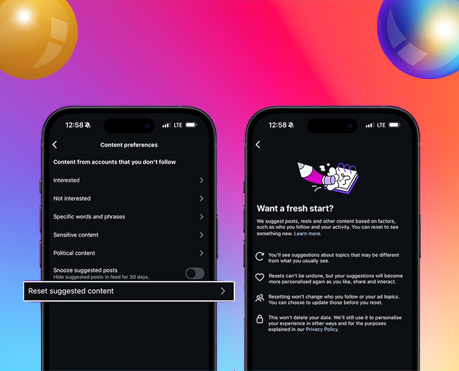
Instagram is one of the most popular social media apps in the world. People use it every day to watch videos, follow friends, and discover new ideas. Over time, Instagram learns what you like and shows you the same content over and over hagain. Although this may be helpful in the beginning, it can gradually make your feed boring, confusing, or even stressful.
If you keep seeing posts you don’t enjoy, you may be wondering how to reset Instagram feed. The good news is that Instagram now allows users to refresh their feed without deleting their account.
This easy guide explains how to reset Instagram feed, why you should do it, and how to train your feed again after the reset.
What Does “Reset Instagram Feed” Mean?
Learning how to reset Instagram feed means clearing the recommended content Instagram shows you. This includes:
- Explore page posts
- Reels suggestions
- Suggested posts on your home feed
Instagram uses a system called an algorithm. This system watches how you use the app. Every time you like a post, watch a reel, or pause on a video, Instagram learns from that action.
Even small actions matter. Watching a video for a few extra seconds tells Instagram you may like that topic. Over time, these signals build up and shape your feed.
Resetting your Instagram feed removes these old signals and lets Instagram start learning again.
Why Your Instagram Feed Changes Over Time
Many users notice their feed slowly changes without them realizing it. This happens because Instagram is always learning from your behavior.
Here are some common reasons why your feed may feel wrong:
- You searched for something once and now see it everywhere
- Your interests changed, but your feed did not
- You watched one viral video and fell into a content loop
- You liked posts you no longer enjoy
- You spent time watching negative or stressful content
This is why knowing how to reset Instagram feed is so helpful. It gives you control again.
Related blog: Get More Instagram Story Views
Why You Should Reset Instagram Feed
There are many reasons people choose to reset Instagram feed.
- Your Interests Have Changed: What you liked last year may not interest you today. Resetting helps Instagram learn your new interests.
- Too Much Repetitive Content: Seeing the same type of posts every day can be boring. A reset brings variety.
- Sensitive or Stressful Content: Some content can affect your mood or mental health. Resetting helps remove unwanted topics.
- Accidental Content Loops: Sometimes you watch one video and Instagram keeps showing similar content even if you do not want it.
- Discover New Creators: A reset helps you find fresh accounts and new ideas.
Understanding how to reset Instagram feed helps you enjoy the app again.
Who Can Use the Instagram Feed Reset Feature?
Instagram first introduced this feature to help teenagers have a safer experience online. However, the feature is now available to all users.
Anyone who feels their feed does not match their interests can use it. You do not need a new account or special settings.
How to Reset Instagram Feed in 5 Easy Steps
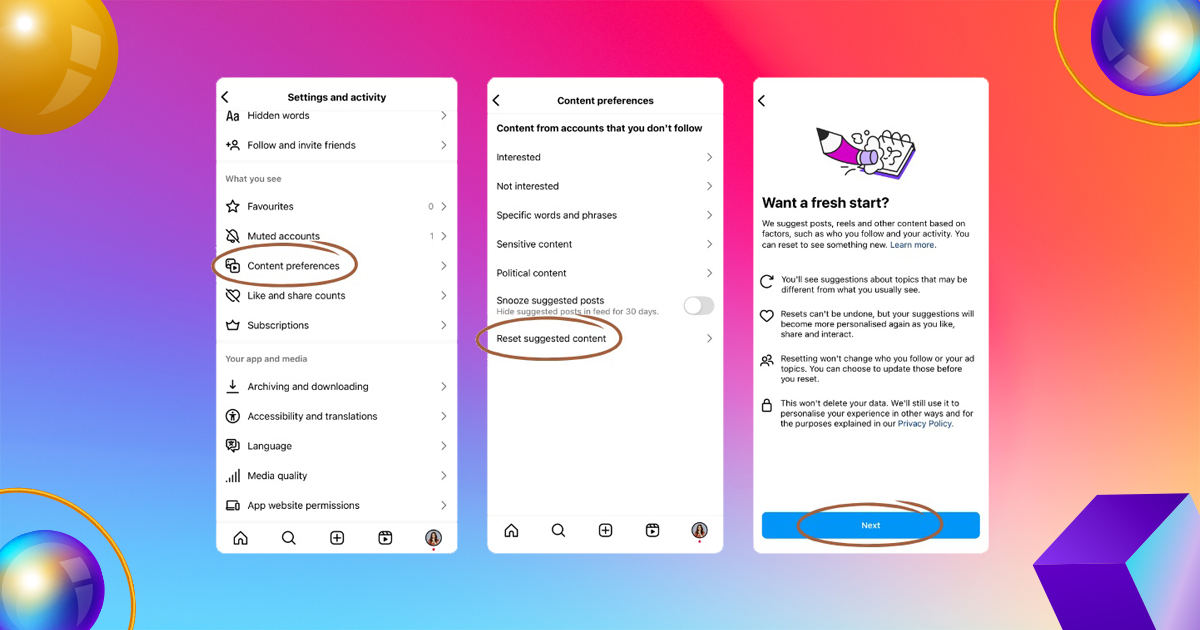
Follow these simple steps to learn how to reset Instagram feed:
- Open Instagram and go to your profile
- Tap the three-line menu in the top right corner
- Scroll down and tap What You See
- Select Content Preferences
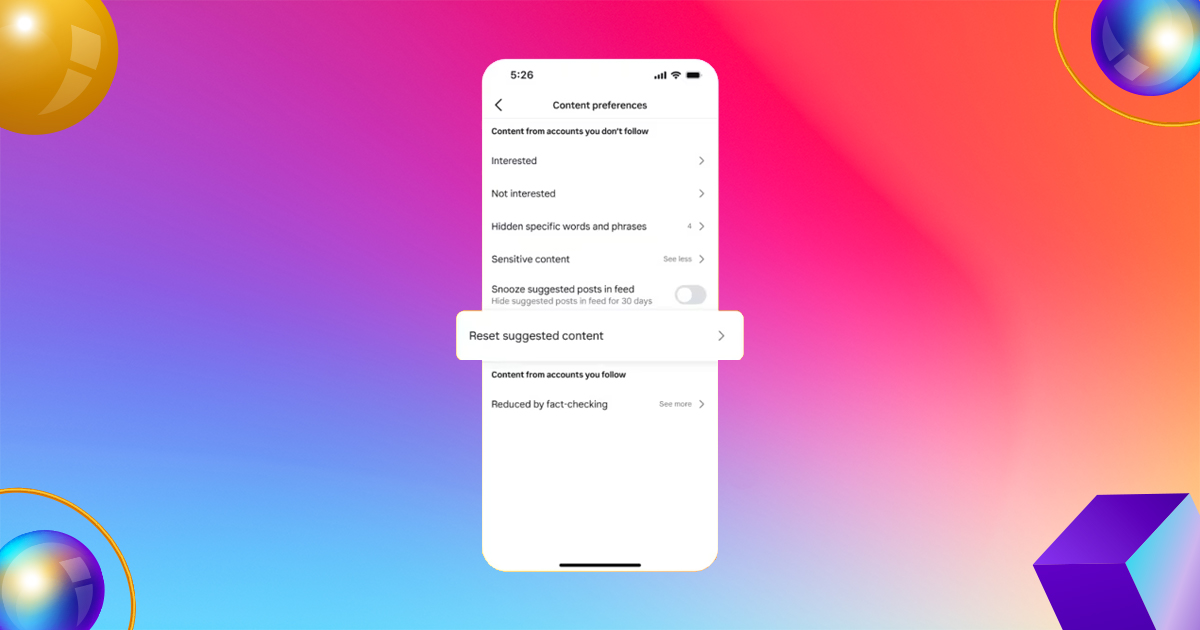
- Tap Reset Suggested Content and confirm
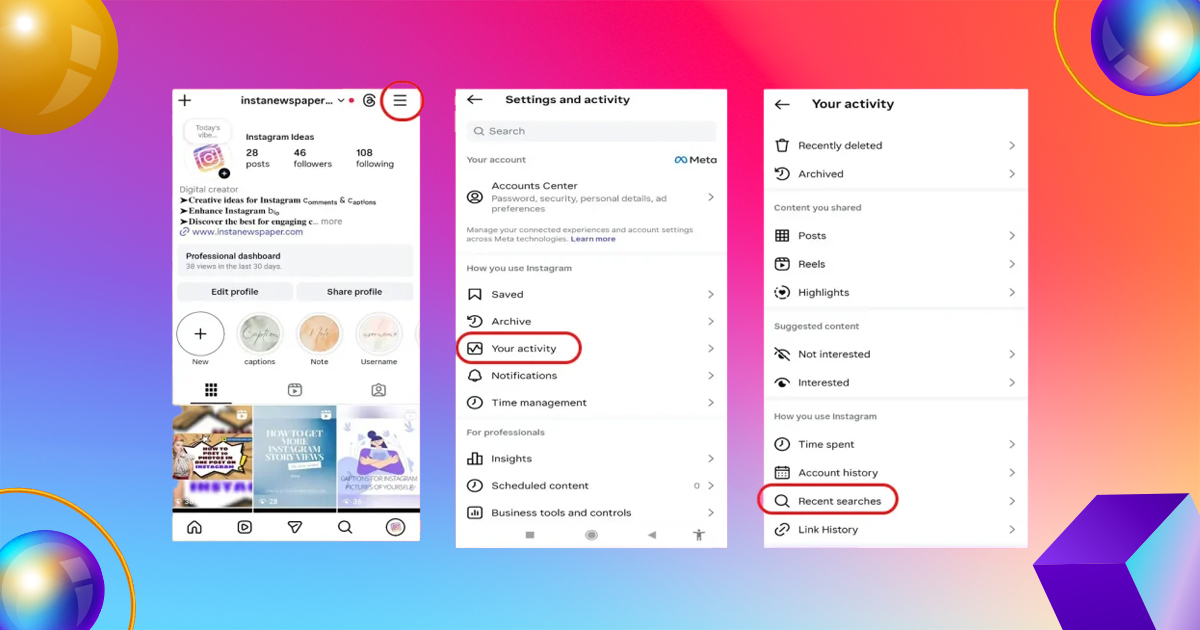
Once done, your feed will begin fresh.
Important Tip
Before the final step, Instagram may ask you to review the accounts you follow. You can unfollow accounts or adjust ad topics if you want more control.
What Happens After You Reset Instagram Feed?
After you reset your Instagram feed, Instagram will no longer use your old activity to suggest content.
At first, your feed may show general or mixed posts. This is normal. Over time, Instagram will learn again based on your new actions.
What Does NOT Change After the Reset?
- Your followers and following list
- Your ads
- Your posts, stories, and messages
Resetting your feed does not delete your account or data.
How to Train Your Instagram Feed After Reset
Knowing how to reset Instagram feed is only the first step. What you do after the reset is very important.
Here’s how to train your feed the right way:
- Like Only What You Enjoy: Be careful about what you like. Likes tell Instagram what to show you.
- Watch Videos Fully (or Skip Quickly): If you enjoy a reel, watch it fully. If not, scroll fast.
- Use “Not Interested”: Tap the three dots on a post and select Not Interested for unwanted content.
- Follow New Accounts: Follow creators that match your current interests.
- Avoid Doom Scrolling: Spending too much time on negative content can bring more of it.
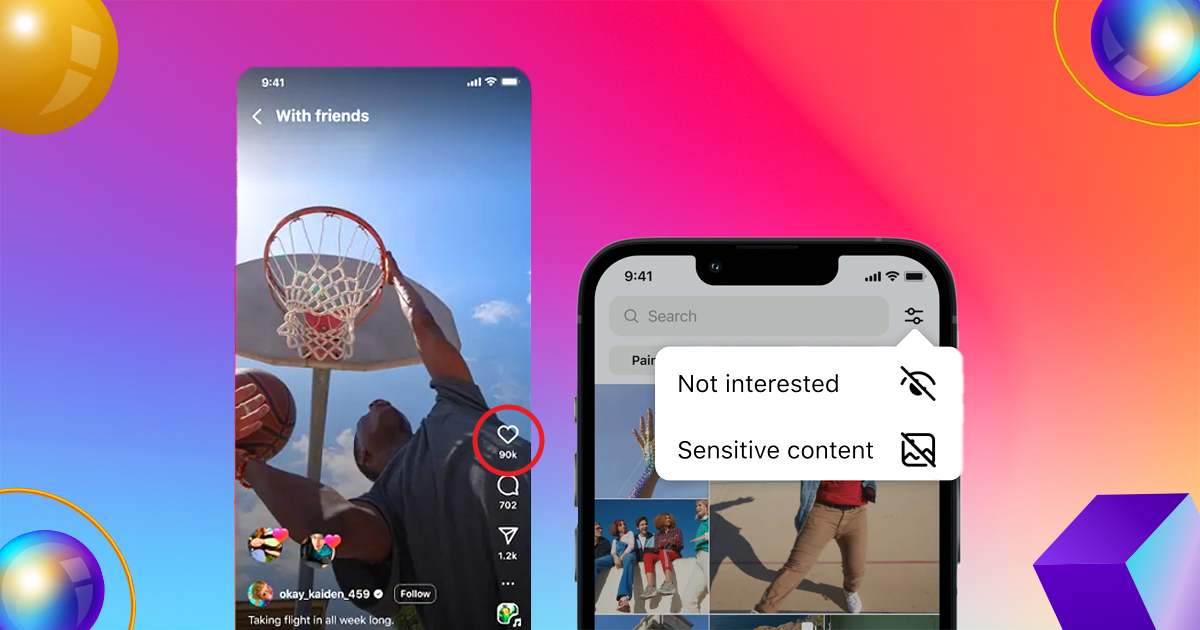
These steps help Instagram learn faster and better.
Other Ways to Improve Your Instagram Feed Without Resetting
If you do not want a full reset, Instagram offers other helpful tools.
- Use “Interested” and “Not Interested”: This helps adjust your feed slowly.
- Use Hidden Words: Block words or phrases you do not want to see.
- Switch to Following Feed: This shows posts from people you follow in order.
- Create a Favorites List: See more posts from accounts you love.
These tools give you control without resetting everything.
Common Mistakes to Avoid After Resetting Instagram Feed
After learning how to reset Instagram feed, avoid these mistakes:
- Liking random content
- Watching videos you do not enjoy
- Following too many accounts at once
- Engaging with negative posts
Your actions shape your feed, so be mindful.
Is Resetting Instagram Feed Safe?
Yes, resetting your Instagram feed is safe. It is an official Instagram feature. It does not delete your data or affect your account security.
You can reset your feed anytime if needed.
Final Thoughts: Is Resetting Instagram Feed Worth It?
If your feed feels messy, boring, or stressful, learning how to reset Instagram feed is a smart choice. It helps you take control of your content and improve your social media experience.
Just like cleaning your room makes you feel calm, resetting your feed brings a sense of freshness. The key is to be mindful after the reset and engage only with content you truly enjoy.
Ready for a fresh start? Reset your Instagram feed today and enjoy scrolling again.
Frequently Asked Questions
1. Can Instagram algorithm be reset completely?
The algorithm cannot be erased, but it can be fully retrained through behavior changes.
2. Does clearing cache reset Instagram feed?
Clearing cache alone has minimal impact. Interaction-based actions work best.
3. Does blocking accounts help reset feed?
Blocking removes strong negative signals, but muting and “Not Interested” are usually sufficient.


Leave A Comment