
Why Is Your Instagram DM Purple? Full Guide
Wondering why your Instagram DM turned purple? Learn its meaning, causes, and simple fixes in this complete, easy-to-follow guide.
Kasthuri| 17 Feb 2026
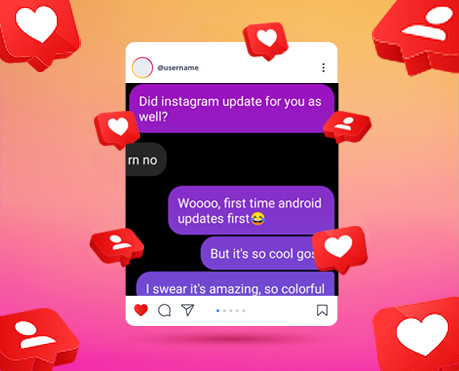
Instagram users often notice a sudden change in their direct message (DM) chat color to purple and wonder what it means. We provide a complete, in-depth guide to understanding the purple Instagram DM, how it works, why it appears, and how to customize or revert it.
This article covers everything about Instagram message colors, chat themes, Messenger integration, troubleshooting steps, privacy implications, and customization options.
What Does Purple Instagram DM Mean?
A purple Instagram DM indicates that a chat theme has been applied to a conversation. Instagram introduced chat themes as part of its messaging upgrade, integrating features from Facebook Messenger into Instagram.
When a purple gradient appears in your chat:
- The conversation has a custom theme applied.
- The theme may include purple and blue gradient bubbles.
- It reflects updated messaging features.
- Both participants see the same theme once applied.
The purple gradient is part of Instagram’s default modern theme after cross-platform messaging integration.
Why Is My Instagram DM Purple?
Your Instagram DM turns purple due to one of the following reasons:
1. Messenger Integration Update
Instagram merged messaging features with Messenger. After updating your app, chats may automatically display a purple-blue gradient.
2. Chat Theme Applied
Either you or the other participant selected a theme manually.
3. App Version Upgrade
When you update Instagram to the latest version, default chat colors may change.
4. Custom Theme Selection
Instagram allows users to personalize chat backgrounds and bubble colors.
How to Change Purple Instagram DM Back to Default
If you prefer the classic message appearance, follow these steps:
- Open Instagram.
- Go to Direct Messages.
- Open the purple chat.
- Tap the contact name at the top.
- Select Theme.
- Choose “Default” or another preferred theme.
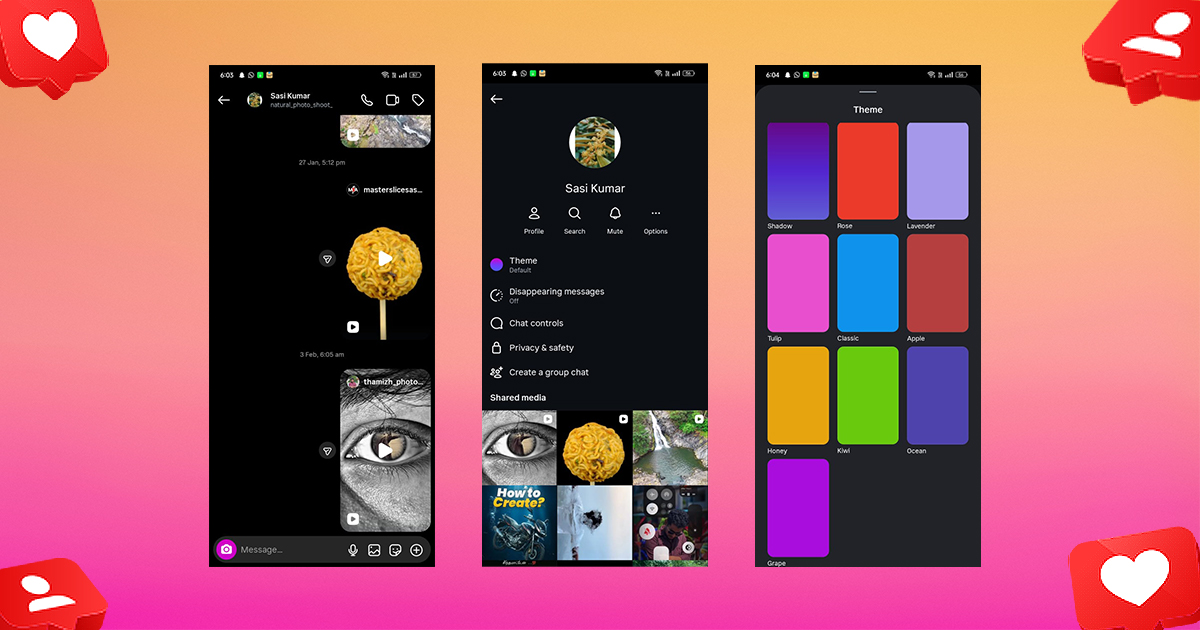
The change applies instantly to both users in the conversation.
Available Instagram DM Themes
Instagram offers multiple built-in themes that modify chat aesthetics. These include:
- Love Theme
- Pride Theme
- Monochrome
- Tropical
- Halloween (seasonal)
- Gradient Purple (default)
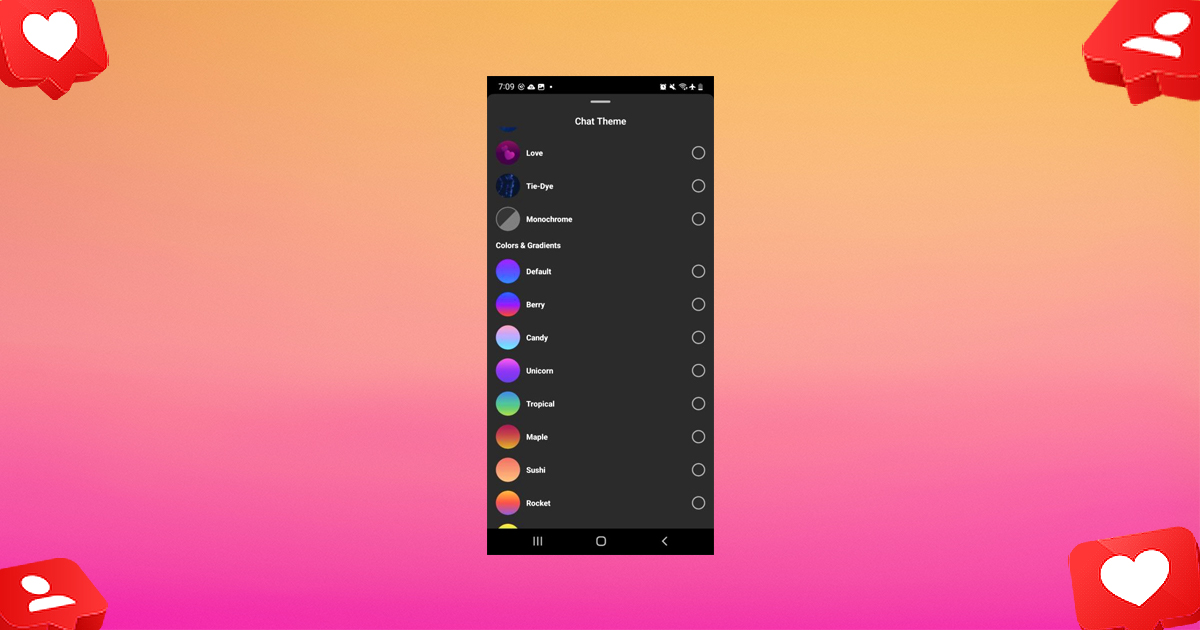
Themes include both background graphics and bubble color changes.
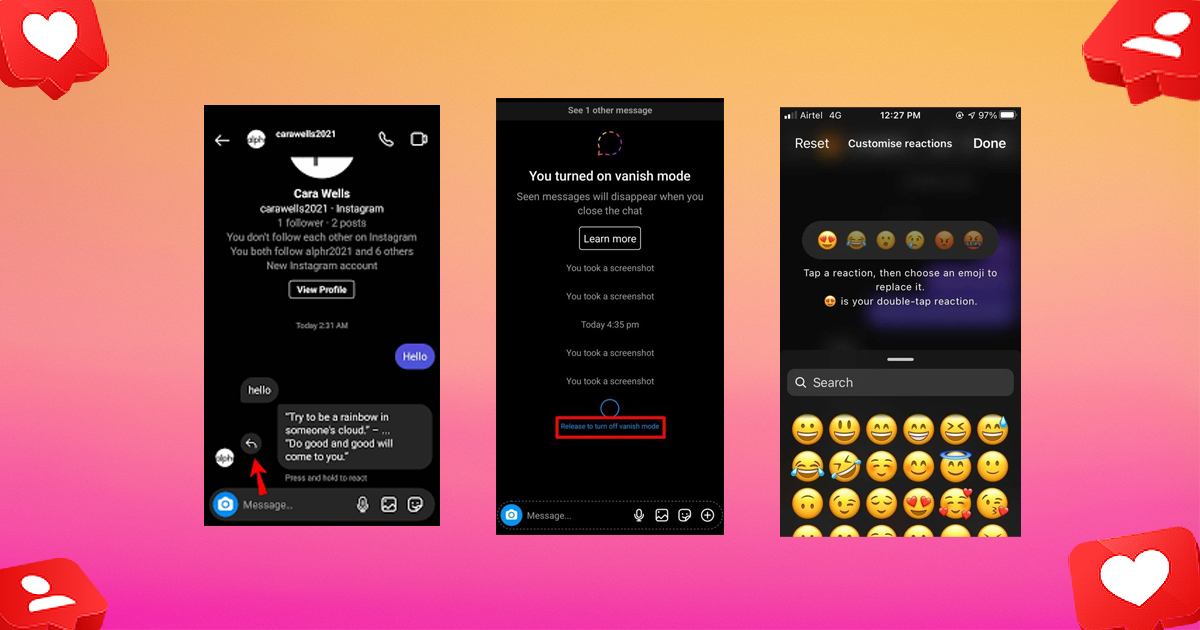
Instagram Messaging Features After Messenger Update
Instagram upgraded its messaging system to enhance functionality. Key features include:
Reply to Specific Messages
Users can swipe to reply directly to a particular message.
Vanish Mode
Messages disappear after being viewed and chat is closed.
Emoji Reactions
Quick reactions can be added to messages.
Cross-App Messaging
Users can connect with Messenger accounts.
Custom Chat Colors
Choose different bubble colors besides purple.
How to Customize Instagram DM Colors
Instagram allows further customization beyond themes.
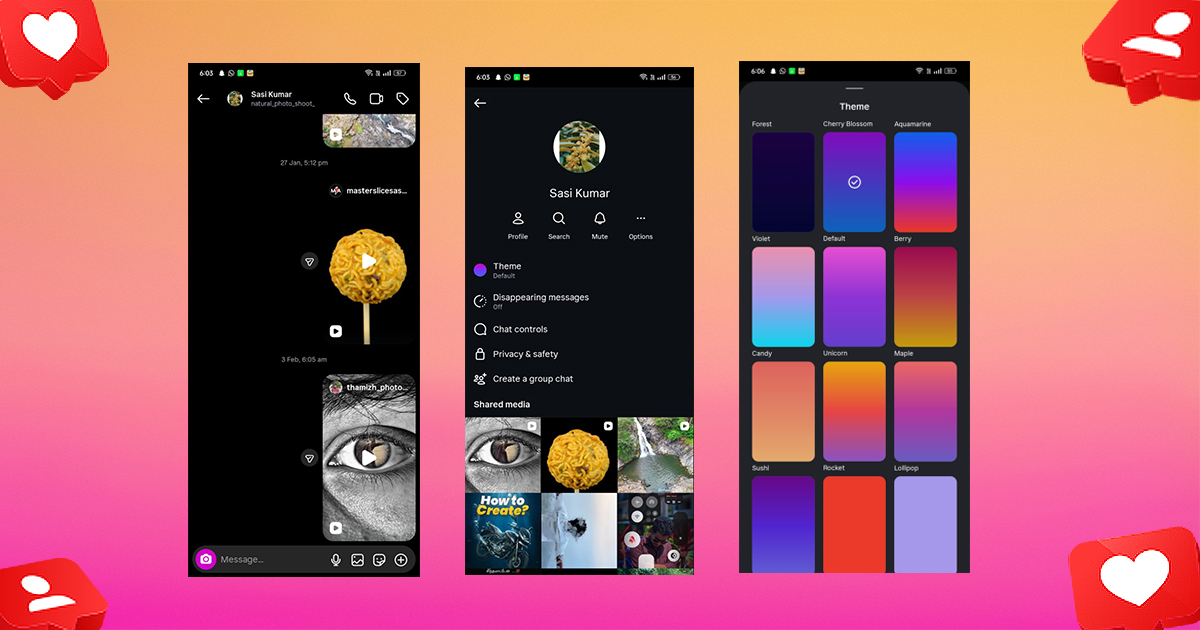
Change Chat Color (Bubble Color Only)
- Open the chat.
- Tap the profile name.
- Tap Theme.
- Scroll to Colors & Gradients.
- Select a single color or gradient.
Available color options include:
- Red
- Blue
- Green
- Pink
- Orange
- Purple gradients
Is Purple Instagram DM a Privacy Issue?
The purple color does not indicate:
- That someone blocked you
- That someone restricted you
- That your account is compromised
- That messages are being monitored
It only reflects theme customization.
Privacy-related features like Vanish Mode are separate and clearly labeled when active.
Does the Other Person Know When You Change the Theme?
Yes. When you change the theme:
- The update applies for both participants.
- Instagram shows a small notification in chat stating the theme was changed.
- Both users immediately see the new color scheme.
Related blog: How to reset Instagram feed
How to Fix Instagram DM Color Glitches
If your chat color appears stuck or incorrect, try the following:
Update the App
Ensure your Instagram app is updated from the App Store or Play Store.
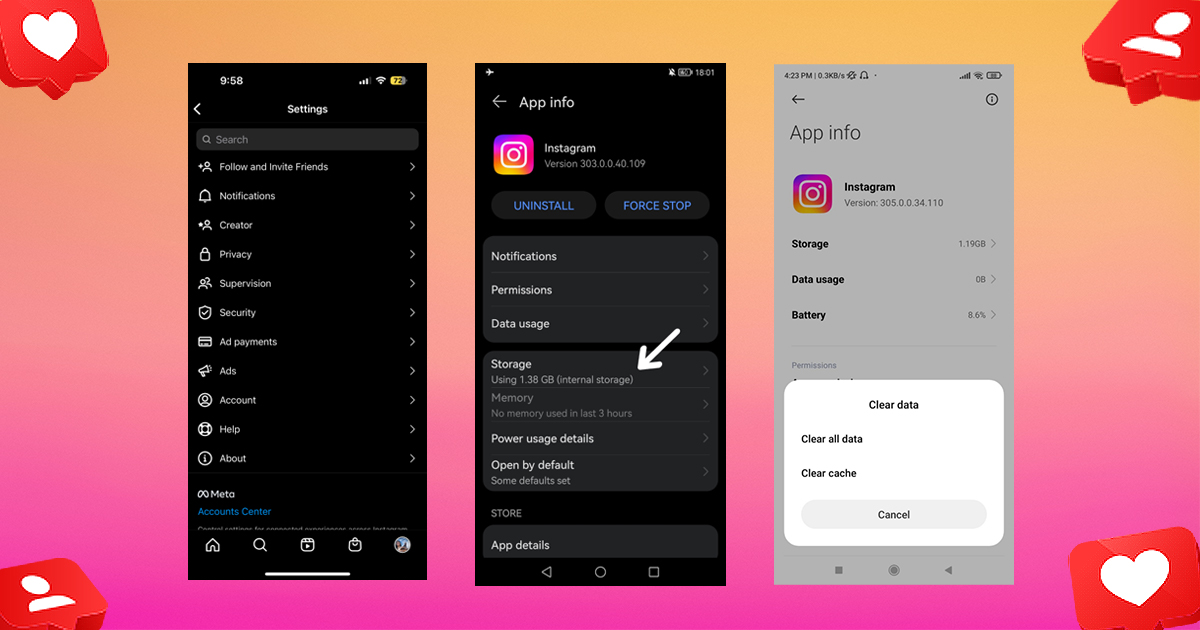
Clear App Cache (Androi
Go to Settings
- Apps
- Storage
- Clear Cache
Reinstall Instagram
Delete and reinstall the app for a clean reset.
Log Out and Log Back In
Sometimes refreshing your session resolves visual glitches.
Purple Instagram DM vs Blue DM: What’s the Difference?
Previously, Instagram DMs appeared blue. After Messenger integration:
- Blue = Older default style
- Purple gradient = New default messaging style
- Custom colors = User-selected themes
The purple design aligns with Meta’s unified messaging ecosystem.
Can You Turn Off Messenger Integration?
Instagram does not allow users to completely disable the upgraded messaging system once activated. However, you can:
- Use the default theme
- Avoid cross-app messaging
- Disable message requests from Messenger in privacy settings
Benefits of Instagram Chat Themes
Chat themes improve user experience by:
- Personalizing conversations
- Making chats visually distinctive
- Enhancing engagement
- Matching aesthetic preferences
- Aligning with seasonal or event-based moods
For brands and influencers, themed DMs can enhance customer interaction identity.
How Businesses Use Instagram DM Themes Strategically
Brands leverage Instagram DM personalization to:
- Align chat colors with brand identity
- Create memorable customer service experiences
- Reinforce seasonal campaigns
- Increase engagement rates
For example, fashion brands often match DMs to campaign aesthetics.
Related blog: Does instagram notify screenshot
Final Thoughts
The purple Instagram DM is a visual enhancement introduced through Messenger integration. It represents chat theme customization, not a technical issue or privacy concern. Users can easily change themes, adjust colors, and personalize conversations for a more engaging messaging experience.
Understanding how Instagram messaging works allows users to fully control their chat environment and maintain preferred aesthetics.
Mastering Instagram DM customization ensures you stay ahead in managing personal conversations, influencer branding, and customer communication strategies.
Common Questions About Purple Instagram DM
1. Does Purple DM Mean Someone Likes You?
No. It is unrelated to relationship status or emotional signals.
2. Does Purple DM Mean Verified Account?
No. Verification is indicated by a blue checkmark next to the username.
3. Can You Have Different Themes for Different Chats?
Yes. Each chat can have its own theme.
4. Can You Change DM Color Without Them Knowing?
No. The system notifies participants of theme changes.



Leave A Comment