
What Does Blue Dot Mean on Messenger? Guide
Wondering what the blue dot on Messenger means? Learn its simple meaning, how it works, and how to manage unread messages easily.
Kasthuri| 29 June 2026

In today’s digital world, messaging apps are part of our daily life. One of the most popular is Facebook Messenger. While using the Facebook Messenger app, you may notice a small blue dot next to some chats. Many users feel confused about what it means.
In this easy guide, we’ll clearly explain what the blue dot means on Messenger, why it appears, and how you can manage it. Everything is written in simple English so anyone can understand.
What Does the Blue Dot Mean on Messenger?
The blue dot on Messenger means one simple thing:
👉 You have an unread message
When you see a blue dot next to a chat, it means:
- Someone has sent you a message
- You have not opened or read it yet
Once you open the chat and read the message, the blue dot will disappear.
Where Can You See the Blue Dot?
The blue dot can appear in different places inside Messenger. Let’s look at the most common ones.
1. Chat List
When you open Messenger, you will see a list of conversations.
A blue dot appears next to chats that have unread messages.
2. Profile Picture
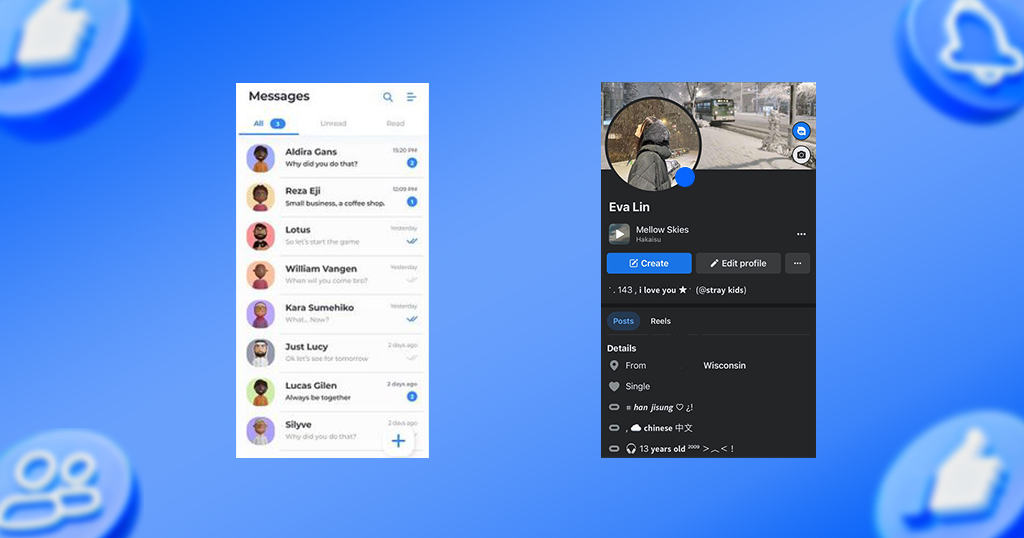
Sometimes, the blue dot shows on a person’s profile picture.
This means that person has sent you a new message.
3. Message Requests
If someone who is not your friend sends a message, it goes to message requests.
A blue dot will appear there too.
Why Does the Blue Dot Appear?
The blue dot appears when there is something new that you have not checked yet.
Here are the main reasons:
- New message from a friend
- New message in a group chat
- Message from unknown person
- New message in archived chat
Even if your phone notifications are off, the blue dot will still show inside the app.
What Happens When You Tap the Chat?
When you open a chat with a blue dot:
- The message gets marked as read
- The blue dot disappears immediately
This means you have seen the message.
Facebook Messenger Symbols: Difference Between Blue Dot and Other Icons
Messenger has several symbols, and it’s easy to mix them up. Here’s how the blue dot compares to the others.
Blue Dot vs. Message Status Icons (Sending, Sent, Delivered, Seen)
The blue dot on your chat list is different from the small icons that appear inside a conversation next to a message you’ve sent. Those icons track your message through four stages:
- Sending — an outlined blue circle. Your message hasn’t left your device yet.
- Sent — the outlined circle gains a checkmark. Your message has left your device but hasn’t reached the recipient yet.
- Delivered — a filled, solid blue circle with a checkmark. This means your message has been successfully delivered to the recipient’s device, even if they haven’t opened it yet.
- Seen — the checkmark is replaced by a small profile photo of the recipient. This is Messenger’s version of read receipts, confirming the message has actually been opened.
So to be clear: the blue dot tells you about messages you haven’t read. The checkmark and profile photo icons tell you about the status of messages you sent.
Blue Dot vs. Profile Picture
This is a different context from the icons above:
- Blue Dot = You have not read a message someone sent you
- Small profile picture next to a message you sent = The other person has seen your message
These look similar but apply to opposite directions of the conversation, so it’s worth keeping them separate in your head.
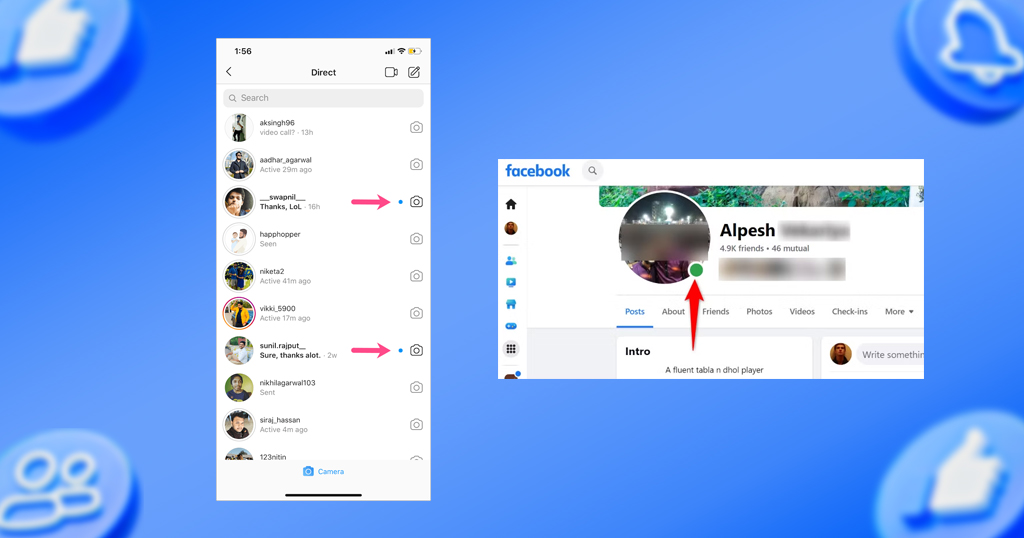
Blue Dot vs. Active Status (Green Dot)
- Blue Dot = New unread message
- Green Dot = The person’s active status shows they’re currently online
Related Blog: Captions for Facebook
How to Remove the Blue Dot on Messenger
Removing the blue dot is very easy.
Steps:
- Open Messenger
- Tap the chat with the blue dot
- Read the message
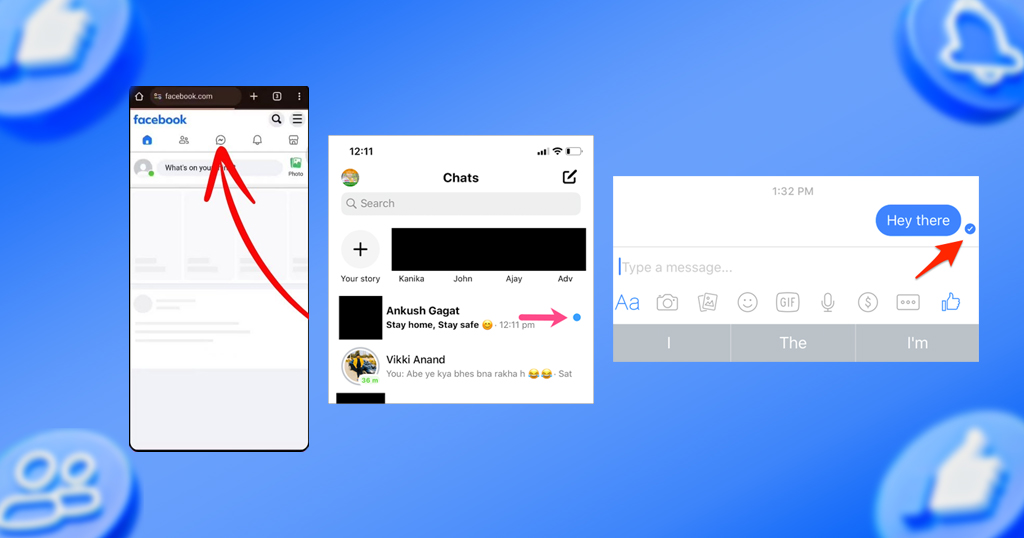
That’s it. The blue dot will go away.
Can You Bring Back the Blue Dot?
Yes, you can bring it back using the mark as unread option.
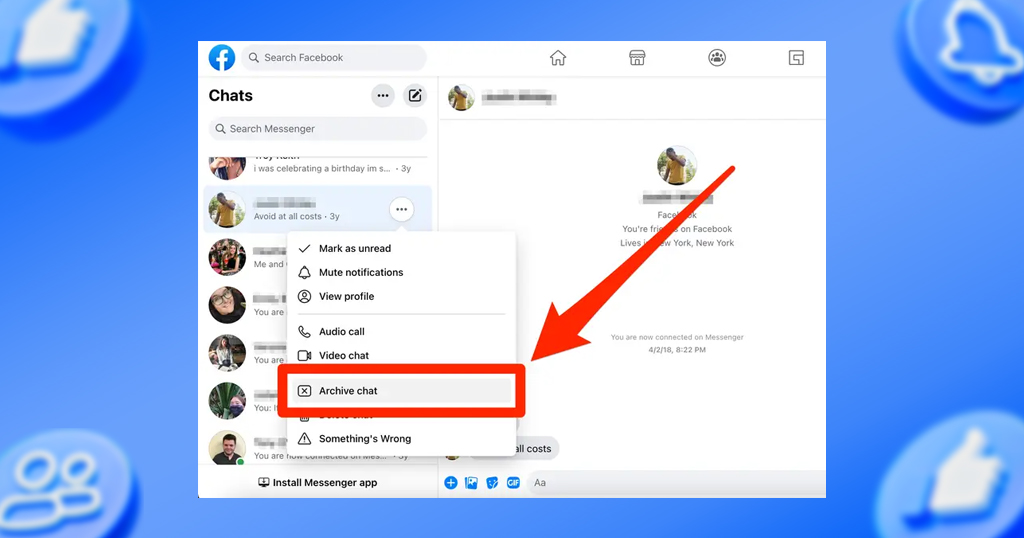
Steps to Mark as Unread:
- Press and hold the chat
- Tap “Mark as Unread”
Now the blue dot will appear again.
This is helpful if:
- You want to reply later
- You don’t want to forget the message
Why Is the Blue Dot Useful?
The blue dot is a very helpful feature. Here’s why:
1. Helps You See Unread Messages
You can easily find which messages you have not opened.
2. Saves Time
You don’t need to open every chat. Just check the ones with blue dots.
3. Keeps You Organized
It helps you manage your conversations better.
Blue Dot in Group Chats
In group chats, the blue dot appears when:
- Someone sends a new message
- You have not read the latest messages

Even if many people send messages, one blue dot will show until you open the chat.
Common Problems with the Blue Dot
Sometimes, the blue dot may not work properly. Here are some common issues and fixes.
Problem 1: Blue Dot Does Not Go Away
You read the message, but the blue dot is still there.
Solutions:
- Close and reopen Messenger
- Check internet connection
- Update the app
Problem 2: Blue Dot Appears Without New Message
You see a blue dot, but there is no new message.
Solutions:
- Check message requests
- Open archived chats
- Refresh the app
Problem 3: App Glitch
Sometimes, it is just a small bug.
Solutions:
- Restart your phone
- Clear app cache
- Reinstall Messenger
Does the Blue Dot Affect Privacy?
No, the blue dot is only visible to you.
Others cannot see:
- Whether you have unread messages
- The blue dot on your screen
But remember: when you open a message, the sender may see “Seen.” If you’re curious how Facebook handles visibility elsewhere on the platform, our guide on whether Facebook notifies people about screenshots covers a related privacy question.
Tips to Manage Messenger Better
Here are some simple tips to use Messenger more effectively:
- Check chats with blue dots daily
- Use mark as unread for important messages
- Mute unnecessary chats
- Archive old conversations
These tips help you stay organized and stress-free.
How Notifications Work with the Blue Dot
Notifications and blue dots are different.
- Notifications appear on your phone screen
- Blue dot appears inside Messenger
Even if you turn off notifications:
👉 The blue dot will still show inside the app
Why You Should Not Ignore the Blue Dot
Ignoring the blue dot can lead to:
- Missed important messages
- Late replies
- Confusion in conversations
It is always better to check messages on time.
Related Blog: How to add hashtags to your Facebook Reels
Final Thoughts
The blue dot on Messenger is a simple but powerful feature. It helps you know which messages you have not read. This makes communication easier and more organized.
By understanding how the blue dot works, you can:
- Respond faster
- Avoid missing messages
- Manage chats better
Now, whenever you see a blue dot, you will know exactly what it means and what to do next.
Frequently Asked Questions (FAQs)
1. Does the blue dot mean someone is online?
No. It only means the message is unread. Someone being online is shown by their active status (green dot), which is a separate feature.
2. Can I disable the blue dot?
No, there is no option to turn it off.
3. Does the blue dot show on both mobile and desktop?
Yes, it appears on all devices.
4. Is the blue dot the same as seen status?
No. Blue dot means unread, while seen means the message has been opened — and is part of Messenger’s read receipts system.
5. What does a blue circle with a checkmark mean?
It means your message has been successfully delivered to the recipient’s device. It doesn’t confirm they’ve opened it yet — that’s a separate “seen” stage, shown by their profile photo replacing the checkmark.





Leave A Comment