
Facebook Marketing for Small Business: Guide for 2026
Learn how to use Facebook Page setup, content, and low-budget ads to grow your small business in 2026. Practical tips, and action plan.
Kasthuri| 08 Sep 2026
If you run a small business, you’ve probably heard people say Facebook is “dead” or “just for boomers.” Don’t believe it. With billions of active users and some of the most affordable, targeted advertising tools available, Facebook remains one of the highest-ROI channels for small businesses that use it well. The problem isn’t the platform — it’s that most small businesses use it inefficiently.
This week, let’s break down exactly how to make Facebook work for you, whether you’re just getting started or looking to sharpen an existing strategy.
1. Start With a Business Page, Not a Personal Profile
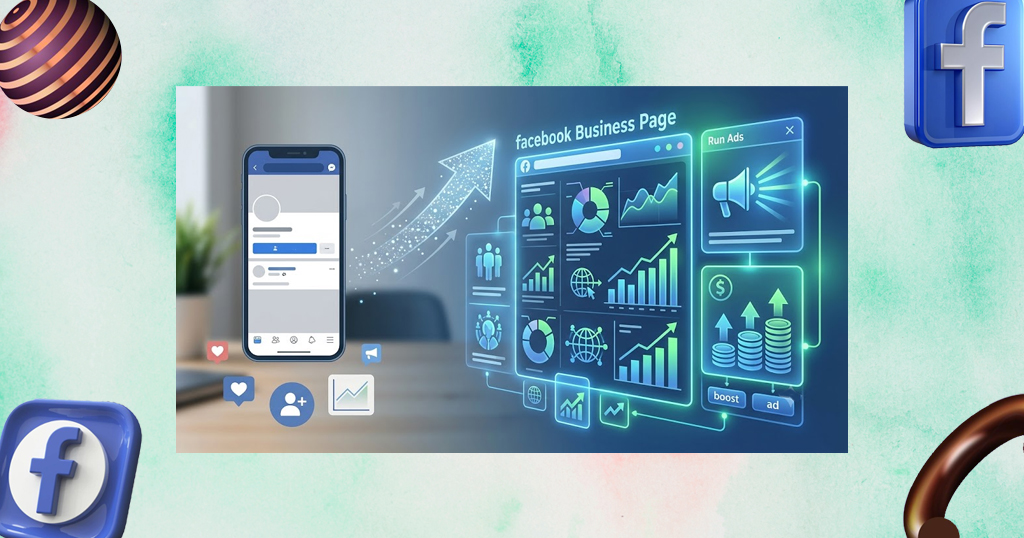
This sounds obvious, but it’s the most common mistake. A Facebook Business Page gives you:
- Access to Meta Business Suite and Ads Manager
- Analytics (Page Insights) to track what’s working
- The ability to run ads and boost posts
- A professional presence separate from your personal life
Fill out every section completely: business hours, location, website, contact info, and a clear “About” description. Incomplete profiles look less trustworthy and rank lower in Facebook’s own search.
If reputation and trust signals matter to your business (they do), it’s worth pairing this with our Online Reputation Management for Small Business Guide — a complete Facebook Page means nothing if your reviews and public perception aren’t managed just as carefully.
2. Know Your Audience Before You Post Anything
Facebook’s biggest advantage over other platforms is its targeting precision. Before creating content, get specific about:
- Demographics — age, location, income level, life stage
- Interests — what pages do they already follow, what do they shop for
- Pain points — what problem does your product or service solve for them

A local bakery targeting “moms within 10 miles interested in birthday parties” will always outperform generic posts aimed at “everyone.”
3. Post Content That Earns Engagement, Not Just Views
Facebook’s algorithm rewards content that generates comments, shares, and reactions — not just likes. Formats that tend to perform well for small businesses:
- Behind-the-scenes content — how you make your product, a day in the life of your team
- Customer stories and testimonials — social proof builds trust fast
- Short-form video — Reels currently get significant organic reach
- Polls and questions — low-effort ways to spark comments
- User-generated content — repost customers using your product (with permission)

Aim for a content mix: roughly 70% value/engagement content, 20% promotional, 10% community-building (responding to comments, joining local groups, etc.).
4. Use Facebook Ads — Even a Small Budget Works
You don’t need thousands of dollars to see results. Many small businesses see solid returns starting with $5–$10/day. Head to Facebook Ads Manager to get started, and keep these keys in mind:
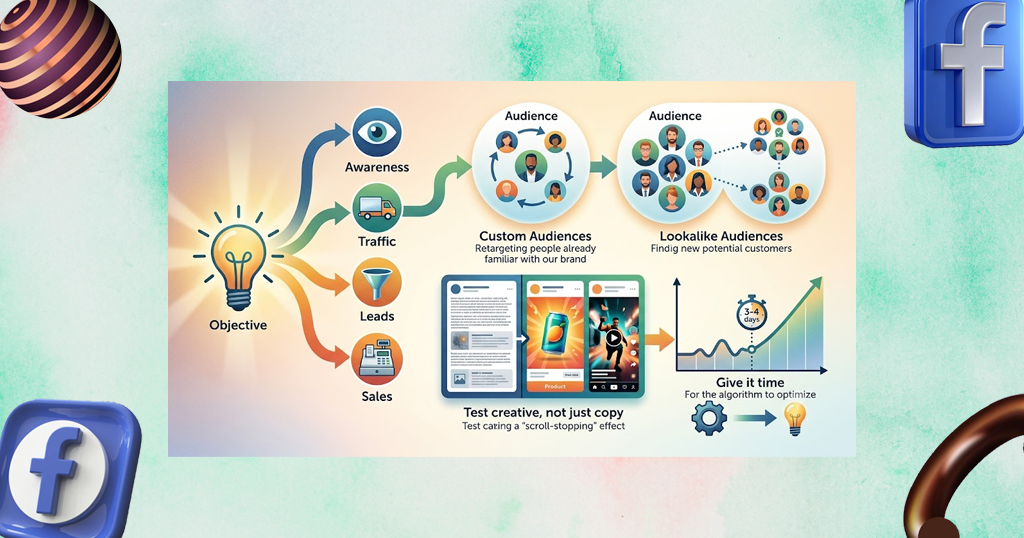
- Start with a clear objective — awareness, traffic, leads, or sales
- Use Custom Audiences — retarget people who visited your website or engaged with your page
- Use Lookalike Audiences — let Facebook find new people similar to your best existing customers
- Test creative, not just copy — a scroll-stopping image or video often matters more than the words around it
- Give it time — let an ad run for at least 3–4 days before judging performance; the algorithm needs data to optimize
If you’re marketing across multiple platforms (many small businesses are), it’s worth reading our WhatsApp Marketing for Small Business: Complete Guide next — Facebook and WhatsApp ads work especially well together since they share the same Ads Manager and audience data.
5. Build a Simple Content Calendar
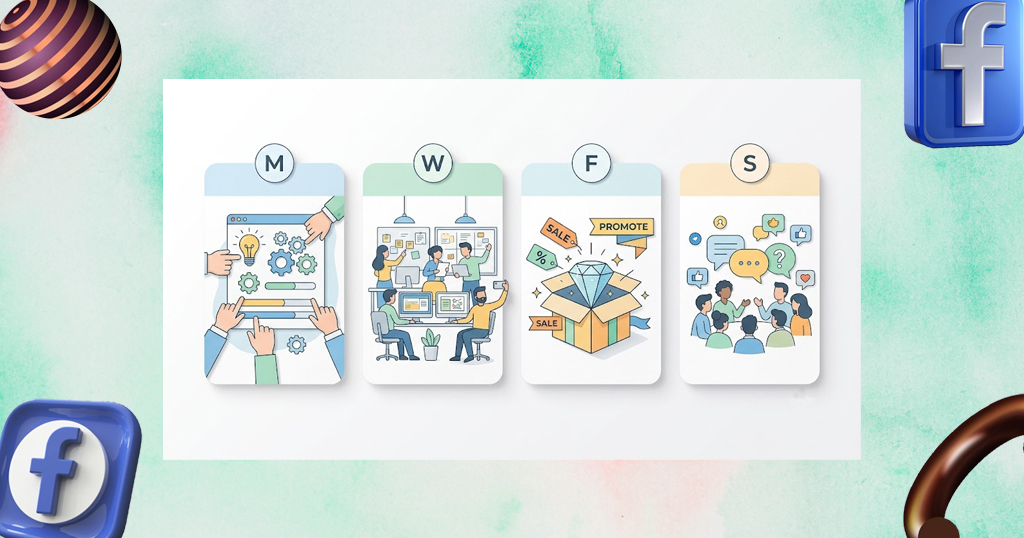
Consistency beats intensity. Posting 3–4 times a week reliably outperforms sporadic bursts of 10 posts followed by silence. If you want a ready-made template rather than building one from scratch, grab our free Social Media Content Calendar Template for 2026. A simple weekly rhythm might look like:
This week, let’s break down exactly how to make Facebook work for you, whether you’re just getting started or looking to sharpen an existing strategy.
| Day | Content Type |
|---|---|
| Monday | Educational tip or how-to |
| Wednesday | Behind-the-scenes or team spotlight |
| Friday | Promotion or product highlight |
| Sunday | Community post (poll, question, UGC repost) |
6. Track What Actually Matters
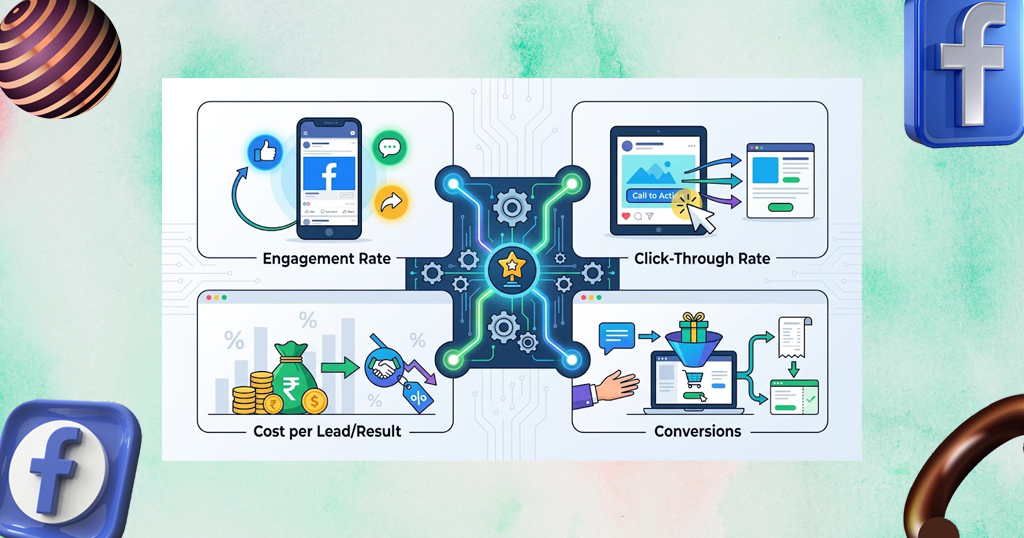
Vanity metrics like page likes feel good but don’t pay the bills. Focus instead on:
- Engagement rate — reactions/comments/shares relative to reach
- Click-through rate on links or ads
- Cost per lead/result in Ads Manager
- Conversions — actual purchases, bookings, or inquiries traced back to Facebook
Check Meta Business Suite Insights weekly, not daily — daily fluctuations are noisy and can lead to overreacting to normal variance. For a deeper walkthrough of the dashboard itself, Sprinklr’s Meta Business Suite guide covers every feature in detail.
This Week’s Action Plan
If you only do three things this week:
- Audit your Business Page for completeness and update anything outdated
- Post one piece of behind-the-scenes video content
- Set up a $5/day retargeting ad to website visitors from the last 30 days
Small, consistent action beats an occasional big push. Facebook marketing rewards businesses that show up regularly and actually listen to what their audience engages with.


Leave A Comment