
Local SEO Rank Checker: Track Your Google Maps Rank 2026
See what a local SEO rank checker does, why your Google Maps rank changes by location, and how to check and improve it. Try Storefries free.
Kasthuri| 05 Oct 2026

Type your business name into Google, and you’ll probably see it at the top. That doesn’t mean you’re ranking well. It means Google already knows you’re searching for yourself.
A real ranking check has to simulate what an actual customer sees, from an actual location, searching an actual keyword, with no bias toward your business. That’s what a local SEO rank checker does, and it’s the only way to know whether your local SEO work is actually moving the needle.
This guide covers what these tools do, why your rank changes depending on where someone searches from, how to check it yourself, and what to do once you know where you stand.
Why Searching Your Own Business Name Doesn’t Count
When you search Google from your own device, your search history, saved locations, and even your proximity to your own business all quietly bias the results in your favor. You might see yourself ranked #1 in the Local Pack and assume everything is working, while a customer three streets over sees a competitor first.
A local SEO rank checker strips all of that out. It queries Google from a neutral set of coordinates with no personalization, so what you see is what an actual nearby customer would see for a given keyword (localseotool.io, 2026). This is also why relying on Google Local Guides and customer feedback alone for a sense of your visibility only tells part of the story — it reflects opinion, not ranking position.
What a Local SEO Rank Checker Actually Does
A local SEO rank checker is a tool that checks your Google Business Profile’s position in Google Maps and Local Pack results for a specific keyword and location. Unlike a standard organic rank tracker, which follows where your website sits in regular web results, a local rank checker specifically tracks your Maps and Local Pack position, which is where most local customers actually choose a business (localseotool.io, 2026).
Keyword rank tracking tools built for national SEO measure broad keyword performance across the country. A local SEO rank checker instead measures performance in very specific geographic areas, down to a particular neighborhood or zip code (Keyword.com, 2026).
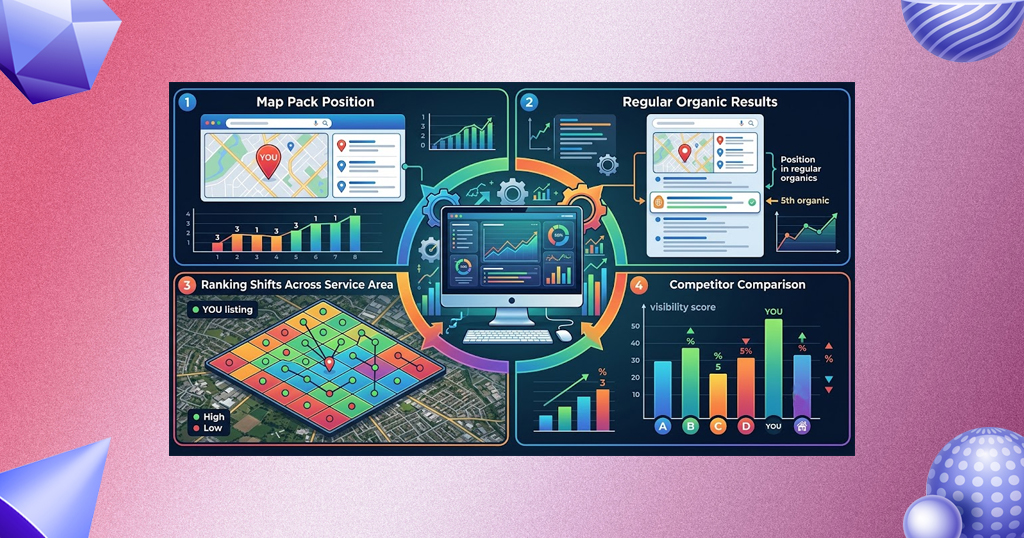
Most tools report on:
- Your position in the Local Pack (the map plus three-listing block) for a given keyword
- Your position in regular organic results for the same keyword
- How your ranking shifts across different points in your service area
- How you compare to the competitors ranking around you for that same keyword
Why Your Rank Changes Depending on Where Someone Searches
Google’s local ranking algorithm weighs proximity heavily: how close the business is to the person searching changes which businesses appear, which means the same keyword can return a completely different set of results depending on where the searcher is standing (freelocalrankingchecker.com).
That’s why a single rank check from one spot tells you very little. You might rank #1 for “plumber near me” if you search from right outside your own shop, and rank #15 for the exact same term just two kilometers away, in a part of your service area you still consider “local.”
The Geogrid: How Rank Checkers Map Your Visibility
To solve that problem, most dedicated rank checkers use a geogrid: a set of points spread across a city or service area, each one checked independently for your target keyword (lowfruits.io, 2026).
The output is usually a color-coded map:
- Green — strong ranking (typically positions 1 to 3)
- Orange/Yellow — moderate ranking (positions 4 to 10)
- Red — weak or no visibility (position 11+ or not appearing at all)
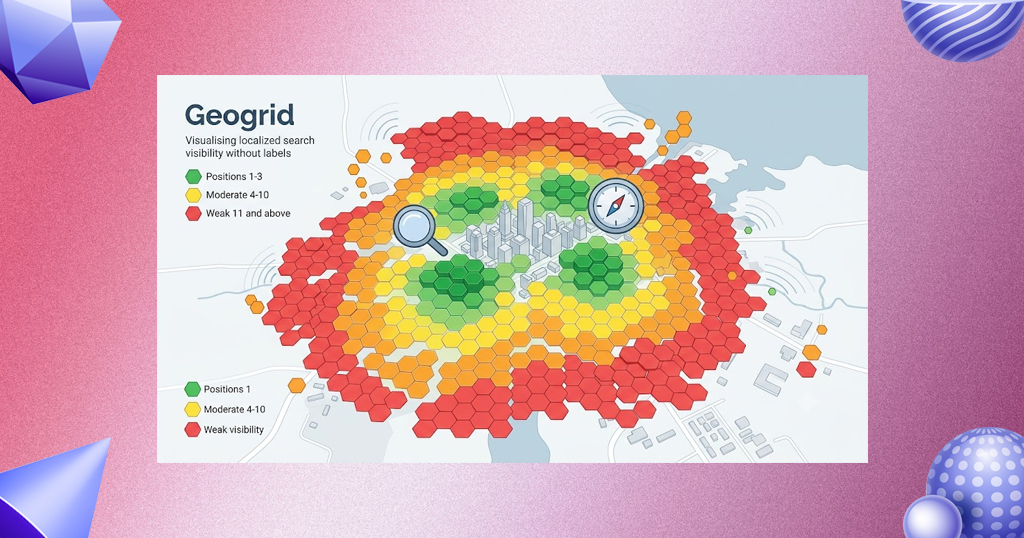
This gives you an actual visual of where you’re winning and where you’re invisible, rather than a single number that hides the full picture (Localo, 2026). Some tools let you adjust the grid’s radius and density, scanning anywhere from half a kilometer to 45 kilometers out, which matters if you serve a wide area rather than a single neighborhood (GMBapi, 2026).
How to Check Your Local Rank Step by Step
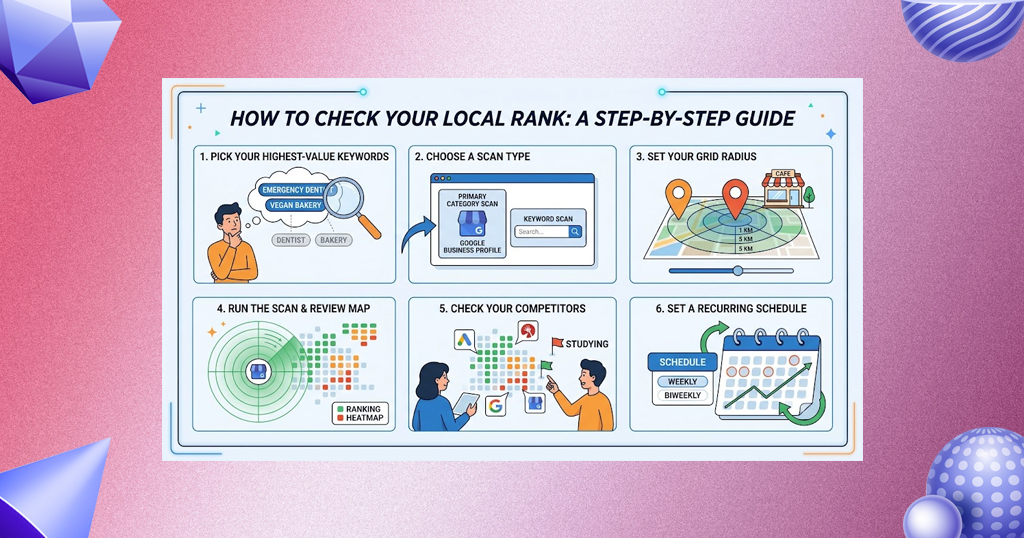
1. Pick your highest-value keywords first. Don’t try to track everything at once. Start with the 5 to 10 terms customers actually use to find a business like yours (e.g., “emergency dentist,” “vegan bakery,” not just your business category).
2. Choose a scan type. Most tools offer a primary category scan (how you rank for your listed Google Business Profile category) and a keyword scan (how you rank for a specific search term) — run both, since they can differ (GMBapi, 2026).
3. Set your grid radius. Match it to how far customers realistically travel to reach you — a few kilometers for a café, potentially much further for a specialty service.
4. Run the scan and review the map. Look for weak zones (orange or red areas) in parts of your service area that matter commercially.
5. Check your competitors on the same map. Most tools show who’s beating you at each point, which tells you exactly who to study (Local Falcon).
6. Set a recurring schedule. A single scan is a snapshot. Weekly or biweekly scans show whether your optimization work is actually moving your rank (Localo, 2026).
Manual Checking vs. a Dedicated Tool
You can check an individual location manually using a tool that simulates a search from a specific set of coordinates, but it comes with real limits:
- It checks one point at a time, so mapping even a small service area means dozens of manual searches
- It cannot reliably match the exact methodology of dedicated rank trackers, so results from manual checks and tool-based checks aren’t directly comparable (freelocalrankingchecker.com)
- There’s no historical record, so you can’t see whether your rank actually improved over time
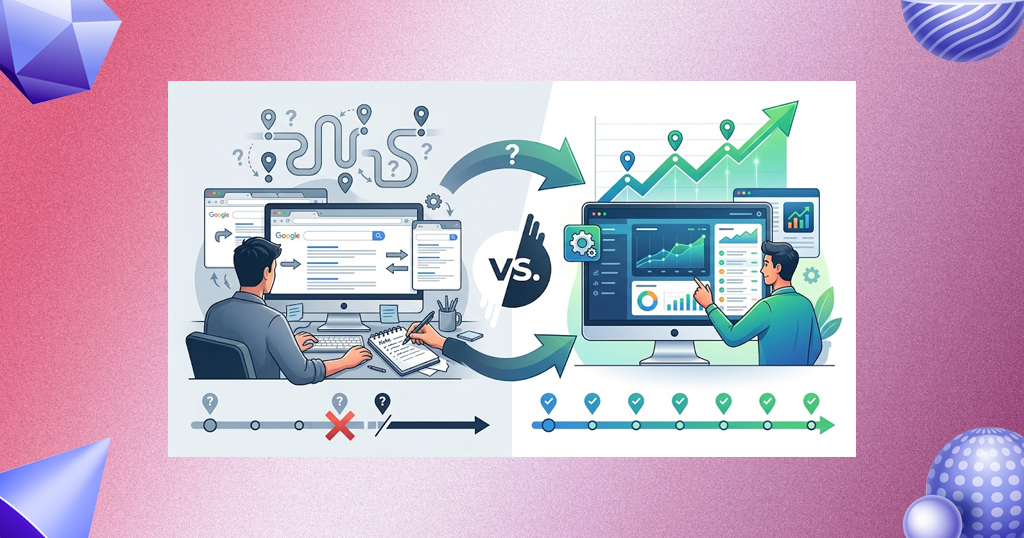
A dedicated rank checker automates the entire process, scanning the whole grid in minutes and keeping a running history so you can prove whether your SEO work is paying off, not just guess (link-assistant.com, 2026).
What to Do With a Low or Inconsistent Rank
Finding red zones on your map is useful data, not a bad result. A few common causes and fixes:
1. Thin or inconsistent Google Business Profile data. Make sure categories, hours, services, and photos are complete and accurate — gaps here directly hurt relevance in weaker zones. Our guide to verifying and optimizing your Google Business Profile walks through the full setup.
2. Weak review volume or velocity in that area. If customers near a red zone aren’t leaving reviews, your visibility there will lag even if your profile is otherwise solid. See our breakdown of how Google reviews boost local SEO and our guide to getting a shareable Google review link to make leaving one easier for customers.
3. No location-specific content for that part of your service area. If you serve multiple neighborhoods or cities, a single generic page rarely ranks well everywhere — each market usually needs its own dedicated, genuinely unique content.
4. Citation inconsistencies. Mismatched name, address, or phone number across directories can quietly suppress rankings in specific areas, a point we cover in our local search marketing guide.
5. Stronger local competitors. Sometimes the honest answer is that a well-optimized, review-rich competitor is simply outperforming you in that specific zone — which is a cue to study what they’re doing differently.
6. A cluster of unanswered negative reviews. A handful of unresolved bad reviews can drag down trust signals in a given zone faster than you’d expect; our guide on handling and removing bad Google reviews covers how to respond and when removal is actually possible.

Rank Checking for Multi-Location Businesses
For a brand with multiple branches, rank checking gets more complex, since each location effectively needs its own geogrid and its own tracked keyword set. This is where rank tracking becomes genuinely scalable: running a grid scan per location lets a multi-location brand make data-driven SEO decisions for each branch individually rather than treating the whole brand as one data point (GMBapi, 2026).
In practice, that means:
- Tracking the same core keyword set across every location, so performance is comparable branch to branch
- Flagging any single location with a consistently weak map before it drags down perception of the whole brand
- Reviewing scans on a schedule rather than only when a location manager raises a concern

Beyond Google Maps: Checking AI Search Visibility
Rank tracking isn’t only about the traditional Local Pack anymore. AI-powered search layers — AI Overviews, ChatGPT, Gemini, and similar tools — now influence how customers discover local businesses, and some newer rank-tracking tools measure visibility across those AI answer engines alongside traditional Google Maps and Apple Maps rankings (Local Falcon).
It’s still early for most small businesses to prioritize this over core Maps visibility, but it’s worth keeping an eye on as a growing share of local discovery moves into AI-generated answers rather than a traditional results page. For the fundamentals that still drive both, see our guides on Google Business Profile ranking tactics and what’s changed in local SEO recently.
How Often Should You Check Your Rank?
1. Weekly, if you’re actively working on local SEO changes (new citations, profile updates, review campaigns) and want to see the impact quickly
2. Biweekly to monthly, for steady-state monitoring once your profile and content are in good shape
3. Immediately after any major change — a Google Business Profile category change, a new location launch, or a wave of new reviews — so you can catch an issue early rather than months later

Track and Improve Your Local Rank With Storefries
Knowing where you rank is only half the job. Acting on it, consistently, across every keyword and every location, is where most small teams run out of time.
Storefries’ local SEO and listing management tools help you keep your Google Business Profile accurate, monitor reviews, and manage your local presence from one dashboard, so rank checking turns into a clear next step instead of just another report to read.
Start your free 14-day trial today and turn your rank data into real visibility.
FAQ
1. What’s the difference between a local SEO rank checker and a regular rank tracker?
A regular rank tracker follows your website’s position in standard organic search results nationally. A local SEO rank checker specifically tracks your Google Business Profile’s position in Maps and Local Pack results for a given keyword and location, which is what most local customers actually see first.
2. Why does my ranking change depending on where I search from?
Google weighs how close a business is to the searcher heavily in local results, so the same keyword can return different results depending on the searcher’s exact location. That’s why a single search from your own shop isn’t a reliable rank check.
3. What is a geogrid in local rank tracking?
A geogrid is a set of points spread across a city or service area, each checked separately for a target keyword. The results are usually shown as a color-coded map, making it easy to see exactly where you rank well and where you don’t.
4. How often should I check my local SEO ranking?
Weekly if you’re actively making changes you want to measure, monthly for steady-state monitoring, and immediately after any major profile or location change.
5. Can a rank checker track more than one location?
Yes. Most dedicated tools let you run a separate geogrid scan per location, which is essential for multi-location brands that need to compare performance branch by branch rather than treating the whole business as one data point.





Leave A Comment