
How to Verify My Google Business Profile Easily
Learn how to verify My Google Business Profile with simple steps, tips, and solutions to common verification issues.
Kasthuri| 18 May 2026
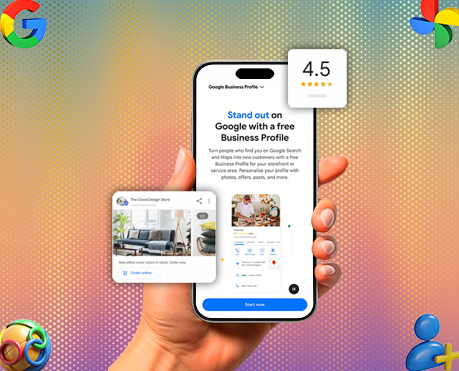
A Google Business Profile is one of the most powerful tools for businesses that want to improve online visibility, attract local customers, and build trust in search results. Whether we run a local shop, clinic, restaurant, salon, travel agency, or eCommerce business, appearing on Google Search and Google Maps can directly impact leads and sales.
When customers search for products or services nearby, Google displays local business listings before organic search results. Businesses with a verified profile gain better visibility, stronger credibility, and higher engagement.
However, simply creating a profile is not enough. We must complete the Google Business Profile verification process to unlock all features and prove that the business is legitimate.
In this detailed guide, we explain everything about how to verify a Google Business Profile, optimize the listing, solve common verification issues, and improve local search rankings.
What is a Google Business Profile and Why Do You Need It?
What is Google Business Profile?
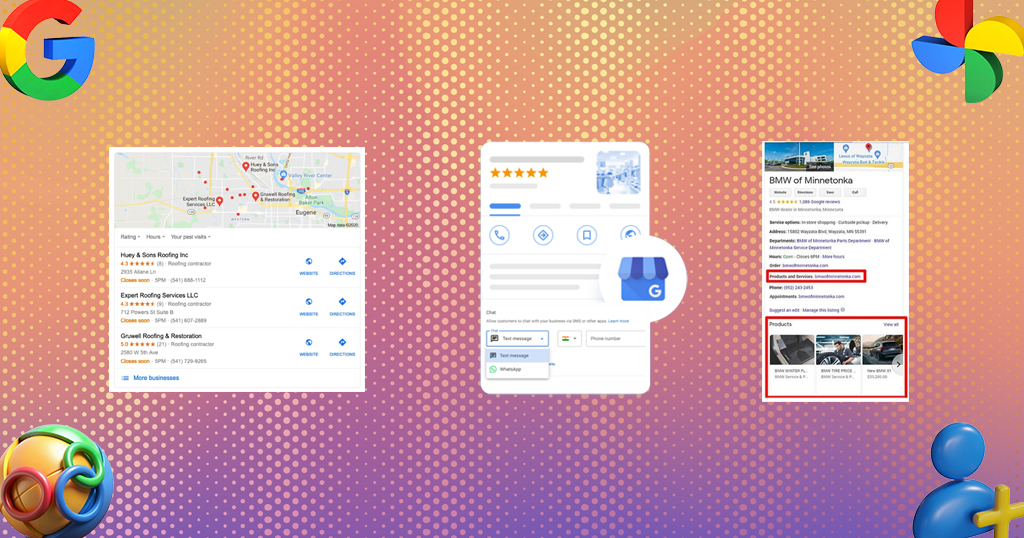
A Google Business Profile (GBP) is a free business listing platform from Google that allows businesses to manage their online presence across Google Search and Google Maps.
The profile displays important information such as:
- Business name
- Address
- Phone number
- Website
- Business hours
- Photos
- Reviews
- Directions
- Services
- Products
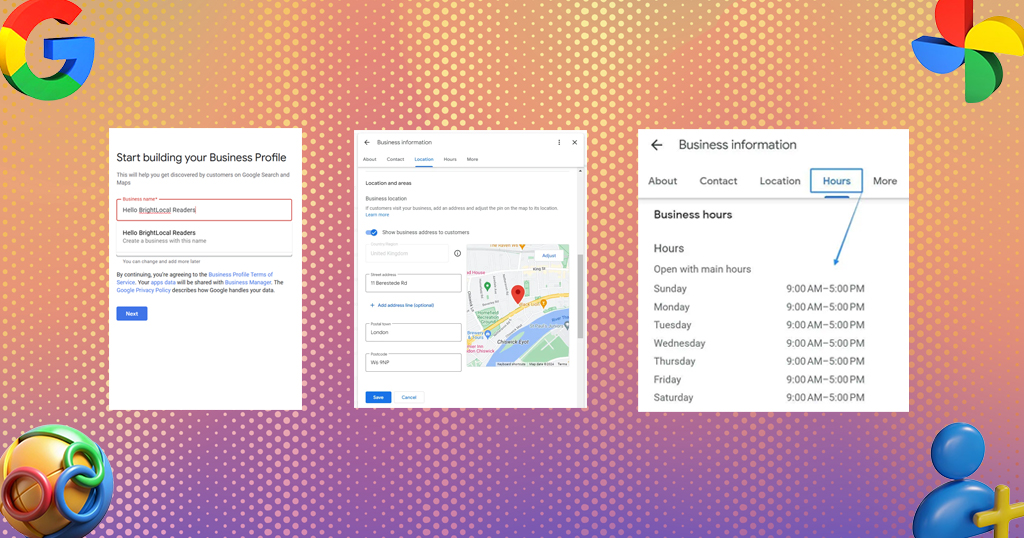
When customers search for businesses locally, Google shows verified business profiles prominently in search results.
Why Every Business Needs a Google Business Profile
1. Improve Local Search Visibility
Verified profiles are more likely to appear in:
- Google Maps
- Local Pack results
- “Near me” searches
- Mobile searches
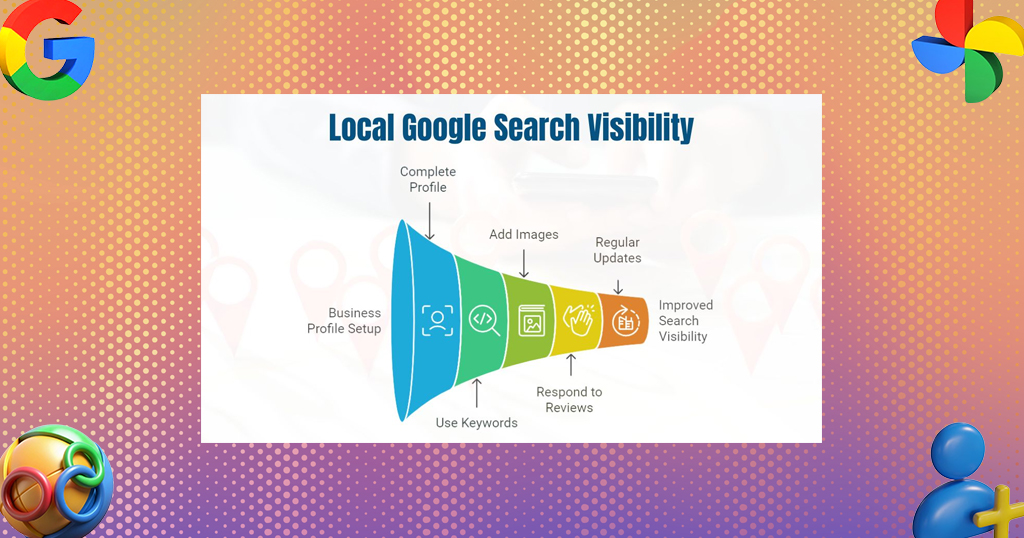
This increases traffic, calls, and walk-in customers.
2. Build Customer Trust
Customers trust businesses that appear verified on Google. A complete profile with reviews, photos, and updated information increases credibility.
3. Increase Website Traffic
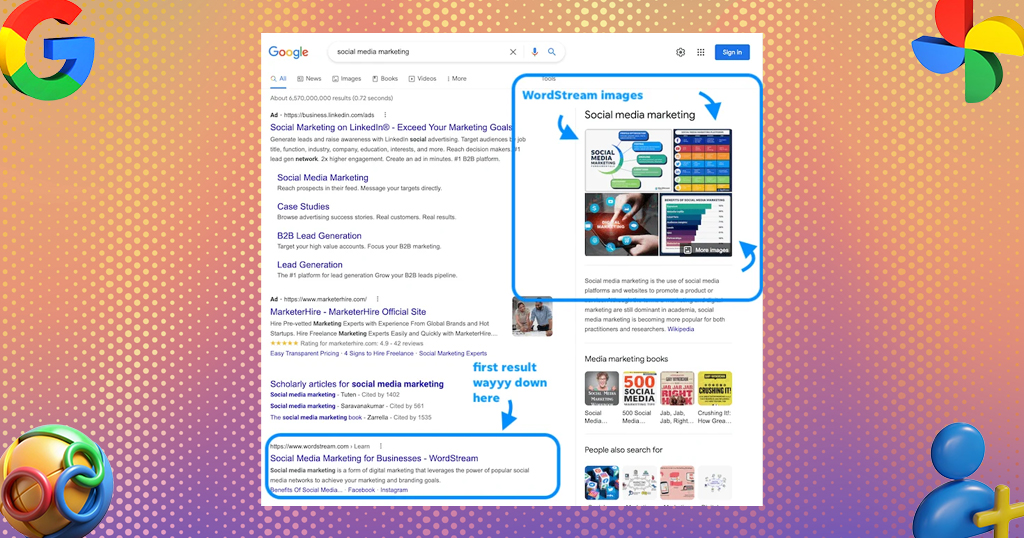
A verified listing includes a direct website link, making it easier for customers to visit the business website.
4. Get Customer Reviews
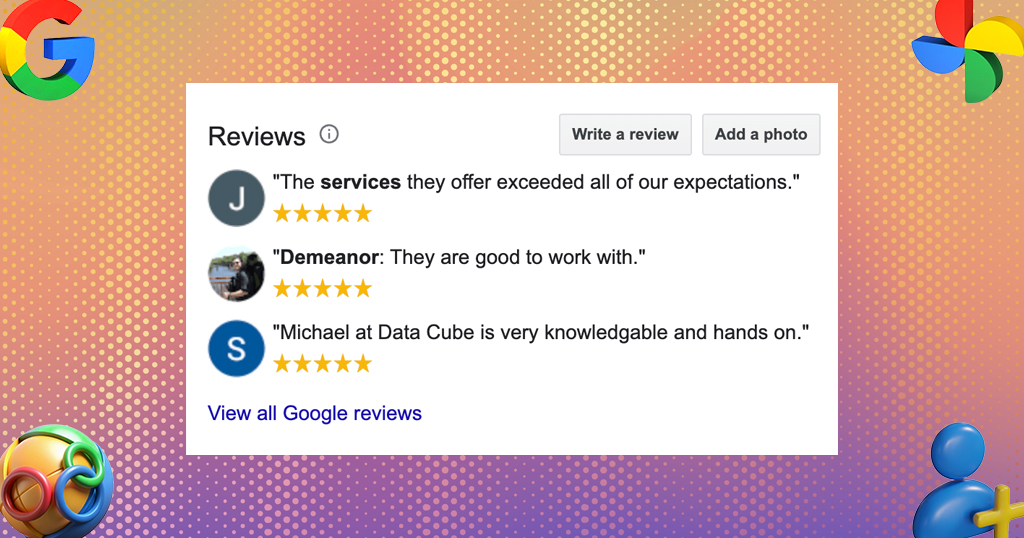
Google reviews play a major role in purchasing decisions. Verified businesses can collect and respond to customer reviews.
5. Access Business Insights
Google Business Profile provides valuable analytics, including:
- Search queries
- Customer actions
- Website clicks
- Phone calls
- Direction requests
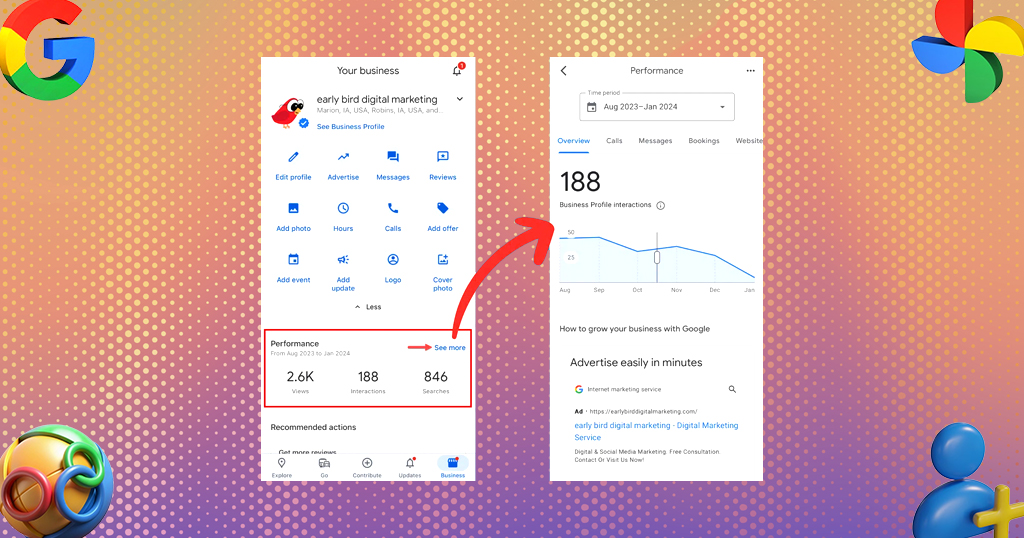
These insights help businesses improve marketing performance.
The Importance and Benefits of a Google Business Profile
Better Google Rankings
Businesses with optimized profiles often rank higher in local search results. Google considers relevance, distance, and prominence when displaying listings.
Mobile Search Advantage
Most local searches happen on mobile devices. Verified profiles help businesses appear instantly when customers search nearby.
Higher Customer Engagement
Customers can directly:
- Call the business
- Visit the website
- Request directions
- Send messages
- Book appointments
This improves conversion opportunities.
Showcase Products and Services
Businesses can add:
- Service categories
- Product catalogs
- Pricing information
- Promotional updates
This helps customers understand offerings before visiting.
Boost Brand Authority
A professionally optimized profile creates a strong online reputation and improves customer confidence.
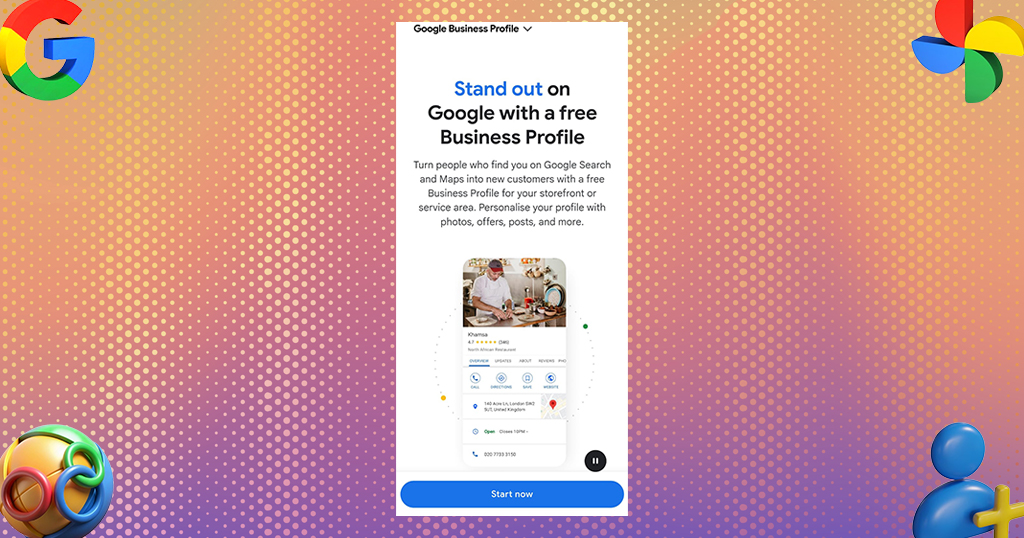
Getting Started with Google Business Profile
Step 1: Create a Google Account
Before creating a profile, we need a Google account associated with the business.
Visit: Google Business Profile Setup
Click Manage Now and sign in.
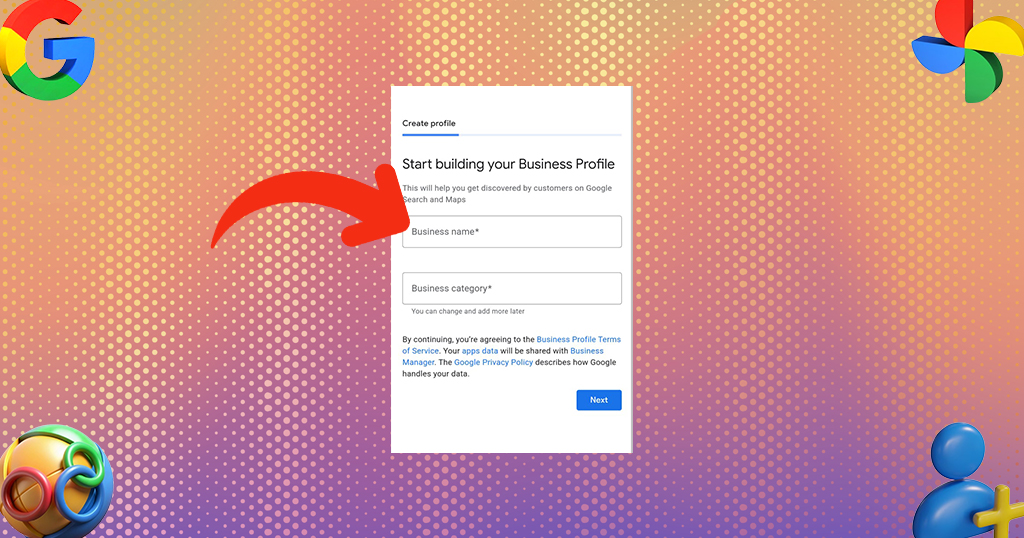
Step 2: Enter Business Name
Type the exact business name used in the real world.
Avoid:
- Keyword stuffing
- Extra location names
- Promotional phrases
Use the official business name consistently across all platforms.
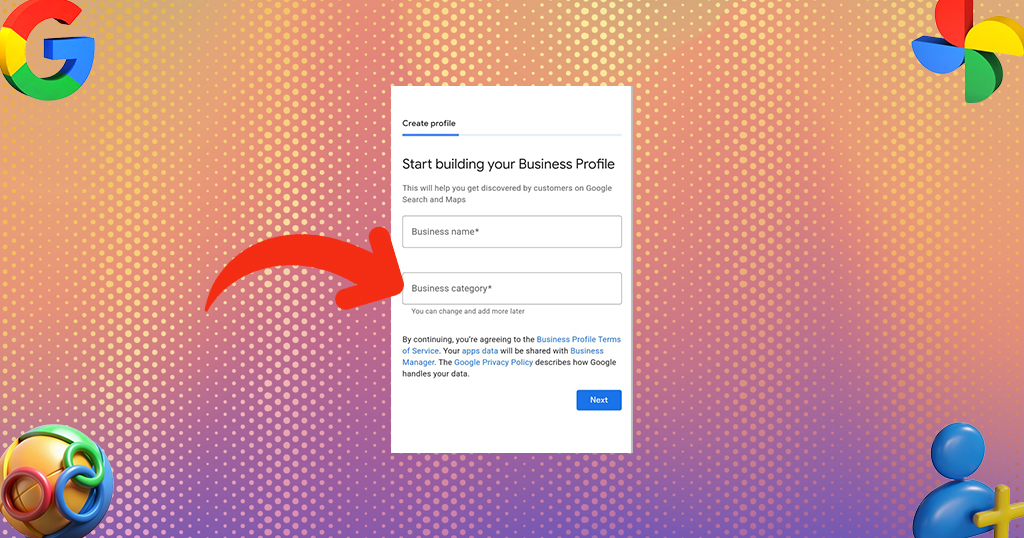
Step 3: Choose Business Category
Selecting the correct category is extremely important for local SEO.
Examples:
- Dermatologist
- Hair Salon
- Travel Agency
- Digital Marketing Agency
- Restaurant
The primary category influences ranking opportunities.
Step 4: Add Business Address
If customers visit the location, enter the physical address accurately.
For service-based businesses, choose the service area option instead.
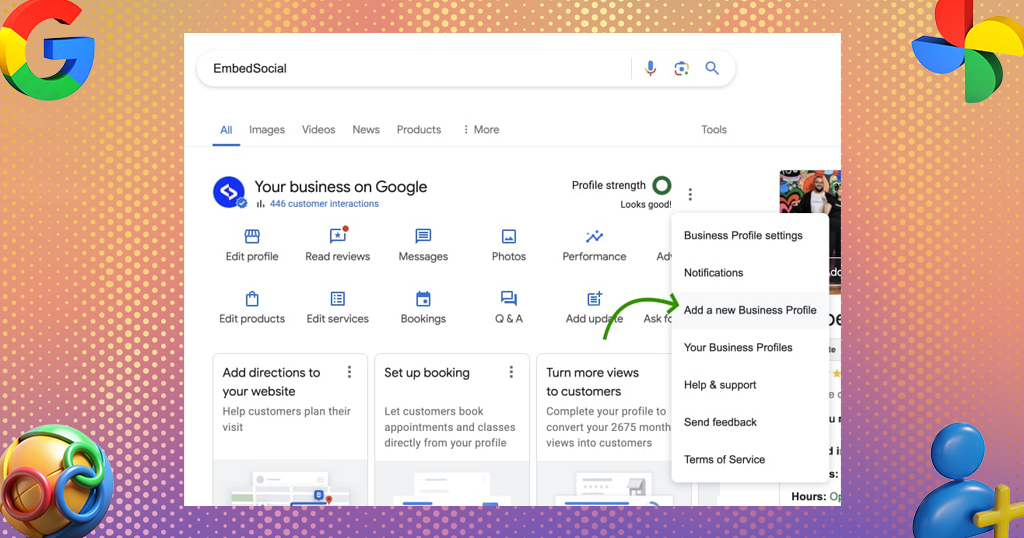
Step 5: Add Contact Details
Include:
- Business phone number
- Website URL
- Appointment links
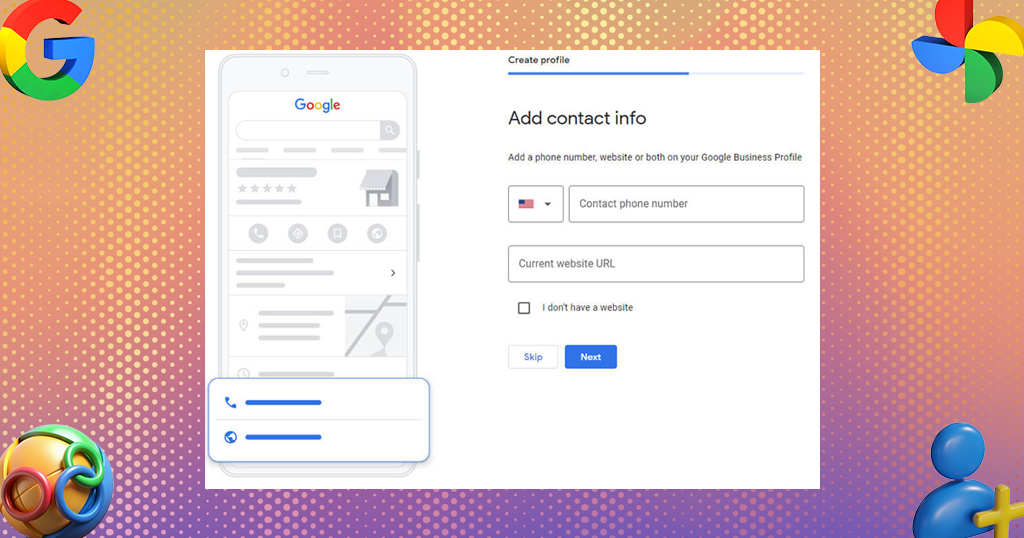
Ensure consistency with the website and social profiles.
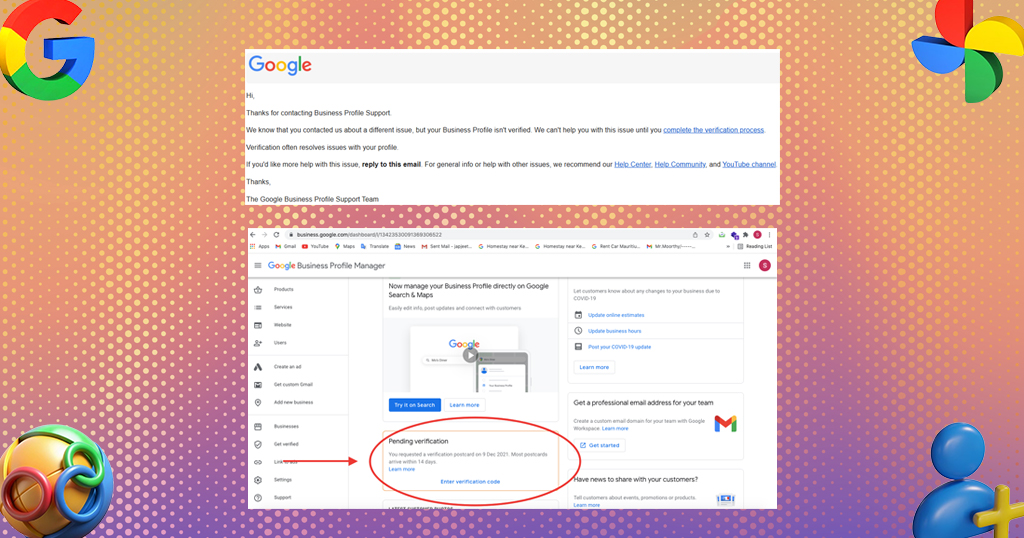
How to Verify My Google Business Profile
Why Verification Matters
Verification confirms that the business is real and authorized to manage the listing. Without verification:
- The profile may not appear publicly
- Editing features remain restricted
- Customer trust decreases
Google Business Profile Verification Methods
Google offers different verification methods depending on business type, category, and location.
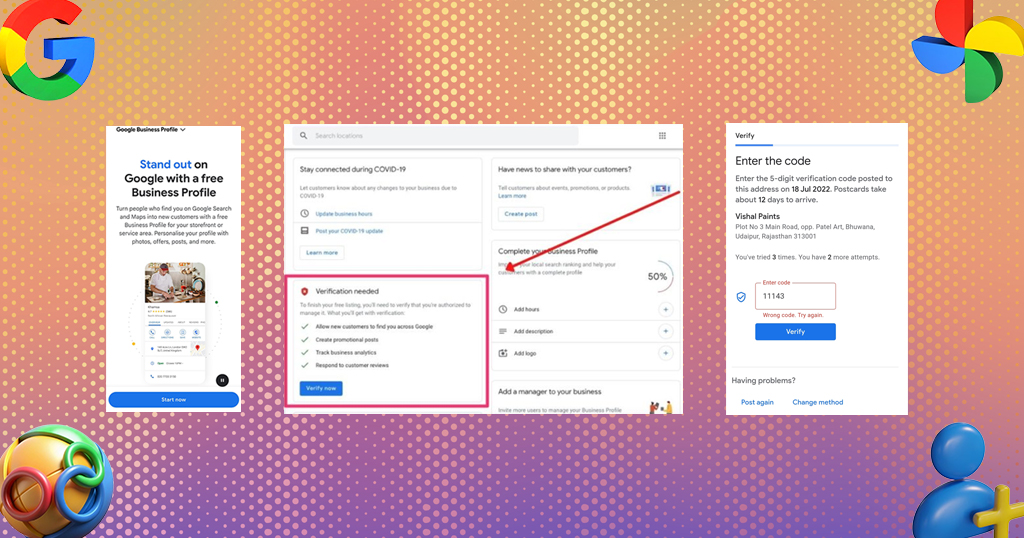
1. Postcard Verification
This is the most common method.
How It Works : Google sends a postcard containing a verification code to the business address.
Steps
- Log in to Google Business Profile
- Choose postcard verification
- Confirm the address
- Wait for delivery
- Enter the verification code
Delivery Time
Usually arrives within: 5 to 14 business days
Important Tips
- Do not edit business details while waiting
- Ensure the address is accurate
- Display business signage clearly
2. Phone Verification
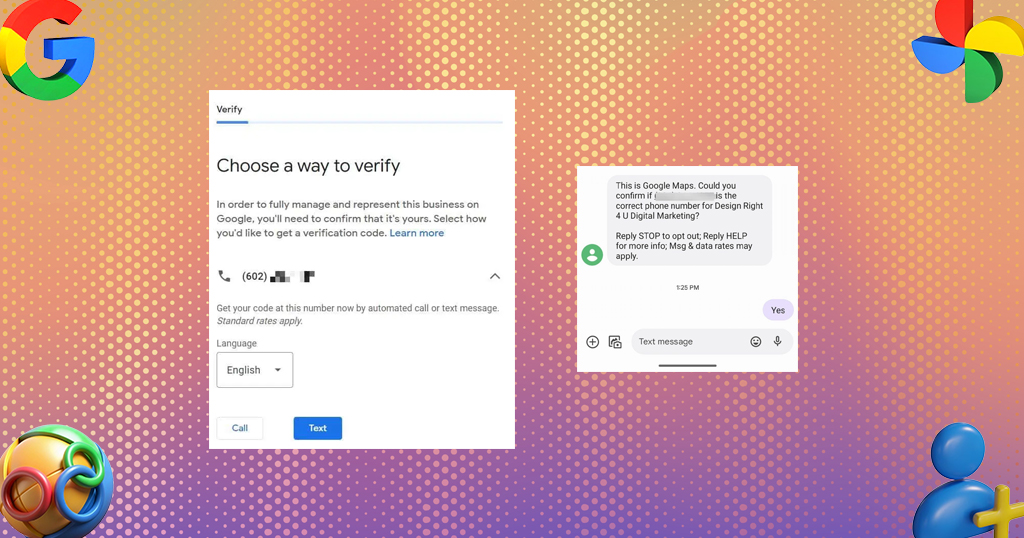
Some businesses qualify for instant phone verification.
Steps
- Select phone verification
- Receive automated call or SMS
- Enter verification code
Benefits
- Fast process
- Instant verification
- Convenient for local businesses
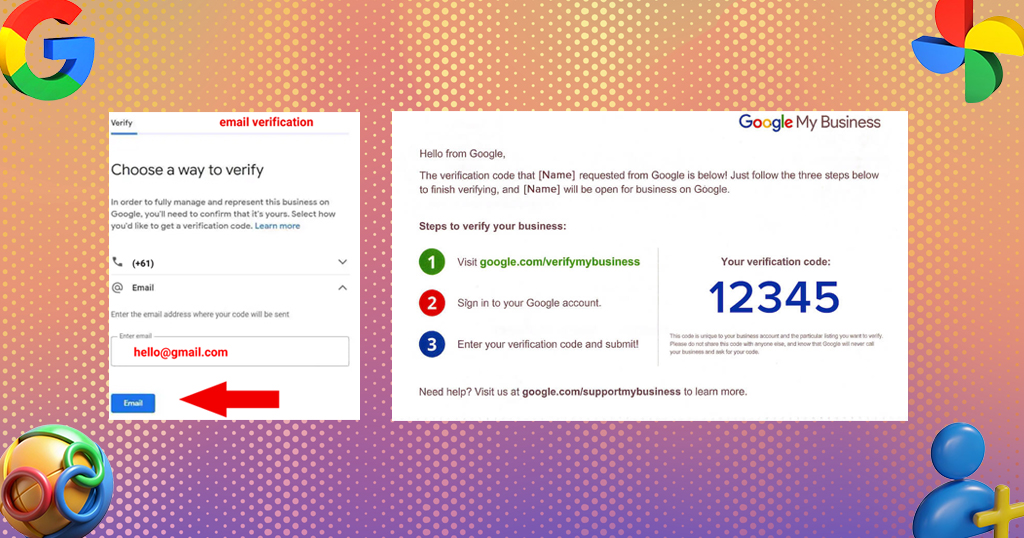
3. Email Verification
Eligible businesses may receive email verification.
Process
- Choose email verification
- Receive verification email
- Click the verification link or enter code
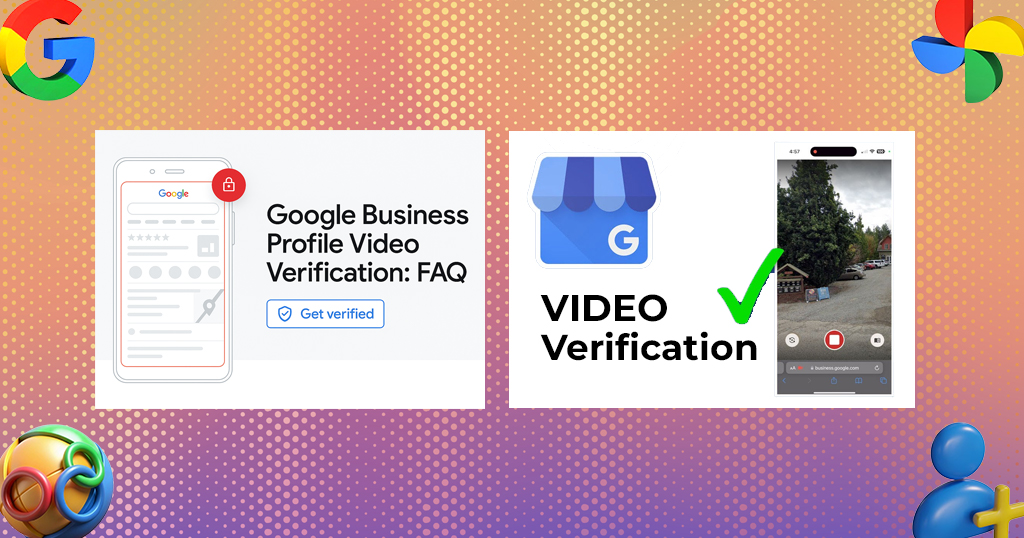
4. Video Verification
Google increasingly uses video verification for businesses.
What Google Requires
The video may need to show:
- Business storefront
- Interior workspace
- Equipment
- Branding
- Ownership proof
Video Guidelines
- Record continuously
- Avoid editing
- Show street signs and surrounding area
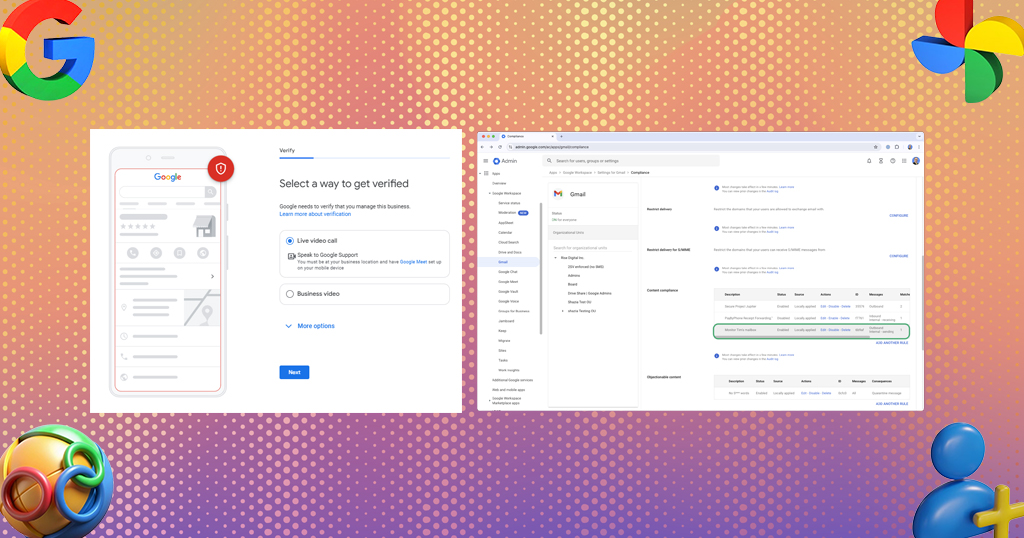
5. Live Video Call Verification
Some businesses must complete a live video call with a Google representative.
The representative may request:
- Business documents
- Office tour
- Equipment demonstration
- Employee workspace
6. Instant Verification
Businesses already verified in Google Search Console may qualify for instant verification.
How to Optimize Google Business Profile
Verification alone is not enough. Optimization improves visibility and ranking potential.
Complete Every Business Detail
Fill in:
- Business description
- Services
- Products
- Working hours
- Attributes
- FAQs
Comprehensive profiles perform better in local search.
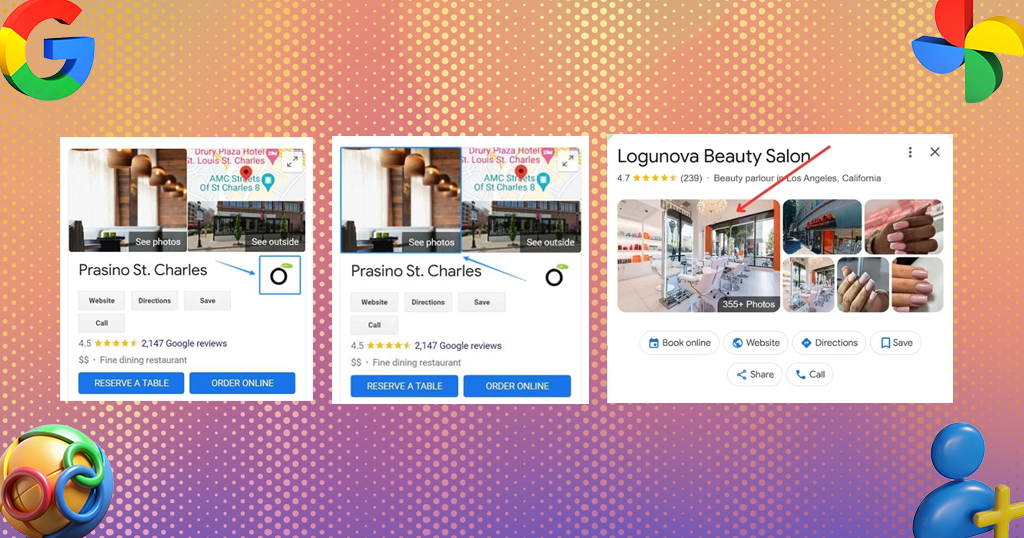
Use High-Quality Photos
Businesses with photos receive higher engagement.
Upload:
- Logo
- Cover image
- Interior photos
- Team photos
- Service images
- Product images
Write an SEO-Friendly Business Description
Include:
- Primary keywords
- Services offered
- Service areas
- Unique selling points
Avoid keyword stuffing.
Collect Customer Reviews
Reviews significantly impact local SEO.
Best Practices
- Request reviews after service completion
- Respond professionally
- Address negative feedback calmly
- Thank customers for positive reviews
Post Regular Updates
Google Posts help keep profiles active.
Share:
- Offers
- Events
- Announcements
- Blogs
- Product launches
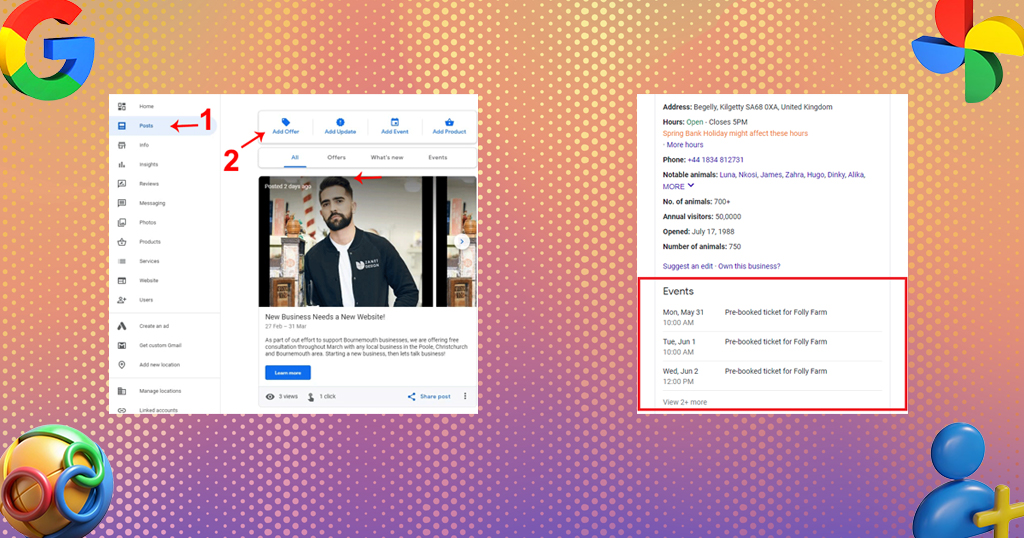
Fresh activity improves engagement.
Enable Messaging
Messaging allows customers to contact the business directly from Google Search and Maps.
Respond quickly to improve customer satisfaction.
Add Products and Services
Detailed service listings improve keyword relevance and user experience.
Include:
- Pricing
- Descriptions
- Service categories
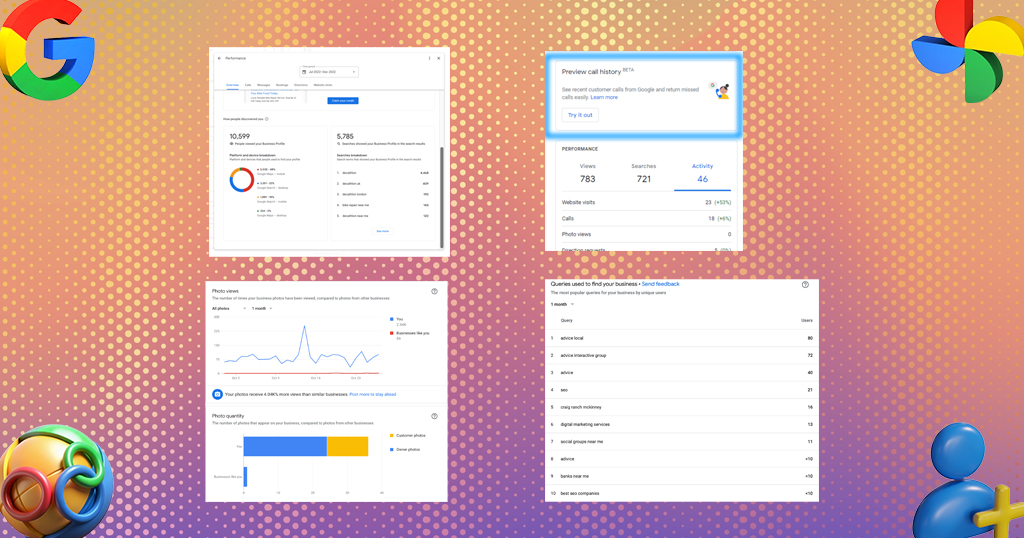
Google Business Profile Reporting
Understanding GBP Insights
Google Business Profile provides detailed analytics.
Key Metrics
1. Search Performance
Shows how customers found the business:
- Direct searches
- Discovery searches
- Branded searches
2. Customer Actions
Tracks:
- Calls
- Website visits
- Direction requests
- Messages
3. Photo Performance
Compare photo views against competitors.
4. Popular Search Queries
Identify keywords customers use to find the business.
This helps improve SEO strategy.
How to Improve GBP Performance
Maintain NAP Consistency
NAP means:
- Name
- Address
- Phone Number
Ensure consistency across:
- Website
- Directories
- Social profiles
- Citations
Build Local Citations
List the business on:
- Local directories
- Industry platforms
- Business listings
Consistent citations improve authority.
Embed Google Maps on Website
Adding Google Maps to the website strengthens local relevance.
Optimize Website for Local SEO
Use:
- Location keywords
- Local landing pages
- Schema markup
- Mobile optimization
Google Business Profile Support and Common Issues
1. Postcard Never Arrived
Possible reasons:
- Incorrect address
- Postal delays
- Suspicious profile activity
Solution
Request another postcard after waiting 14 days.
2. Verification Code Not Working
This can happen if:
- Code expired
- Business details changed
- Wrong code entered
Solution
Request a new verification method.
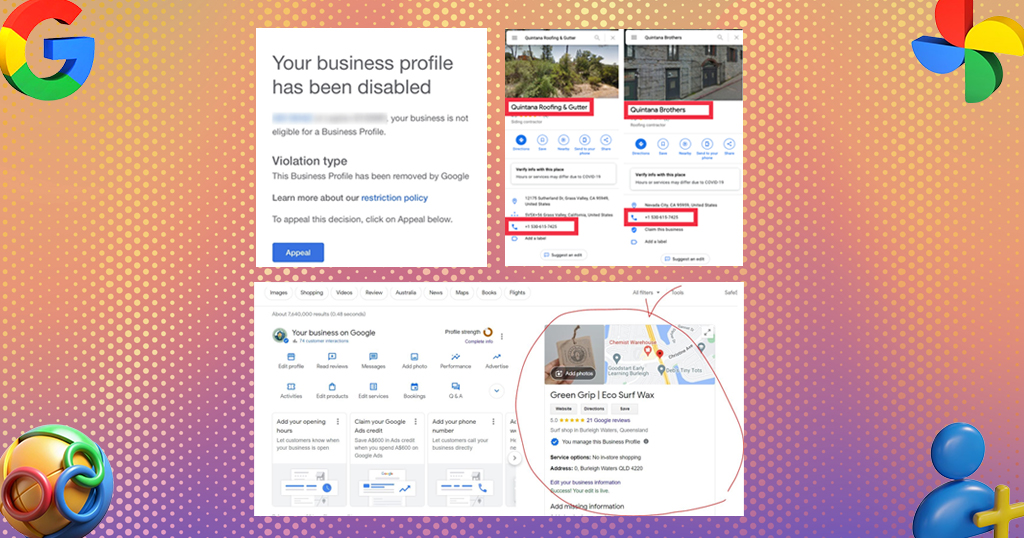
3. Suspended Google Business Profile
Suspensions happen due to:
- Policy violations
- Keyword stuffing
- Fake addresses
- Duplicate listings
Solution
Review Google guidelines and submit reinstatement.
4. Duplicate Listings
Duplicate profiles confuse Google and reduce rankings.
Solution
Report or merge duplicate listings.
5. Business Not Showing on Google Maps
Possible causes:
- Unverified profile
- Incomplete profile
- Low trust signals
Solution
Complete verification and optimize the listing.
How to Contact Google Business Profile Support
Businesses can contact support through:
- Help Center
- Chat support
- Email support
- Community forum
- Social media channels
Visit: Google Business Profile Help Center
Best Practices for Long-Term Google Business Profile Success
Update Information Regularly
Keep:
- Hours updated
- Services current
- Contact details accurate
Respond to Every Review
Customer engagement improves trust and reputation.
Monitor Competitors
Analyze competitor profiles for:
- Keywords
- Reviews
- Photos
- Categories
Track Local SEO Performance
Use:
- Google Analytics
- Search Console
- GBP Insights
Monitor growth consistently.
Conclusion
A verified and optimized Google Business Profile is essential for businesses that want to dominate local search results and attract more customers online. Proper verification unlocks valuable features, increases visibility on Google Maps, improves trust, and enhances local SEO performance.
By following the right verification steps, optimizing every section of the profile, maintaining accurate business information, and actively engaging with customers, businesses can significantly improve search rankings and generate more leads.
Investing time in Google Business Profile optimization is one of the most effective ways to strengthen online presence and outperform local competitors in Google Search results.

Leave A Comment