
Google Local Guide Program: How It Works, Points, Levels & Perks
How the Google Local Guide program works in 2026: how to join, points and levels, real perks, the new badge, and what it means for your business.
Kasthuri| 11 Nov 2026

Key takeaways
- You need 250 points for the Level 4 badge. Ten detailed reviews and ten photos get you there.
- Google’s official points table has 14 contribution types. Quality reviews and new places earn the most.
- Perks are non-cash and not guaranteed. Google’s own wording is early access to features and event invitations.
- Google refreshed the Level 4 badge in April 2026, but its published points and levels table was not changed.
- Business owners can’t pay for, trade for, or fake Local Guide reviews. The best approach is a complete profile, easy, honest reviews, and fast replies.
If you’ve ever seen a small orange badge next to a review on Google Maps, you’ve seen a Local Guide at work. Local Guides help Google keep Maps accurate, and their reviews and photos shape how customers see your business. This guide explains how the program works in 2026, what has changed, and how both contributors and business owners can get the most from it.
If you manage a business, pair this guide with our walkthroughs on verifying your Google Business Profile and how Google reviews boost local SEO.
What Is the Google Local Guide Program?
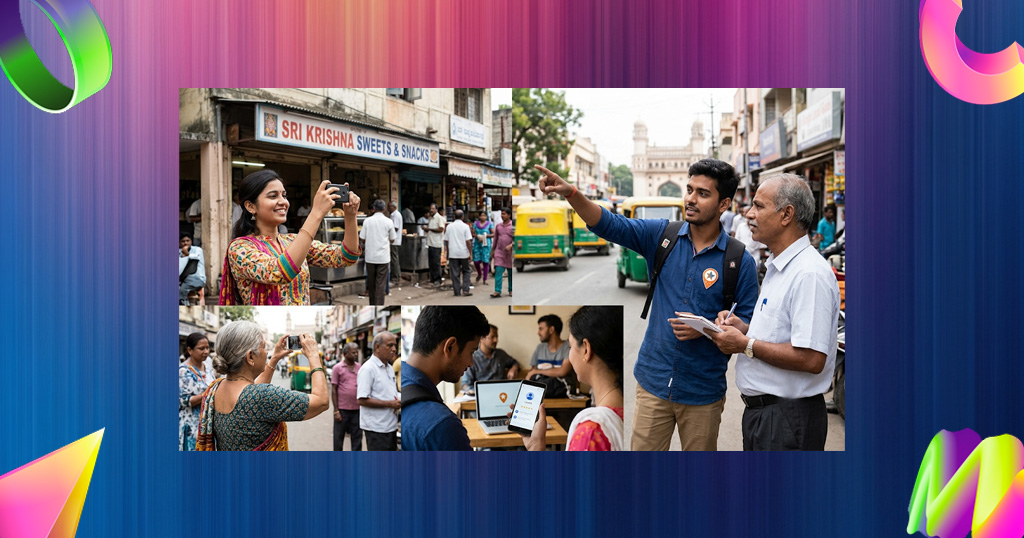
The Google Local Guide program is a community of Google Maps users who share information about places and earn points, levels, and badges for it. Contributions include ratings, reviews, photos, videos, answers, place edits, missing places, and fact checks. Google says the points lead to higher program levels and to benefits such as early access to Google features and invitations to special events (Google Maps Help).
Three things to know:
- It’s free and open. Anyone with a Google account who meets the age requirements in their country can join.
- It’s volunteer-based. Google doesn’t pay contributors, and the rewards are recognition and perks.
- It’s for people, not companies. The program is designed for individual contributors who share honest experiences, not for businesses promoting themselves.
What’s New in 2026
The biggest change this year is a visual refresh. Here is what has been announced:
| When | What changed | What it means |
|---|---|---|
| 7 April 2026 | Google announced a refresh of Local Guides: a new 5-point star badge with an orange-to-blue gradient at Level 4, updated profile and progress visuals, and new branding for the Local Guides Connect forum, with something extra for Level 10 guides (Local Guides Connect) | The badge looks different, but Google’s published points and levels are unchanged |
| October 2026 | A “Post to YouTube Shorts” feature began rolling out, letting guides turn photos and videos from their Maps reviews into Shorts, according to a community recap on Local Guides Connect | Photos and videos can reach beyond Maps. Availability may vary by region |
| October 2026 | The same recap reports plans for Local Guides events and experiences in 2027, with eligibility tips shared on Connect | Event invitations remain an upper-level perk. Check Connect for details |
| Monthly | Top 100 leaderboards for points, photo views, and review views are posted on Connect | Community recognition for the most active guides |
Note: Google’s help page says points, levels, and badge qualifications are subject to change, so check the official page before you plan around any number.
How to Join the Local Guide Program
Joining takes a few minutes. Follow these steps in order:
- Sign in to a Google account that meets the age requirement in your country.
- Open Google Maps and tap Contribute. Follow the prompts to join Local Guides. Menus change, so confirm the current steps in Google’s Local Guides help.
- Set your email preferences on the Local Guides settings page if you want program updates.
- Make your first contributions. Add a rating, write a review, and upload a photo of a place you’ve actually visited.
- Check your level. In Google Maps, tap Contribute, then View your profile. Your points and level can take up to 24 hours to update.
Local Guide Points: The Official Table
Google awards points per contribution, and reviews, photos, and new places carry the most weight. This is the current table from Google Maps Help (source):
| Maps contribution | Points earned |
|---|---|
| Review | 10 points per review |
| Review with more than 200 characters | 10 bonus points per review |
| Rating | 1 point per rating |
| Photo | 5 points per photo |
| Photo tags | 3 points per tag |
| Video | 7 points per video |
| Caption (in a photo update) | 10 points per caption |
| Answer | 1 point per answer |
| Respond to Q&As | 3 points per response |
| Edit | 5 points per edit |
| Place added | 15 points per place added |
| Road added | 15 points per road added |
| Fact checked | 1 point per fact checked |
| Reported incorrect | 1 point per item reported incorrect |
A detailed review (over 200 characters) is worth 20 points, four times a photo and 20 times a rating. Adding a genuinely missing place earns 15 points.
Local Guide Levels and the Badge
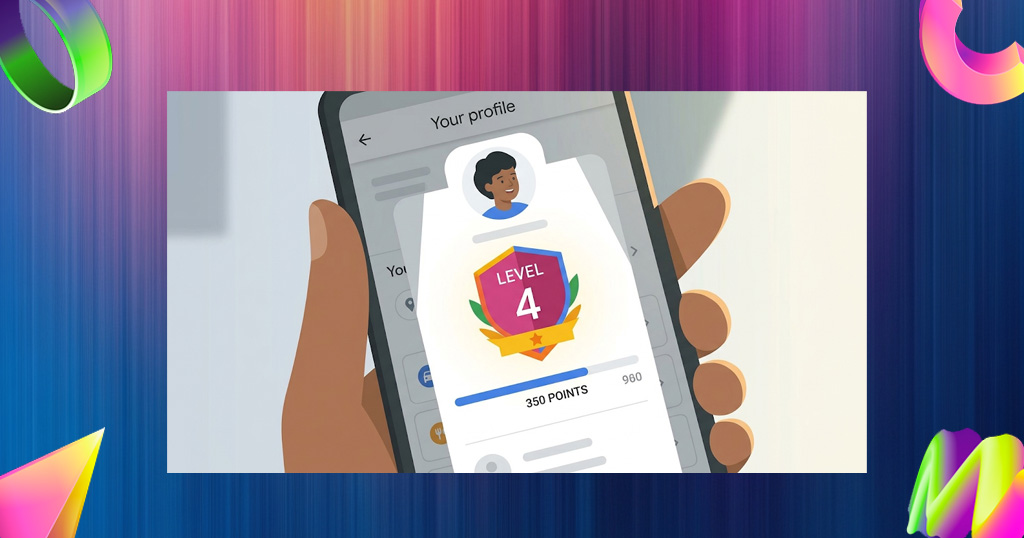
There are 10 levels, and the Local Guides badge unlocks at Level 4 with at least 250 points (Google Maps Help).
| Level | Points needed | What it means |
|---|---|---|
| 1 | 0 | You’ve joined |
| 2 | 15 | Early progress |
| 3 | 75 | Regular contributor |
| 4 | 250 | Local Guides badge unlocked |
| 5 | 500 | Established contributor |
| 6 | 1500 | Highly active |
| 7 | 5,000 | Very active |
| 8 | 15,000 | Top contributor range |
| 9 | 50,000 | Elite |
| 10 | 100,000 | Highest level, with extra profile treatment after the 2026 refresh |
Google notes that points don’t expire, but they can decrease if content is removed for violating its policies. Points from contributions to permanently closed places that have been removed from Maps don’t count toward your level.
How to Reach Level 4 and Level 5 Faster
Quality beats quantity, because spammy edits and low-effort reviews can be removed along with their points. These examples use Google’s official point values and real contributions:
| Goal | Example mix | Points |
|---|---|---|
| Level 4 (250) | 10 detailed reviews (20 each) + 10 photos (5 each) | 250 |
| Level 5 (500) | 15 detailed reviews with 3 photos each (35 per review) | 525 |
| Level 6 (1,500) | 40 detailed reviews with 3 photos each (1,400) + 20 ratings (20) + 16 edits (80) | 1,500 |
Tips for earning points the right way:
- Review places you’ve really visited. Mention what you ordered or did, what stood out, and who it suits. Aim for more than 200 characters.
- Add your own photos and videos. Show the menu, the entrance, the product, or the view. Don’t upload stock images.
- Fix wrong information. If hours, phone numbers, or addresses are wrong, submit an edit.
- Add places that are missing. New places and roads are worth 15 points each once approved.
- Be consistent. A few thoughtful contributions each week add up faster than a one-day burst.
- Follow the content policy. Contributions that break the rules don’t count.

Local Guide Perks: What’s Official and What Isn’t
Google describes the benefits as early access to features and invitations to special events, and it doesn’t guarantee specific rewards. Here is a realistic view:
| Perk | Status | Notes |
|---|---|---|
| Local Guides badge at Level 4 | Official | Appears on your contributions, helping them get noticed |
| Early access to Google features | Official | Google says to stay active to remain eligible |
| Invitations to special events | Official | Higher levels and active contributors are more likely to be invited |
| Meet-ups | Official | Google’s help center covers organizing and joining meet-ups |
| Extra Google One storage, trial offers and similar extras | Past promotions only | Not guaranteed and vary by region and time |
| Cash payment | Not part of the program | Contributors are unpaid volunteers |
| Guaranteed boost to your own rankings or reviews | Not offered | The program doesn’t promise visibility |
Rules That Protect Your Points
All Local Guide contributions must follow Google’s Maps contribution policy and the program’s community guidelines. Read both before you start:
- Google Maps user-contributed content policy
- Local Guides community guidelines
- Local Guides program terms and conditions
The essentials:
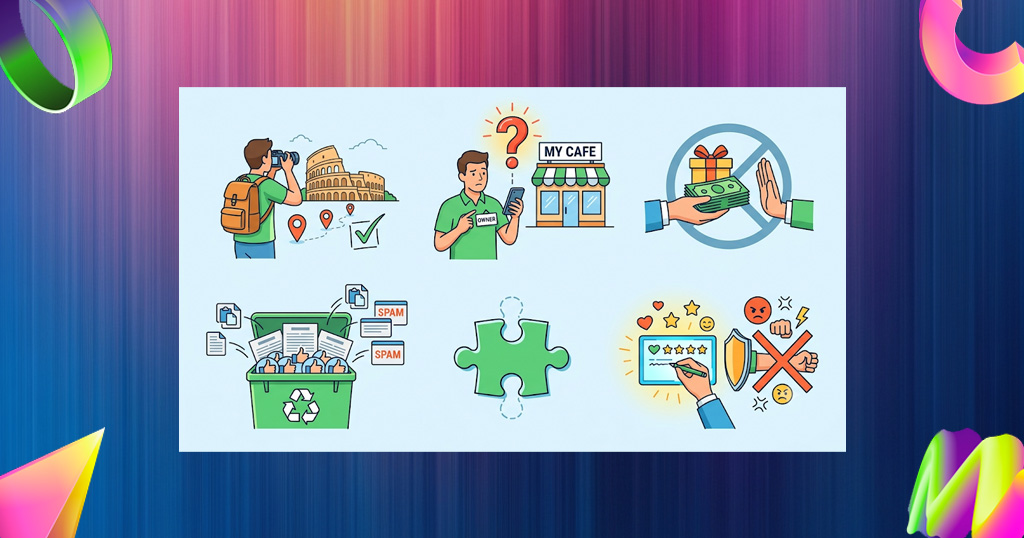
- Write only from real experience. Don’t review places you haven’t visited.
- Don’t review your own business or your employer. Conflict-of-interest content isn’t allowed.
- Don’t accept or offer payment, discounts, or gifts for reviews. Google prohibits incentives for reviews.
- Don’t post fake, copied, or spammy content. It can be removed, and the points removed with it.
- Keep it civil. Offensive, hateful, or off-topic content breaks the rules.
What Local Guides Mean for Your Business
Local Guides don’t work for your business, but their reviews, photos, and edits show up on your Google Business Profile. Here’s how to handle that well, in priority order.
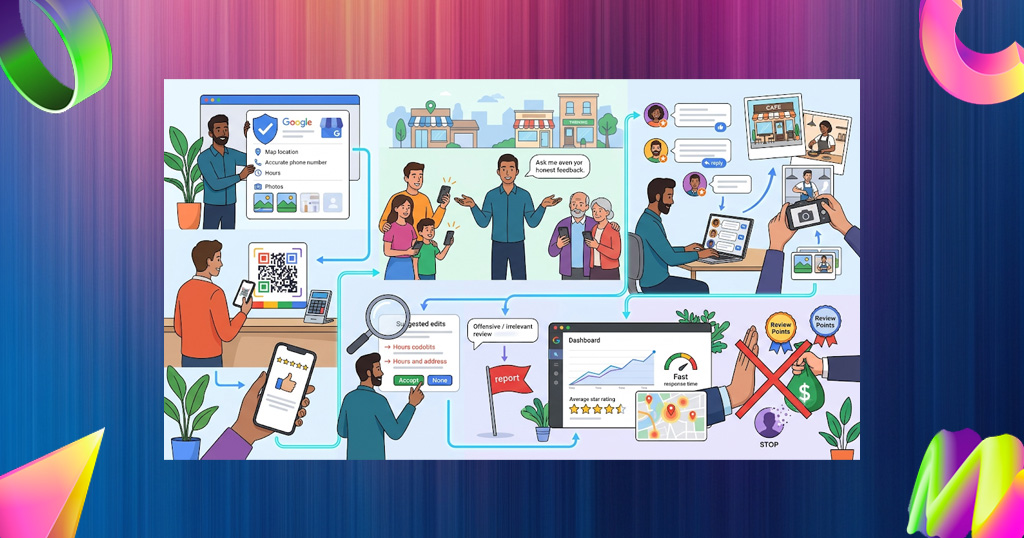
- Verify and complete your Business Profile. A verified, accurate profile lets you respond to reviews, add photos, and correct wrong information. See our guide to verifying your Google Business Profile and our Business Profile management guide.
- Make leaving a review easy for every customer. Share a direct review link or QR code. Our guide to getting your Google review link shows how.
- Ask everyone, with neutral wording. Request an honest review from all customers, not only happy ones, and never mention Local Guides, perks, or points. Use our review request scripts and our 9-step guide to asking for reviews.
- Reply to every review, including Local Guides’ reviews. Treat all reviewers equally. Use our review response templates to reply quickly and personally.
- Add your own photos and videos regularly. Customers and guides upload photos too, so keep your profile fresh with accurate, current images of your space, team, and products.
- Watch for wrong information and suggested edits. Guides submit edits to hours, phone numbers, and addresses. Check your profile every week and correct anything wrong.
- Report content that breaks the rules. Fake reviews, off-topic photos, and conflict-of-interest posts can be flagged. See our guide on handling and removing bad Google reviews.
- Track your review volume and rating each month. Watch new reviews, average rating, and response time. Storefries’ review tools and Local Heat Map help you monitor reviews and see where you appear on the map.
- Never buy “Local Guide reviews.” Services selling reviews or points violate Google’s policy, and reviews can be removed or your profile penalized.
For the wider picture of how reputation affects growth, read our guide to online reputation management for small business. It also helps to know that AI tools draw on reviews and listings when recommending local businesses, as we explain in our guide to getting recommended by ChatGPT and Google AI.
Local Guide Myths vs Facts
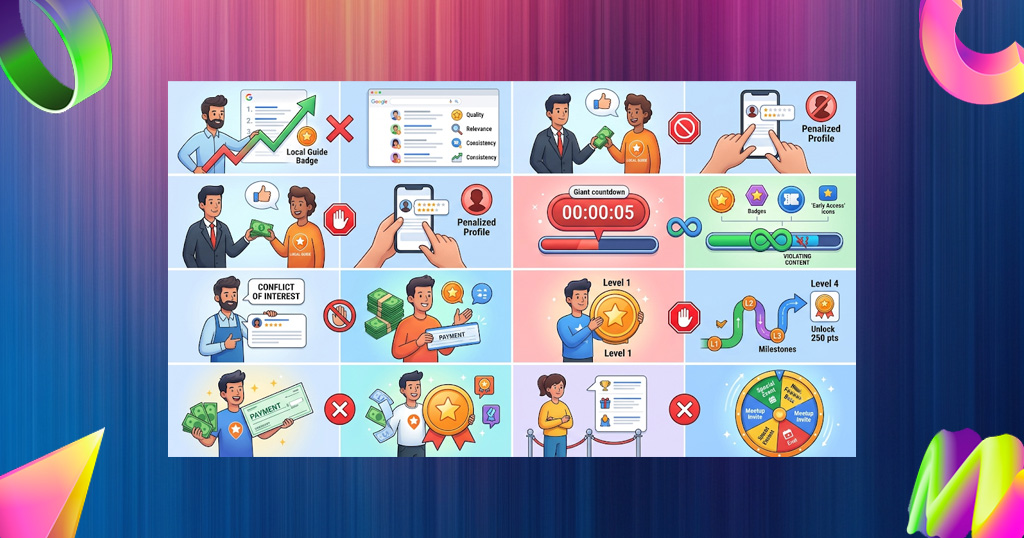
| Myth | Fact |
|---|---|
| “Local Guide reviews rank my business higher.” | Google hasn’t said that Local Guide status or the new badge changes rankings. Treat any such claim as unproven. |
| “I can pay a Local Guide for a review.” | Payment, discounts, or gifts for reviews violate Google’s policy and put the review and your profile at risk. |
| “I can join to review my own business.” | Reviewing your own business is a conflict of interest and isn’t allowed. |
| “Higher levels get paid.” | Google doesn’t pay contributors. Rewards are recognition and perks. |
| “My points expire.” | Google says points don’t expire, though they can decrease if content violates its policies. |
| “The badge appears at Level 1.” | The Local Guides badge unlocks at Level 4 with at least 250 points. |
| “Perks are guaranteed.” | Google describes early access and event invitations as benefits, not guarantees, and says program details can change. |
?
For most people, yes, if you already review places and want recognition for it. Here is a quick view:
Reasons to join
- It’s free and takes minutes.
- You get a badge, profile progress, and community recognition.
- You may get early access to Google features and event invitations.
- You help other people choose better places.
Reasons to think twice
- Rewards are not guaranteed and vary by region and over time.
- Points and levels can change, and points can be removed for policy violations.
- Public contributions mean your reviews and photos are visible to others.
If you run a business, you don’t need to join to benefit. Focus on the profile, reviews, and replies.
FAQ
1. What is the Google Local Guide program?
The Google Local Guide program is a free community program where people add reviews, photos, videos, edits, and answers to Google Maps. Contributors earn points, move through 10 levels, and unlock a Local Guides badge at Level 4.
2. How do I become a Google Local Guide?
Sign in to Google Maps with a Google account, tap Contribute, and follow the prompts to join Local Guides. Then start adding ratings, reviews, photos, and edits. Your level and points appear under Contribute, then View your profile, and can take up to 24 hours to update.
3. How many points do I need for each Local Guide level?
Level 2 needs 15 points, Level 3 needs 75, Level 4 needs 250, Level 5 needs 500, Level 6 needs 1,500, Level 7 needs 5,000, Level 8 needs 15,000, Level 9 needs 50,000, and Level 10 needs 100,000 points.
4. What do you get at Level 4?
At Level 4, with at least 250 points, you unlock the Local Guides badge, which appears on your contributions and helps them get noticed. Google refreshed the badge design in April 2026 with a new star and an orange-to-blue gradient.
5. Do Google Local Guides get paid?
No. Google doesn’t pay Local Guides for their contributions. The rewards are non-cash, such as the badge, recognition, early access to Google features, and invitations to events.
6. What perks do Local Guides get in 2026?
Google lists early access to Google features and invitations to special events as benefits, plus the badge from Level 4. Past promotions have included extras such as storage offers, but they aren’t guaranteed and vary by region and time.
7. Can a business join the Local Guide program?
The program is designed for individual contributors, not businesses. Business owners and employees shouldn’t review their own business because Google’s policy prohibits conflict-of-interest content. Owners can manage their Business Profile and respond to reviews instead.
8. Do Local Guide reviews rank higher on Google Maps?
Google hasn’t confirmed that a reviewer’s Local Guide status or badge changes how a business ranks. Focus on what is proven to help: a complete profile, genuine reviews, accurate information, and prompt replies.
9. Why did my Local Guide points go down?
Points can be deducted if a contribution is found to violate Google’s content policy, and contributions that violate the policy don’t count toward your level. Private contributions and contributions to permanently closed places that were removed from Maps also don’t count.
10. How can a business get reviews from Local Guides?
You can’t target Local Guides or reward them. Ask all customers for an honest review with a direct link or QR code, keep your Business Profile accurate, and reply to every review. Genuine Local Guides will find and review places they’ve visited.
The Bottom Line
The Google Local Guide program is a simple way to be recognized for helping others find good places. For business owners, the lesson is just as simple: you can’t control who reviews you, but you can make your profile complete, make honest reviewing easy, and reply to everyone.
Storefries helps you stay on top of it with review monitoring and requests, local rank tracking, local SEO, and social media scheduling in one dashboard. Browse more guides on the Storefries blog.
Boost Your Social Media with Automation. Start Your Free Trial Today! Streamline your social media game with Storefries to create, publish, analyze, engage, and collaborate, all in one place. Get started for free

Leave A Comment