
Social Media Content Calendar: Free Template for 2026
Learn how to create a social media content calendar for your small business free weekly template, post ideas, and scheduling tips for India.
Kasthuri| 17 Aug 2026
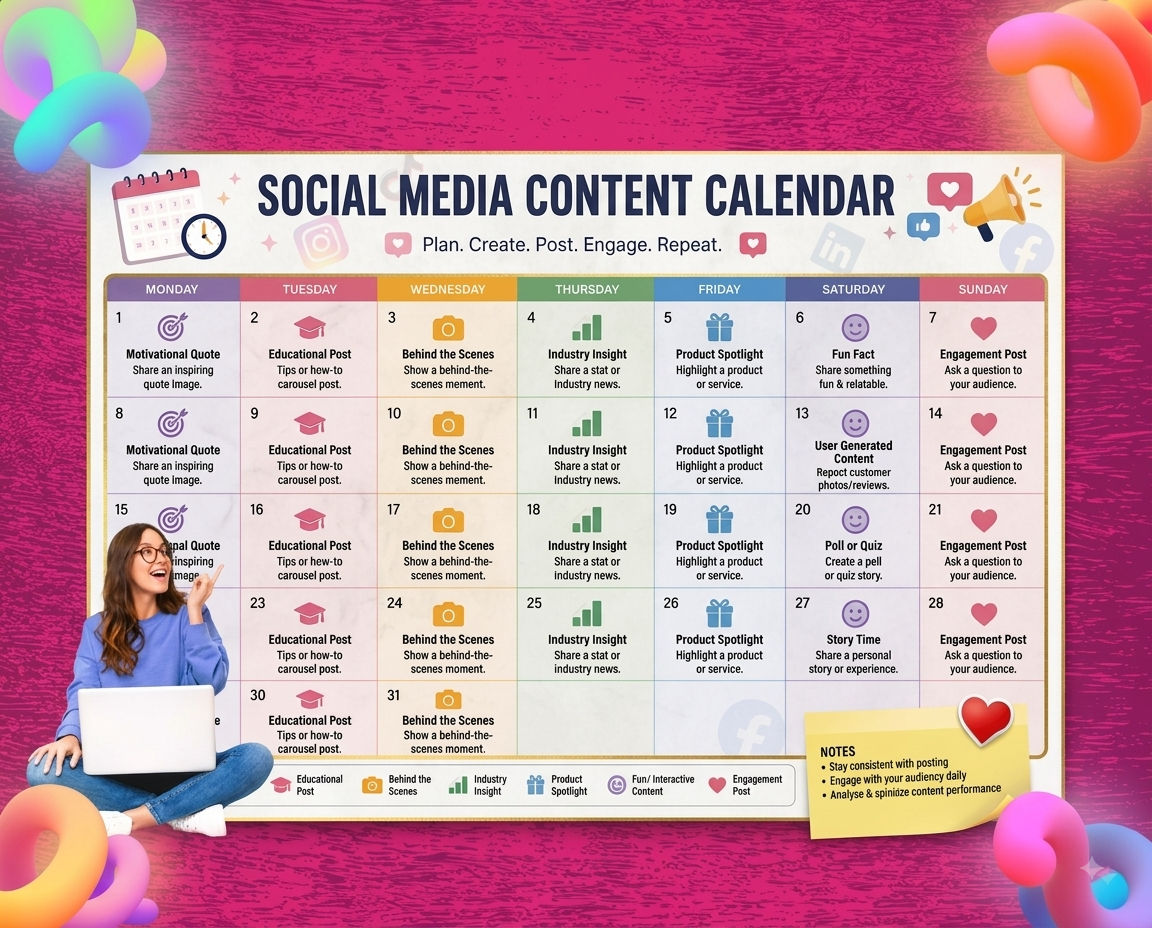
If you’ve ever stared at your phone at 8 PM wondering what to post tonight — then posted something random, got low engagement, and felt like social media was a waste of time — the problem isn’t your content. It’s the lack of a plan.
A social media content calendar fixes this completely. Instead of deciding what to post in the moment, you plan a week or month of content in advance, schedule it, and let it run while you focus on running your business. The result: consistent posting, better content quality, and a social media presence that actually builds momentum instead of sputtering.
This guide walks you through exactly how to create a social media content calendar for your restaurant, retail store, or local business — including a free weekly template you can start using today.
What Is a Social Media Content Calendar?
A social media content calendar is a planning document — a spreadsheet, an app, or even a physical planner — that maps out what you’ll post, on which platform, on which date, and at what time, across all your social media channels.
For a small business owner managing Instagram, Facebook, and WhatsApp alongside running your actual business, a content calendar does three things:
- Saves time — batching your content creation into one weekly session is far more efficient than deciding what to post every single day
- Ensures consistency — the single most important factor for social media growth is showing up regularly; a calendar makes that automatic
- Improves quality — content planned in advance is always better than content created under pressure at the last minute
Step 1: Decide Which Platforms to Include
Your content calendar should only cover platforms where your target customers actually spend time. For most Indian restaurants and retail stores, that means:
- Instagram — your primary visual platform for new customer discovery
- Facebook — essential for the 35+ demographic and local community groups
- WhatsApp Business — for direct customer communication and repeat business broadcasts
- Google Business Profile posts — weekly updates that appear directly in search results
Don’t try to maintain a presence on every platform. Three platforms done consistently outperform seven done erratically. Our social media marketing guide for small business covers platform selection in detail — start there if you’re unsure which two or three to focus on.
Step 2: Choose Your Posting Frequency
Before you fill in any content, decide how many times per week you’ll post on each platform. Be honest about what you can maintain consistently — it’s better to commit to three posts per week and deliver every week than to plan seven and burn out by week two.
Recommended minimum for Indian small businesses:
Recommended minimum for Indian small businesses:
| Platform | Minimum | Ideal |
|---|---|---|
| Instagram Feed | 3 per week | 5 per week |
| Instagram Stories | 5 per week | Daily |
| 3 per week | 5 per week | |
| WhatsApp Broadcast | 1 per week | 2 per week |
| Google Business Post | 1 per week | 2 per week |
Start at the minimum and increase once the habit is established. Consistency at a lower frequency always beats inconsistency at a higher one.
Step 3: Build Your Content Mix
The biggest mistake small businesses make with social media is posting only promotional content — offers, discounts, product pushes. Customers stop paying attention because every post feels like an ad.
A content calendar helps you maintain the right mix of content types automatically. Use the 5-type framework:
- Product/Food Content (30% of posts): Show what you sell in its best light. For restaurants: dishes, drinks, seasonal specials, plating moments. For retail: new arrivals, product close-ups, styling or usage ideas. These posts drive direct purchase intent and should include a clear call to action.
- Behind-the-Scenes Content (20% of posts): Your team, your process, your daily setup. A 15-second Reel of your chef prepping the day’s special or your store being set up for opening builds familiarity and trust that product shots never can. People follow people, not products.
- Customer Proof (20% of posts): Reviews, testimonials, user-generated photos, customer shoutouts. This is your highest-trust content category. Resharing a great Google review as an Instagram Story takes two minutes and performs better than most promotional posts. Read our Google review response guide on how to collect and manage the reviews you’ll be sharing.
- Educational or Value Content (15% of posts): Useful information relevant to your category. A restaurant sharing “5 spices we use in our biryani and why.” A bookstore recommending reads for different moods. A pharmacy explaining seasonal health tips. This type of content gets shared and positions your business as a trusted local authority.
- Local and Festival Content (15% of posts): Tie-ins with local events, city moments, and Indian festivals. Diwali, Pongal, Eid, Navratri, Holi, Ganesh Chaturthi, regional sports events, local festivals specific to your city. Posting around these occasions with your location tagged puts your content in front of people already searching those topics.
Step 4: Create Your Weekly Template
Here’s a simple, repeatable weekly content calendar template for a restaurant or retail store managing Instagram, Facebook, and WhatsApp:
Weekly Social Media Content Calendar Template
Monday
- Instagram Feed: Product/food post (new weekly special or featured item)
- Facebook: Same post shared to Facebook
- Google Post: Weekly offer or update
Tuesday
- Instagram Stories: Behind-the-scenes (prep, team moment, morning setup)
- WhatsApp: If sending this week’s broadcast, Tuesday morning is optimal timing
Wednesday
- Instagram Feed: Educational or value content (tips, how-to, local knowledge)
- Facebook: Community content (local event tie-in or neighbourhood mention)
Thursday
- Instagram Stories: Customer review or testimonial reshare
- Instagram Feed (optional): Behind-the-scenes Reel if you have one ready
Friday
- Instagram Feed: Weekend promotion or special announcement
- Facebook: Same post with local targeting if running paid promotion
- WhatsApp Broadcast: Weekend special announcement (if not sent Tuesday)
Saturday
- Instagram Stories: Real-time content — busy service, team in action, customer moments
- Instagram Feed (optional): User-generated content or customer photo reshare
Sunday
- Instagram Stories: “See you next week” moment or preparation for the coming week
- Plan and prepare next week’s content
This template gives you 3–5 Instagram posts per week, daily Stories, 3 Facebook posts, 1–2 WhatsApp broadcasts, and 1 Google Post — all planned in advance rather than decided on the day.
Step 5: Build Your Festival and Seasonal Calendar
Indian small businesses have a marketing advantage that most global brands can’t replicate: a year full of genuine, high-engagement cultural occasions that give you a natural, timely reason to post.
Map these dates into your content calendar at the start of each quarter:
Q1 (January–March): Pongal/Sankranti, Republic Day, Valentine’s Day, Holi, Ugadi Q2 (April–June): Tamil New Year, Eid, Akshaya Tritiya, Mother’s Day Q3 (July–September): Independence Day, Onam, Ganesh Chaturthi, Navratri begins Q4 (October–December): Dussehra, Diwali, Bhai Dooj, Christmas, New Year’s Eve
For each major occasion relevant to your customer base, plan 2–3 posts: a teaser 1 week before, a main post on the day, and a follow-up (results, gratitude, wrap-up) the day after. This single habit — planning festival content in advance — is what separates restaurants and retail stores that see a meaningful seasonal uplift from those that post something rushed on the morning of and wonder why it got no traction.
Step 6: Plan Your WhatsApp Broadcast Calendar Separately
WhatsApp broadcasts deserve their own mini-calendar because they work differently from social media posts — they go directly to opted-in customers as personal messages, and frequency matters far more than on a public feed.
WhatsApp broadcast calendar rules:
- Maximum 2 broadcasts per week — more than this and customers start blocking or muting you
- Each broadcast needs a specific, timely reason — a weekend special, a new menu item, a limited offer, a festival promotion
- Monday or Tuesday morning (8–10 AM) and Thursday evening (6–8 PM) tend to perform best for Indian restaurant and retail customers
- Festival broadcasts should go out 24–48 hours before the occasion, not on the day
For the full WhatsApp marketing system including templates and opt-in building strategy, see our WhatsApp marketing guide for small business.
Step 7: Batch Your Content Creation
The most time-efficient approach to content creation is batching — setting aside one block of time per week to create all your content for the coming week, rather than creating day by day.
A typical 2-hour weekly content session for a small business:
- 30 minutes: Take photos and short videos for the week (dishes, products, team moments, behind-the-scenes clips)
- 30 minutes: Write captions for all posts — include relevant hashtags, location tags, and calls to action
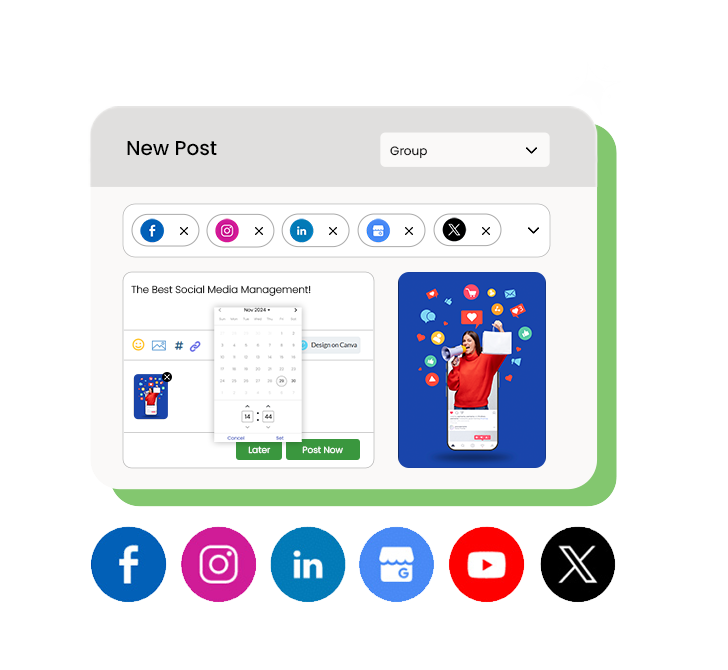
- 30 minutes: Schedule everything using a social media management tool — set posts to go live at optimal times without needing to be at your phone
- 30 minutes: Reply to comments and DMs from the previous week, and check your review platforms
This approach turns social media from a daily interruption into a weekly task you can complete in one focused session and forget about for the rest of the week.
Step 8: Schedule Posts in Advance
Scheduling tools are what make a content calendar actually work — instead of manually posting at the right time every day (which means being on your phone at 7 PM every evening), you write the caption, upload the photo, pick the time, and let the tool publish it automatically.
Best posting times for Indian restaurant and retail audiences as a starting point:
- Weekdays: 8–9 AM (morning commute), 12–1 PM (lunch break), 7–9 PM (evening leisure)
- Weekends: 10 AM–12 PM and 6–9 PM
Use your platform’s built-in analytics (Instagram Insights, Facebook Page Insights) to see when your specific audience is most active — this data becomes available once you’ve been posting consistently for 4–6 weeks and will be more accurate than any general benchmark.
Storefries’ social media scheduling tools let you schedule posts across Instagram, Facebook, and Google Business Profile from one dashboard — so your week’s content goes up automatically at the right times without you needing to be at your phone. Paired with review monitoring, you can manage your entire online presence from one place.
Step 9: Track What’s Working and Adjust Monthly
A content calendar isn’t set-and-forget — it improves over time as you learn what resonates with your specific audience. Set aside 30 minutes at the end of each month to review:
Key metrics to check:
- Which post format got the most reach? (Reels vs. photos vs. carousels)
- Which content type got the most saves and shares? (saves indicate useful content; shares indicate shareable/relatable content)
- Which day and time got the best engagement?
- Which posts drove the most profile visits or website clicks?
- Did your WhatsApp broadcasts generate visits or enquiries?
Use these answers to adjust the following month’s calendar — do more of what worked, less of what didn’t, and test one new content type or format each month.
For a complete picture of how your social media activity connects to your Google rankings and review performance, our local SEO guide covers the full measurement framework.
Free Weekly Social Media Content Calendar Template
Copy this table directly into a Google Sheet or Notion page to start using it this week:
| Day | Platform | Content Type | Caption Notes | Visual |
|---|---|---|---|---|
| Monday | Instagram + Facebook | Product post | Weekly special, price, CTA | Photo of dish/product |
| Monday | Google Business | Weekly update | Offer or new item | Same photo |
| Tuesday | Broadcast | Weekend offer teaser | — | |
| Tuesday | Instagram Stories | Behind-the-scenes | Morning prep or team moment | Short video |
| Wednesday | Educational | Tips/how-to relevant to category | Carousel or graphic | |
| Wednesday | Community content | Local event or festival tie-in | Relevant visual | |
| Thursday | Instagram Stories | Customer review | Reshare Google review as Story | Screenshot |
| Friday | Instagram + Facebook | Weekend promo | Special offer, limited time | Eye-catching visual |
| Friday | Broadcast | Weekend offer (if not sent Tue) | — | |
| Saturday | Instagram Stories | Live/real-time | Busy service, customer moment | Short video |
| Saturday | — | Plan next week | Batch content for coming week | — |
The Bottom Line
A social media content calendar transforms social media from a daily stressor into a weekly habit. Plan once, post consistently, measure monthly, and adjust. That’s the entire system — and it’s fully within reach for any restaurant or retail store, regardless of team size or budget.
The businesses building real local followings in India in 2026 aren’t the ones with the biggest production budgets. They’re the ones showing up consistently, with a plan, week after week.
Storefries makes the execution side simple — schedule posts across platforms, manage your Google reviews, and keep your Google Business Profile updated, all from one dashboard. Explore our pricing plans or read more small business marketing guides on the Storefries blog.
Quick FAQ: Social Media Content Calendar
1. How far in advance should I plan my social media content?
One week minimum, two weeks ideal. Planning a full month in advance is great for major festival campaigns but can be rigid for day-to-day content — a weekly rhythm works best for most small businesses.
2. What tools can I use to create a social media content calendar?
Google Sheets (free, simple) works well for most small businesses. Notion or Trello add more visual organisation. Dedicated scheduling tools like Storefries’ social media management platform combine the calendar, scheduling, and analytics in one place — eliminating the need for a separate planning doc.
3. How many posts per week should a small business aim for?
Three Instagram feed posts per week is the minimum for consistent growth. Add daily Stories, 3 Facebook posts, and 1–2 WhatsApp broadcasts per week for a comprehensive presence across all channels.
4. Should I post the same content on Instagram and Facebook?
You can cross-post the same image, but tweak the caption slightly — Facebook audiences tend to respond better to slightly longer, more conversational captions, while Instagram performs better with shorter, more visual-led copy and relevant hashtags.
5. How do I come up with content ideas when I run out?
The 5-type framework in this guide ensures you never run out: rotate between product content, behind-the-scenes, customer proof, educational content, and local/festival tie-ins. Your reviews, customer questions, and local events give you an endless supply of raw material.




Leave A Comment