
How to Download YouTube Videos for Free: Simple Guide 2026
Download YouTube videos for free in 2026, online tools, browser extensions, and software, compared. Step-by-step guide for Android, iPhone, PC, and Mac.
Kasthuri | 13 April 2026
Downloading YouTube videos is a must-have for many people, whether for offline viewing, content creation, or sharing. As one of the world’s largest video-sharing sites, YouTube doesn’t make it simple to save a video from YouTube directly — there’s no native “save to device” option for free accounts, which is exactly why so many people search for a free YouTube video downloader instead.
In this guide, we’ll walk through every realistic way to download a YouTube video for free in 2026 — browser-based tools, extensions, and desktop software — so you can pick whichever option fits how you actually use YouTube.
Why download YouTube videos?
Before getting into the methods, it’s worth understanding why downloading YouTube videos can be useful. Going offline is the most common reason — it lets you enjoy videos without relying on an internet connection.
Content creators also often download videos for analysis or to repurpose into their own content strategy. And having videos saved locally protects you from losing access if the original gets removed or the channel is restricted.
Legal Considerations
Although downloading YouTube videos is easy, it isn’t always legal. Under YouTube’s terms of service, downloading is prohibited unless YouTube itself provides a download option for that video.
A few exceptions exist — videos in the public domain, content you intend to use strictly for personal use, or anything the creator has explicitly licensed for download. Always make sure you actually have the right to download a video before doing so.
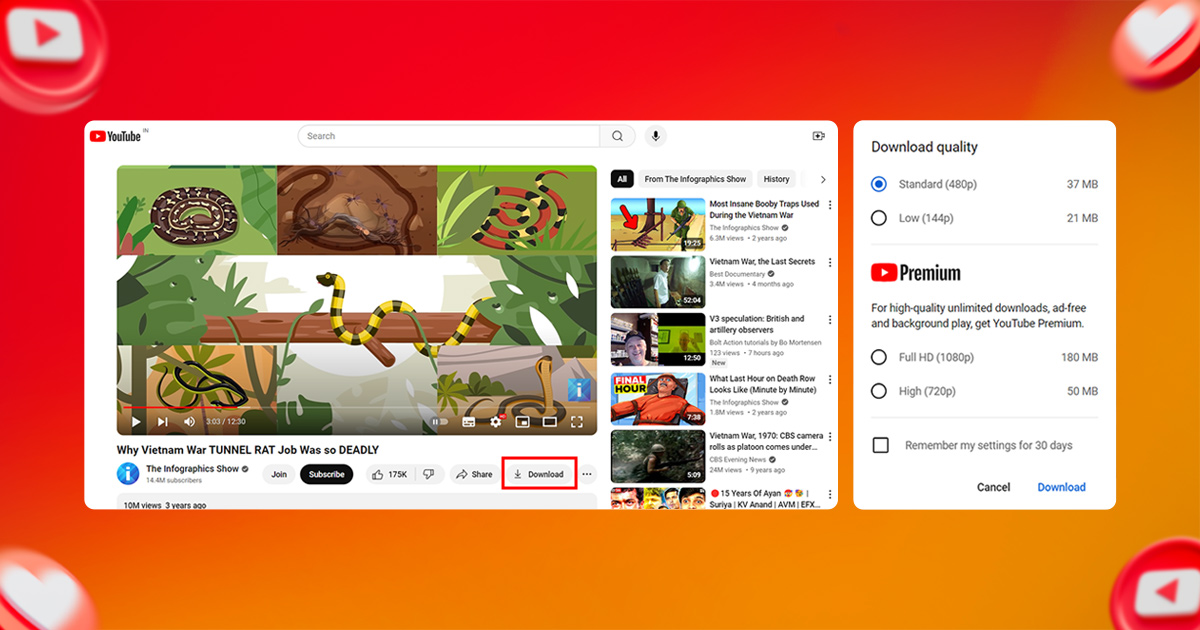
Is the YouTube Download Button Actually Free?
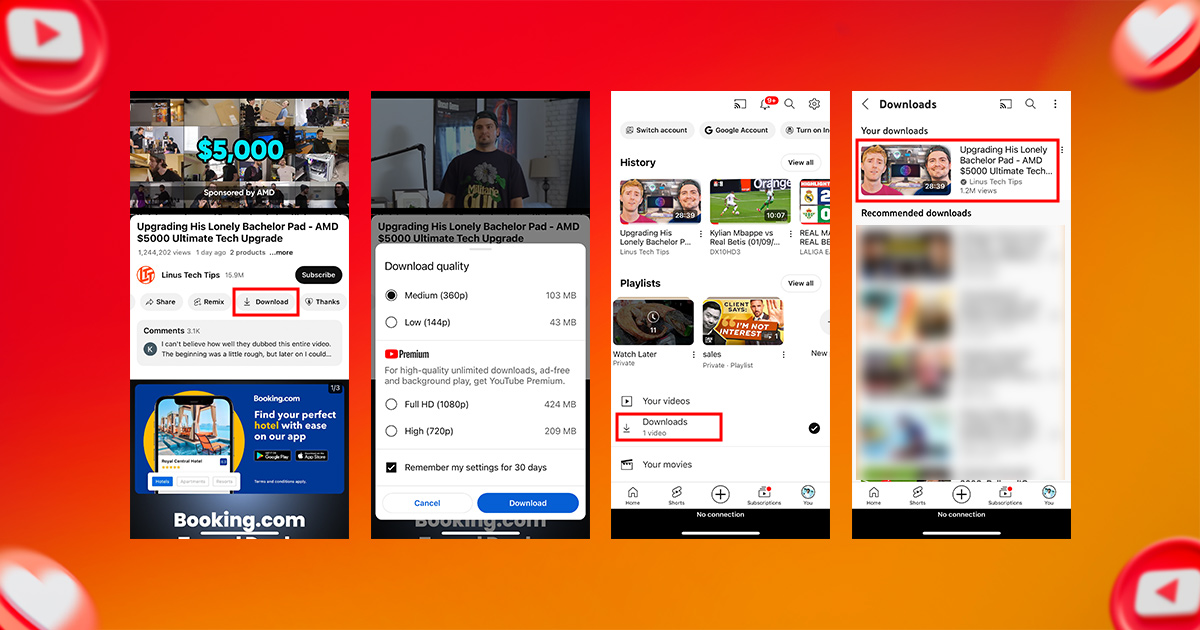
You may have noticed a “Download” button under some YouTube videos already. Worth knowing upfront: that official button only works with an active YouTube Premium subscription. Downloads made this way are also locked inside the YouTube app — they expire after about 30 days without reconnecting to the internet, and the file can’t be moved to your gallery, another app, or another device.
If you don’t have Premium, or you want an actual video file you can keep, move, or open in something like VLC, you’ll need one of the free third-party methods below instead.
How to Download YouTube Videos for Free in 2026
With that distinction out of the way, here’s how to actually download YouTube videos for free, on any device.
Downloading on Android and iPhone
The easiest free method on mobile is a browser-based downloader — no app install required:
- Open YouTube in your phone’s browser (not the app) and find the video you want.
- Copy the video’s URL from the address bar or the Share button.
- Open a free online downloader such as SaveFrom.net or Y2Mate in a new tab.
- Paste the URL, choose your format and resolution, and tap Download.
- The video file saves to your phone’s regular Downloads or Photos folder, so you can open it in any media player you like.
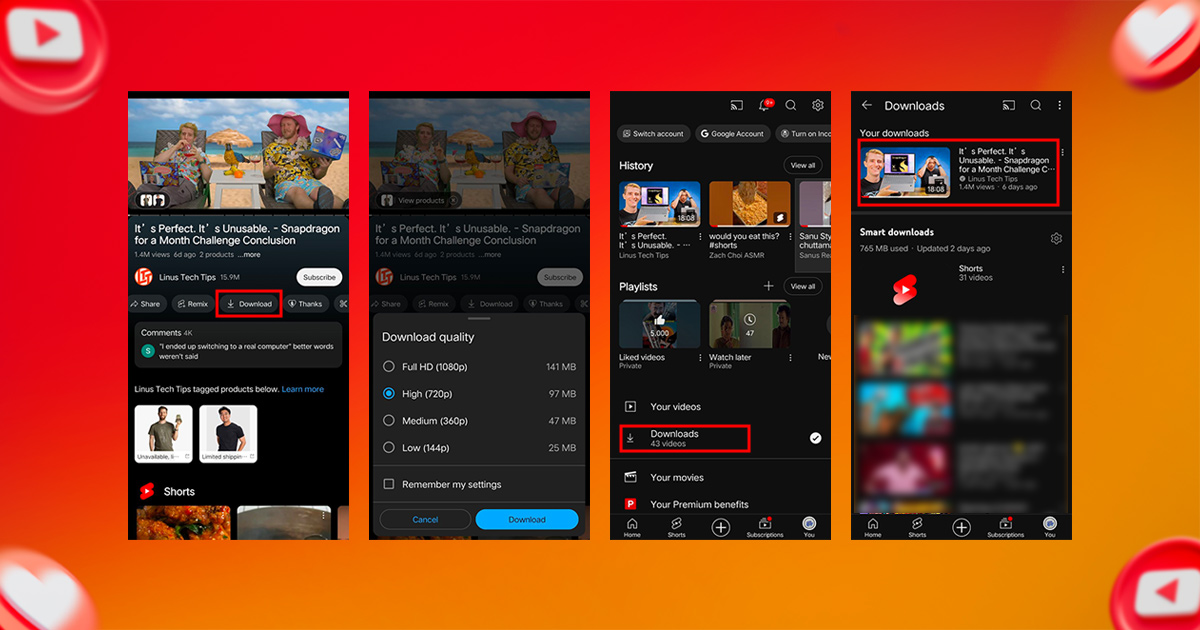
This works the same way on both Android and iPhone, since the whole process happens in your browser rather than inside a separate app.
YouTube Videos on Android and iPhone
Downloading on PC or Mac
On desktop, the most reliable free method is VLC Media Player, since it doesn’t rely on any third-party website:
- Open YouTube and find the video you want.
- Copy the URL of the YouTube video.
- Launch VLC Media Player on your PC or Mac.
- Go to “Media” in the top menu and select “Open Network Stream.”
- In the pop-up, go to the “Network” tab and paste the YouTube video’s URL.
- Click “Play” to start the video playing inside VLC.
- Go to the “Tools” menu and choose “Codec Information.”
- Highlight and copy the location text at the bottom of the window.
- Paste that URL into your browser and hit Enter — the video file will appear.
- Right-click the video and select “Save As” to download it as an MP4.
This works identically on Mac, since VLC runs natively on both platforms.
YouTube Videos on PC or Mac
Related Blog: Best time to post on YouTube
Using Online Video Downloaders
These browser-based tools are some of the most popular free YouTube video downloaders, since they need no installation at all:
1. SaveFrom.net
Easy tool to download YouTube videos in various formats and resolutions. Here’s how to do it:
- Copy the video URL from YouTube.
- Select SaveFrom.net
- Choose your format and type.
- Click on the download button.
2. Y2Mate
Like SaveFrom.net, Y2Mate makes both video and audio downloads quick and simple.
Using Online Video Downloaders
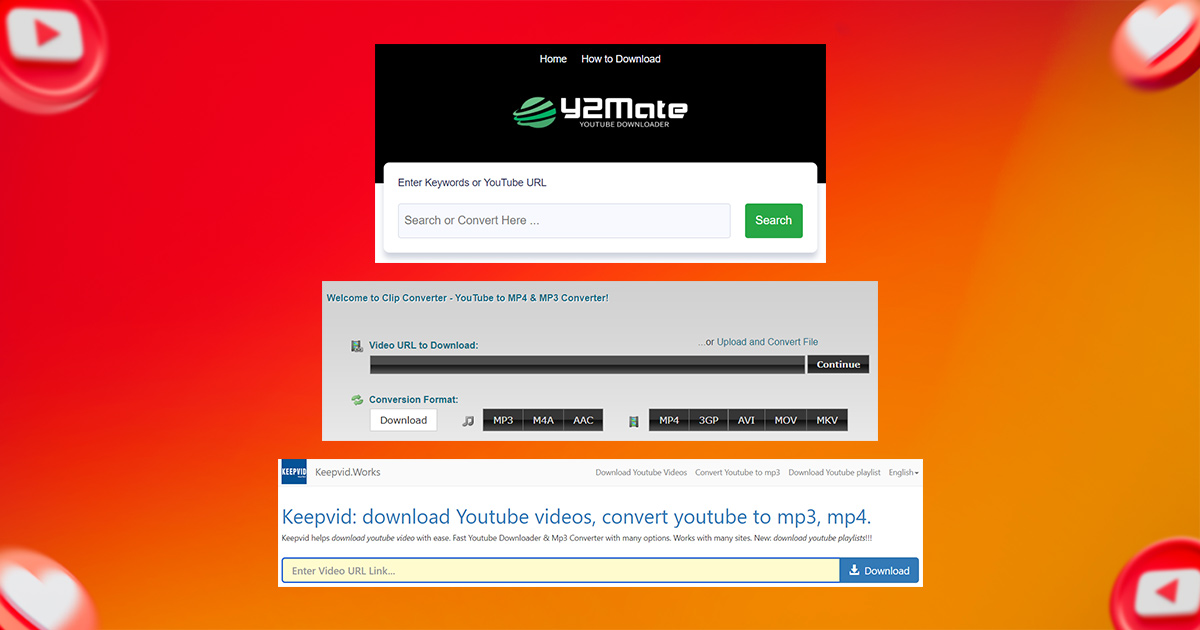
3. ClipConverter.cc
Great for converting videos into different formats like MP4, AVI, and MOV. It can also strip out the audio if you just want an MP3.
4. KeepVid:
The original KeepVid tool was discontinued, but similar functionality is still available under the same name, offering simple downloads in a wide variety of formats.
Using browser extensions
Browser extensions may provide a convenient solution for frequent downloaders of YouTube videos. The extension integrates directly with your browser, allowing you to download videos with just a tap.
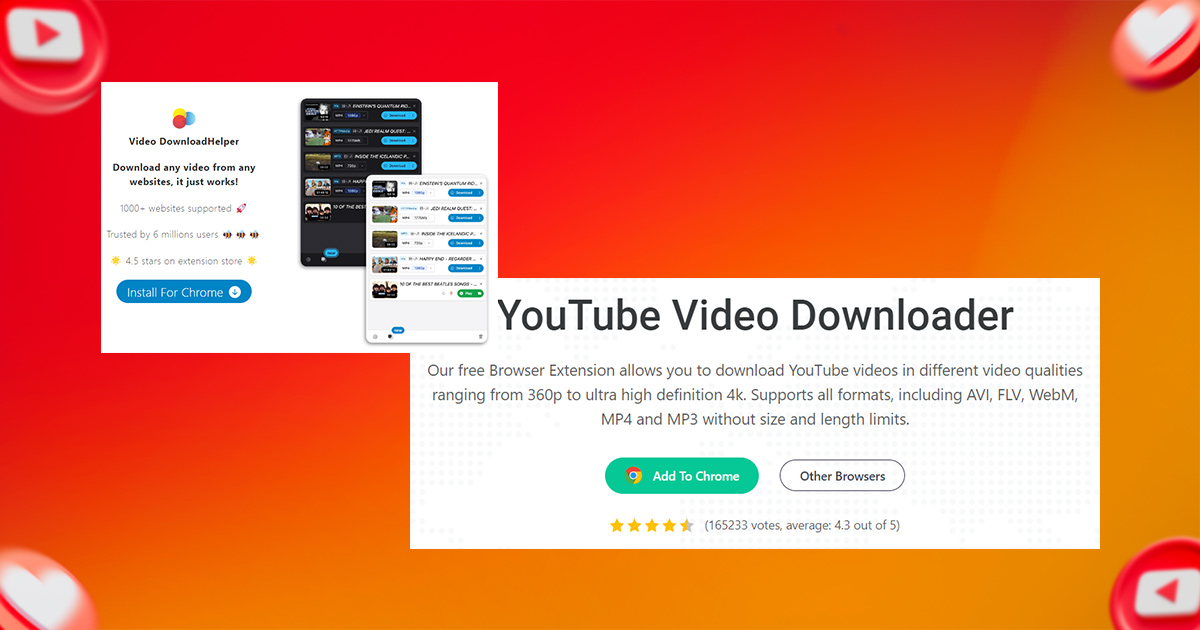
1. Video Download Helper
Video DownloadHelper is available for Chrome and Firefox. It displays videos from websites and allows direct downloads in the browser. This extension supports multiple formats and quality settings.
2. YouTube Video Downloader (by Addoncrop)
This Chrome extension adds a download button directly to YouTube’s interface, making it very and convenient. You can select and download the video type and download directly from the YouTube page.
Using Browser Extensions
Using Software Applications
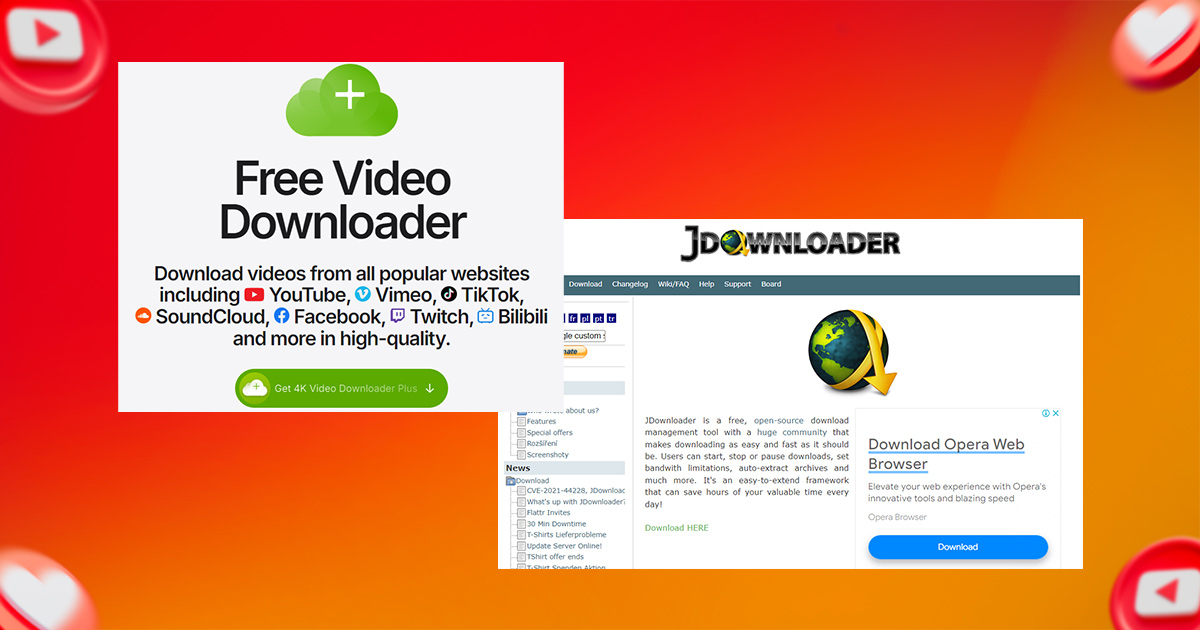
1. 4K Video Downloader A powerful desktop tool for high-quality downloads, including 4K and 8K video. It can also download entire playlists or channels.
2. JDownloader A free, open-source download manager that handles multiple files and batch downloads from YouTube and other platforms.
Using Software Applications
Downloading on Mobile Devices
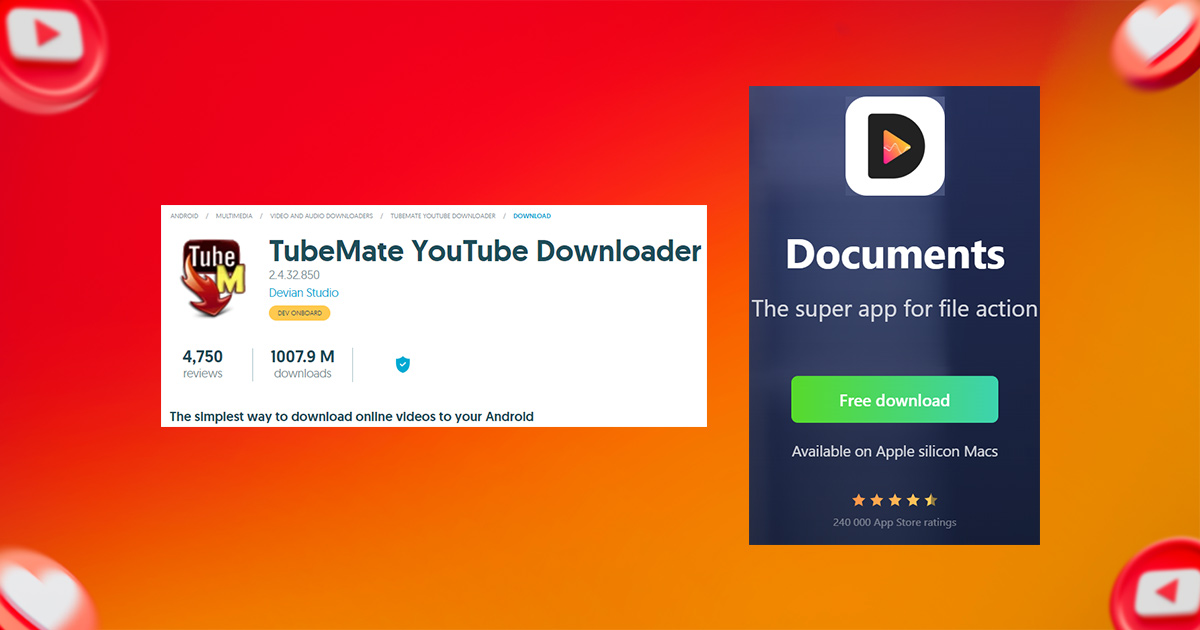
1. TubeMate (Android) A popular Android app for downloading YouTube videos in various formats and resolutions.
2. Documents by Readdle (iOS) An iOS app that lets you download YouTube videos through its built-in web browser.
Downloading on Mobile Devices
Limitations and Risks of Free YouTube Downloaders
Free tools are convenient, but they come with a few trade-offs worth knowing before you rely on them:
- Download limits: many free online downloaders cap video length, resolution, or how many downloads you can run per day unless you upgrade to a paid tier.
- Video files: quality and audio sync can vary between tools — some cheaper downloaders only grab the video track and leave the audio out at higher resolutions.
- Private or restricted videos: most downloaders can only access public videos. You generally can’t download private, age-restricted, or members-only content without the uploader’s direct permission.
- Ads and security: free downloader sites are often ad-supported, so stick to well-known tools and avoid clicking pop-ups or unrelated “download” buttons that aren’t part of the actual tool.
Best Practices for Downloading YouTube Videos
- Quality: Choose the highest available quality for the best viewing experience.
- Format: Select a format compatible with your device or media player — MP4 works almost everywhere.
- Storage: Make sure you have enough free space before downloading large files.
- Updates: Keep your tools up to date to avoid compatibility issues.
Quick Comparison – Pick What Fits You
- For quick, no-install downloads:
Use SaveFrom.net or Y2Mate – simple and fast. - For format conversion (MP4, MP3, etc.):
Try ClipConverter.cc – flexible options. - For basic downloads with variety:
KeepVid-type tools work well. - For regular use (one-click):
Go with Video DownloadHelper or Addoncrop extensions. - For high quality & playlists:
Choose 4K Video Downloader. - For bulk downloads & control:
Use JDownloader – powerful and efficient.
Conclusion
This guide gives you everything you need to download YouTube videos for free in 2026. Whether you’re on a mobile device, Mac, or PC, you now have several reliable, no-cost ways to save videos for offline viewing.
Always be mindful of copyright law, though — make sure you have the creator’s permission before downloading and using their content. Follow the steps in this guide and you can confidently download YouTube videos for both personal and professional use.
If you’re putting that downloaded footage to use, check out our guide on the best time to post on YouTube to get the most reach once it’s published.
Storefries is emerging as the ultimate social media management tool, ready to help improve your YouTube channel. Storefries lets you manage all your social media accounts from one central place, making it easy to keep enhancing your online presence.
FAQs
1. Is there a truly free YouTube video downloader?
Yes — tools like SaveFrom.net, Y2Mate, and the Video DownloadHelper browser extension are all free to use, with no YouTube Premium subscription required.
2. How do I download a video from YouTube without an app?
Copy the video’s URL, paste it into a browser-based downloader like SaveFrom.net or Y2Mate, choose your format, and download — no app install needed on any device.
3. Can I download a yt video on my phone?
Yes. The browser method above works on both Android and iPhone, or you can use a dedicated app like TubeMate (Android) or Documents by Readdle (iOS).
4. Can I download private YouTube videos?
No, not without the uploader’s direct permission. Free downloaders can only access public videos; private, age-restricted, and members-only content is excluded by design.
5. Is it legal to download YouTube videos?
It depends on the video. Downloading is only clearly permitted when YouTube provides an official download option, the content is public domain, or the creator has licensed it for that use. Always check before downloading and using someone else’s content.


Leave A Comment