
WhatsApp Marketing for Small Business: Complete Guide for 2026
Learn how to use WhatsApp marketing for your small business in 2026 set up WhatsApp Business, build a contact list, and drive more sales.
Kasthuri| 20 July 2026
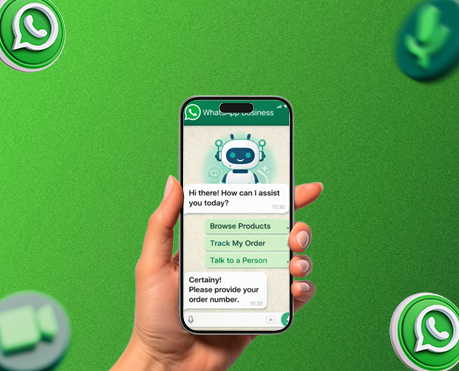
If you run a restaurant, retail store, or any local business in India, chances are your customers are already on WhatsApp — probably more than they’re on any other platform. With over 500 million active WhatsApp users in India, it’s the single most-used communication app in the country, cutting across age groups, income levels, and cities in a way no other platform comes close to matching.
Yet most small business owners use WhatsApp the same way they use personal messaging — reactively, informally, and without a system. That’s a huge missed opportunity. WhatsApp marketing, done properly with the free WhatsApp Business app, can drive more repeat business, generate more reviews, and build stronger customer relationships than almost any other channel available to a local business at zero ad spend.
This guide covers everything you need to start — from setting up your WhatsApp Business profile to building a contact list, sending broadcast messages, and measuring what’s working.
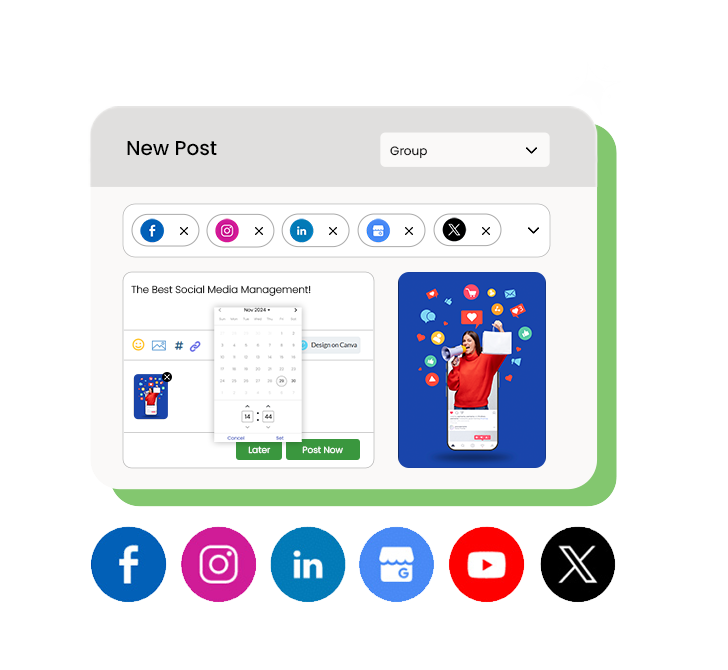
Why WhatsApp Marketing Works for Small Businesses in India
The numbers make the case clearly. WhatsApp messages in India see open rates of 85–98% — compared to 20–25% for email marketing at best. When you send a message to a customer on WhatsApp, they almost certainly read it. No other marketing channel comes close to that level of direct access.
For local businesses specifically, WhatsApp marketing does three things better than almost anything else:
- Drives repeat visits: A quick message about a new dish, a weekend offer, or a flash sale brings customers back who might otherwise have forgotten about you.
- Builds personal relationships: Customers who message you directly — asking about stock, making reservations, checking delivery status — feel a connection with your business that a Facebook post never creates.
- Generates more reviews: A follow-up WhatsApp message after a purchase or visit, with your direct Google review link, is one of the most effective ways to increase review volume consistently.
Combined with a strong social media presence and an optimised Google Business Profile, WhatsApp marketing becomes the direct-to-customer layer that ties your entire local marketing strategy together.
Step 1: Set Up WhatsApp Business Properly
The first step is downloading the WhatsApp Business app — it’s completely free and available on both Android and iOS. It’s separate from the regular WhatsApp app and designed specifically for business use, with features the standard app doesn’t have.
Use a dedicated business number rather than your personal number. This keeps your personal messages separate, allows multiple team members to access it (via WhatsApp Web), and looks more professional to customers.
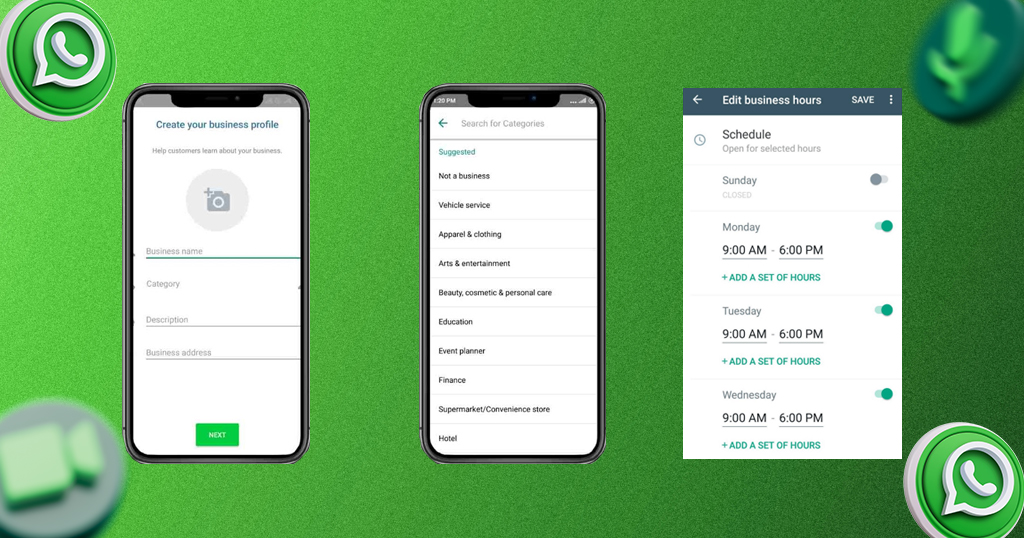
Complete your Business Profile — every field matters:
- Business name: Use the exact same name as your Google Business Profile and other listings for consistency.
- Category: Choose the most accurate category for your business type.
- Description: Write 2–3 sentences about what you do, where you’re located, and what makes you different. Include your area or city name.
- Address: Your full business address, matching your other listings exactly.
- Business hours: Set accurate hours including public holiday schedules.
- Website: Link to your website, menu, or online ordering page.
- Email: Add a business email for customers who prefer that channel.
A complete, professional-looking profile builds immediate trust when a new customer messages you for the first time.
Step 2: Set Up Your Catalogue
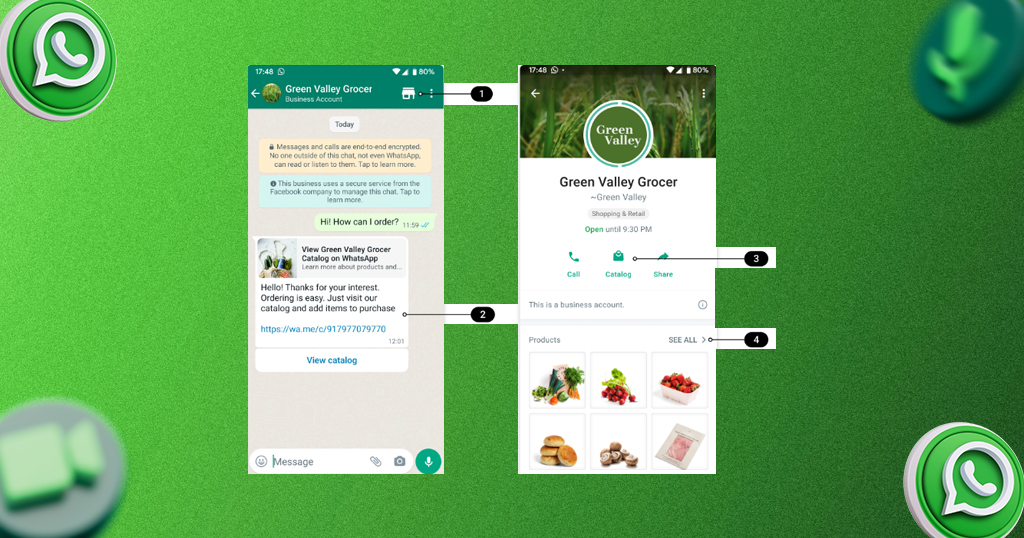
One of the most underused features of WhatsApp Business is the product catalogue — a built-in tool that lets you showcase your products or services directly inside the app, with photos, descriptions, and prices.
For restaurants, this means your menu is accessible directly from your WhatsApp profile without customers needing to visit a separate website. For retail stores, customers can browse your products and message you to purchase or enquire — all within WhatsApp.
To set it up: open WhatsApp Business → Settings → Business Tools → Catalogue → Add Item. Add a photo, name, price, description, and a link to purchase (if you have an online store). According to Meta’s WhatsApp Business documentation, businesses that use catalogues see significantly higher engagement from new customers who discover them through WhatsApp.
Step 3: Build Your WhatsApp Contact List the Right Way
A WhatsApp broadcast is only as powerful as the list behind it. And unlike social media followers, where anyone can follow you, WhatsApp marketing works on an opt-in basis — customers must save your number and agree to receive messages for your broadcasts to reach them.
Effective ways to grow your WhatsApp contact list:
- In-store: Display your WhatsApp number prominently at your counter, register, or entrance with a clear call to action (“Save our number for exclusive offers and updates”).
- Receipts and packaging: Print your WhatsApp number on bills, bags, and boxes with a reason to save it (“Get early access to weekend specials — save this number”).
- Google Business Profile: Add your WhatsApp number to your Google Business Profile so customers searching on Maps can contact you directly.
- Social media: Share your WhatsApp number or a click-to-chat link on Instagram and Facebook regularly. A click-to-chat link (wa.me/[your number]) opens a WhatsApp conversation with your business in one tap — no need for customers to manually save your number first.
- Click-to-WhatsApp link: Create a free direct link at wa.me and add it to your Instagram bio, Facebook page, and website contact page.
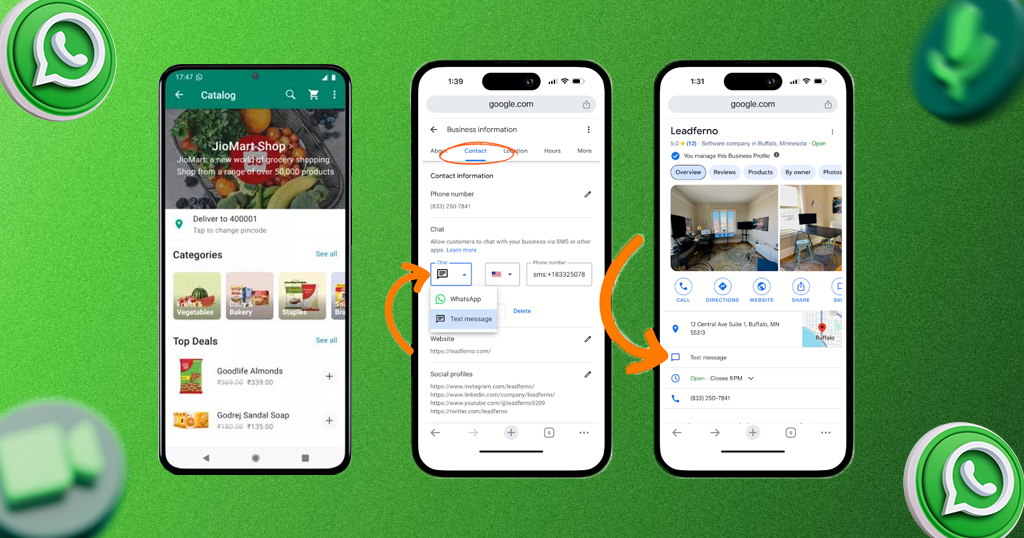
Never add people to your WhatsApp broadcast list without their permission. Beyond being bad practice, it violates WhatsApp’s terms of service and risks your account being reported and banned.
Step 4: Use Broadcast Lists to Send Marketing Messages
A WhatsApp Broadcast List lets you send the same message to multiple contacts simultaneously — with each recipient receiving it as a personal one-on-one message, not a group chat. This is the core WhatsApp marketing tool for small businesses.
To create one: WhatsApp Business → New Broadcast → select contacts → send.
Important: Broadcast messages only reach contacts who have saved your number. This is why Step 3 (building your list properly) matters so much.
What to send on broadcast lists:
- Weekly specials or new arrivals: “This week’s special: Mango Lassi is back on the menu 🥭 Visit us before Sunday!” works far better than a generic promotional post.
- Flash offers: Time-limited offers (“Today only: 20% off all desserts after 7 PM”) create urgency that social media posts rarely generate because they reach customers directly.
- Event announcements: Live music nights, seasonal menu launches, new store collections, festive offers for Diwali, Pongal, or Eid.
- Review requests: After a visit or purchase, a simple “Thank you for visiting us yesterday! If you enjoyed your experience, we’d love a Google review — it takes just 30 seconds 🙏 [your review link]” is one of the most effective review generation tactics available. Read our full guide on how to get more Google reviews for the complete system.
- Order updates: For restaurants and retail stores with delivery, real-time updates via WhatsApp (“Your order is on its way! ETA 20 minutes 🛵”) dramatically improve customer satisfaction.
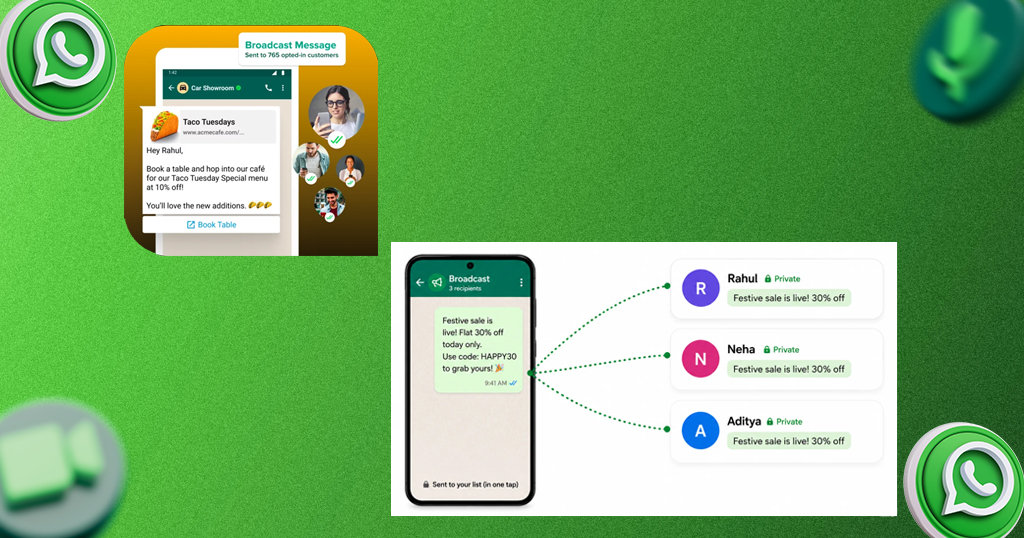
Broadcast frequency: 1–2 times per week maximum. More than that and customers start muting or blocking your number — the opposite of what you want.
Step 5: Set Up Automated Messages
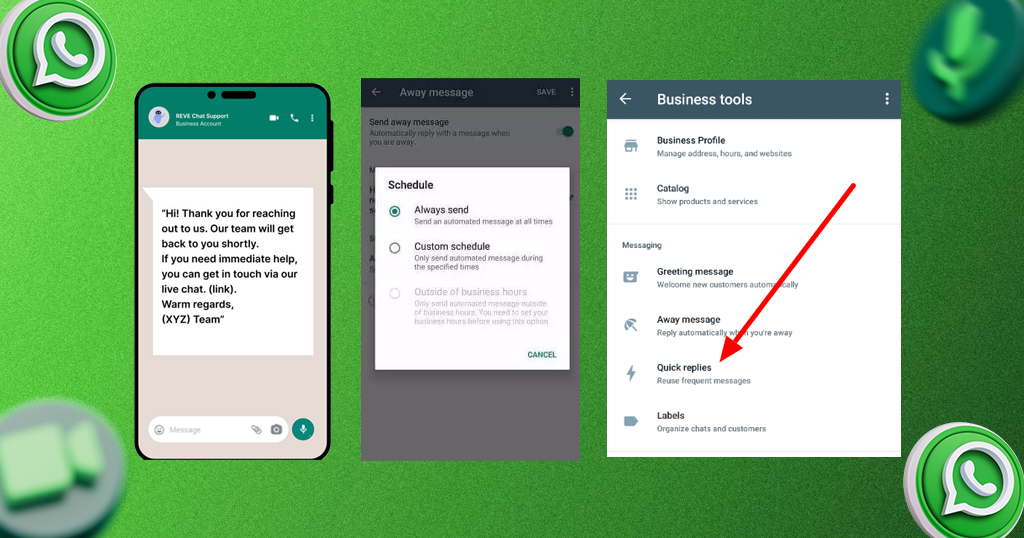
WhatsApp Business has three built-in automation tools that save time and improve customer experience without any technical setup:
Greeting message: Automatically sent to any customer who messages you for the first time. Set this to acknowledge their message and give them an expected response time — “Hi! Thanks for messaging [Business Name] 😊 We’ll get back to you within 2 hours during business hours (9 AM–9 PM).”
Away message: Automatically sent when customers message outside your business hours. Include your hours and an option for them to browse your catalogue or place an order — don’t just say you’re unavailable.
Quick replies: Saved responses to your most frequently asked questions — pricing, delivery areas, opening hours, parking, menu items. Assign a shortcut (like /hours or /menu) so your team can reply to common queries in one tap instead of typing the same answer twenty times a day.
These three automations alone can significantly reduce the time your team spends on repetitive customer queries while improving response speed for customers who message outside working hours.
Step 6: Link WhatsApp to Your Broader Marketing Strategy
WhatsApp works best not as a standalone channel but as the direct-response layer of a broader local marketing system. Here’s how it connects:
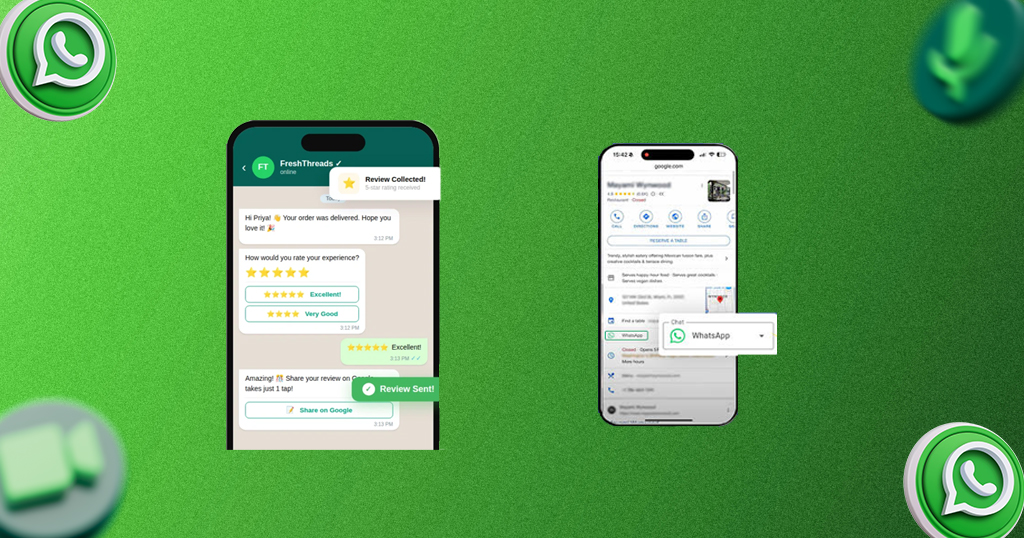
- Google reviews: Use WhatsApp follow-up messages to drive review volume. Our collection of Google review response examples helps once reviews start coming in.
- Social media: Use Instagram and Facebook to grow your WhatsApp list; use WhatsApp to convert followers into paying customers. See our full social media marketing guide for the complete social strategy.
- Local SEO: A high volume of Google reviews (partially driven by your WhatsApp follow-ups) improves your local search ranking. Read our local SEO guide for small businesses to understand how all these pieces connect.
- Google Business Profile: Ensure your WhatsApp number is listed on your GBP so customers can message you directly from Maps. If your profile isn’t set up yet, start with our guide on how to add your business to Google.
Managing reviews, social posts, and business listings alongside WhatsApp can become a significant time investment as your business grows. Storefries’ enterprise dashboard centralises your reputation management and listing updates across locations, so your team isn’t jumping between five different platforms.
Common WhatsApp Marketing Mistakes to Avoid
- Messaging people who didn’t opt in — this gets your number reported and banned. Always get permission first.
- Sending too frequently — more than 2 broadcasts per week feels spammy and drives customers to block you.
- Using a personal WhatsApp number — mixing personal and business conversations on the same number is unprofessional and makes it impossible to hand over to a team member later.
- Ignoring incoming messages — WhatsApp marketing only works if customers feel they can reach a real person. Slow or missing responses erode trust fast.
- Sending only promotional content — vary your messages between offers, useful information, personal updates, and community content. Pure promotional broadcasts get ignored.
The Bottom Line
WhatsApp marketing is the most direct, highest-engagement marketing channel available to Indian small businesses in 2026 — and it costs nothing to get started. A well-managed WhatsApp Business profile with a growing opt-in list, a consistent broadcast schedule, and smart automation can drive more repeat business than most paid advertising campaigns at a fraction of the effort.
Set up your profile properly, grow your list the right way, keep broadcasts to 1–2 times per week, and use automated messages to handle common queries around the clock. That’s the entire system — and it’s fully within reach for any restaurant or retail store starting today.
Ready to take your local marketing further? Storefries helps you manage your Google Business Profile, reviews, and social media content alongside your WhatsApp strategy — all from one dashboard. Check our pricing plans or browse more small business marketing guides on the Storefries blog.
Quick FAQ: WhatsApp Marketing for Small Business
1. Is WhatsApp Business free to use?
Yes, the WhatsApp Business app is completely free for small businesses. WhatsApp also offers a paid WhatsApp Business API for larger businesses that need advanced automation and integration — but most small businesses don’t need it.
2. Can I send bulk messages on WhatsApp Business?
Yes, through Broadcast Lists — but only to contacts who have saved your number. The free app supports broadcast lists of up to 256 contacts. For larger lists, the WhatsApp Business API (through approved providers) supports higher volume sending.
3. How is a WhatsApp broadcast different from a group?
In a broadcast, each recipient gets your message as a private, individual chat — they can’t see other recipients, and replies come back to you privately. In a group, everyone can see each other and all messages. Broadcasts are almost always better for marketing; groups work better for community building.
4. Can I run WhatsApp marketing alongside Instagram and Google reviews?
Absolutely — and you should. WhatsApp, Instagram, and Google reviews work best as a connected system, not separate channels. WhatsApp drives repeat visits and review requests; Instagram builds brand awareness; Google reviews improve your local search ranking.



Leave A Comment